Chats
Chats Calendar
 Meetings
 Contacts
 Mail
Mail Docs
Docs Drive
Drive AI Table
 AI Minutes
 Attendance
 Approval
 YiDA
YiDA Admin Console
Trigger Methods
Difference between task completion execution and node completion execution:If an approval node has multiple approvers, each approver counts as a separate task, while the node itself remains a single unit.
Task Completion Execution
As shown in the figure, this rule is triggered when the actual action on the manual node is “Accept”. Similarly, “Decline”, “Save”, and “Return” can be configured in the same way.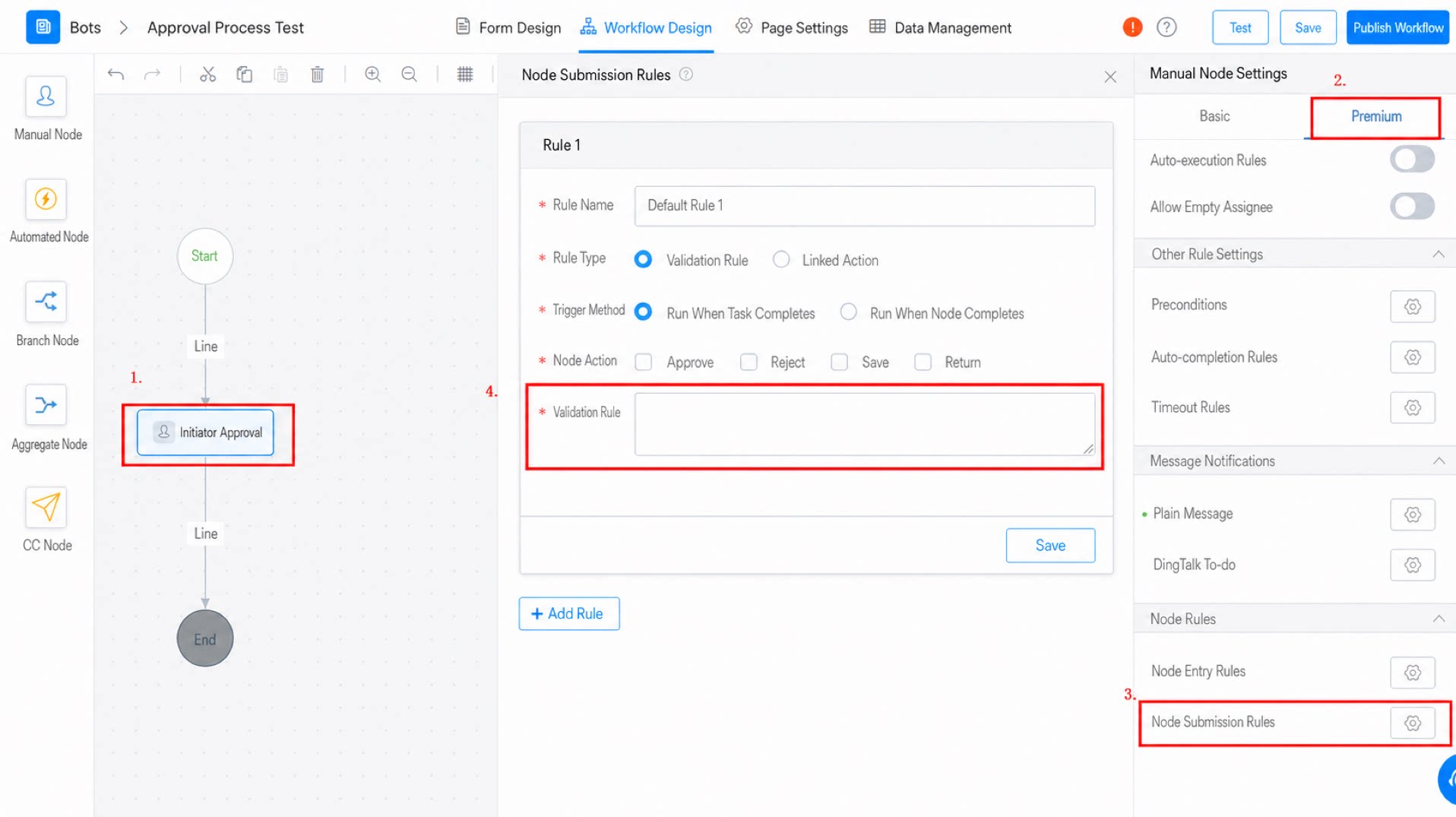
Node Completion Execution
As shown in the figure, this rule is triggered when the actual action on the manual node is “Accept”. Similarly, “Decline” can be configured in the same way.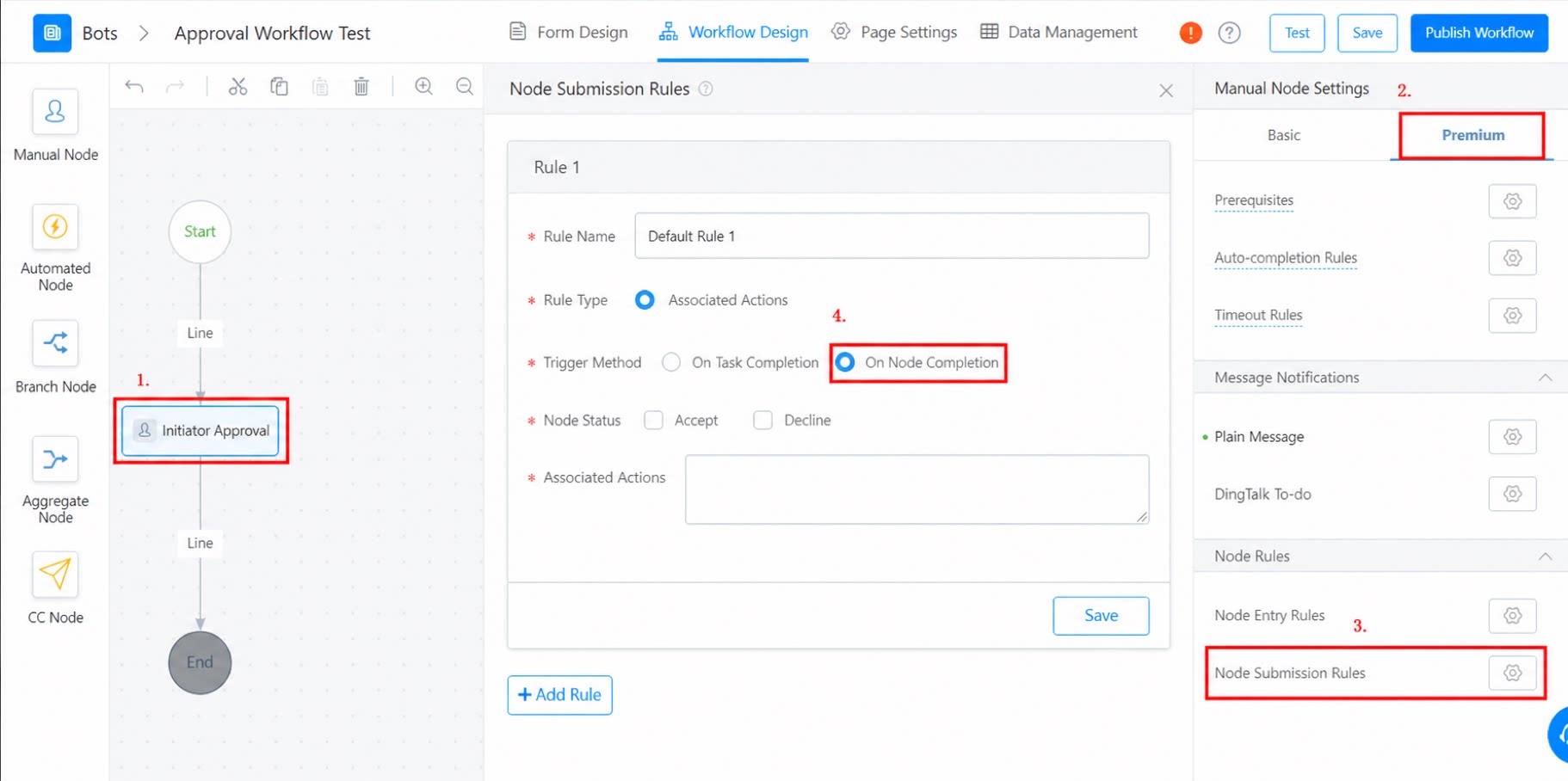
Related Documents
- For detailed Formula usage, see Formula.
- For third-party services and Custom services, see Services.