

 Chats
Chats Calendar
 Meetings
 Contacts
 Mail
Mail Docs
Docs Drive
Drive AI Table
 AI Minutes
 Attendance
 Approval
 YiDA
YiDA Admin Console
Steps
Follow the steps below to bulk delete data.- Sign in to the YiDA workbench and open the app that contains the data you want to bulk delete.
- Select the target form and click Data management.
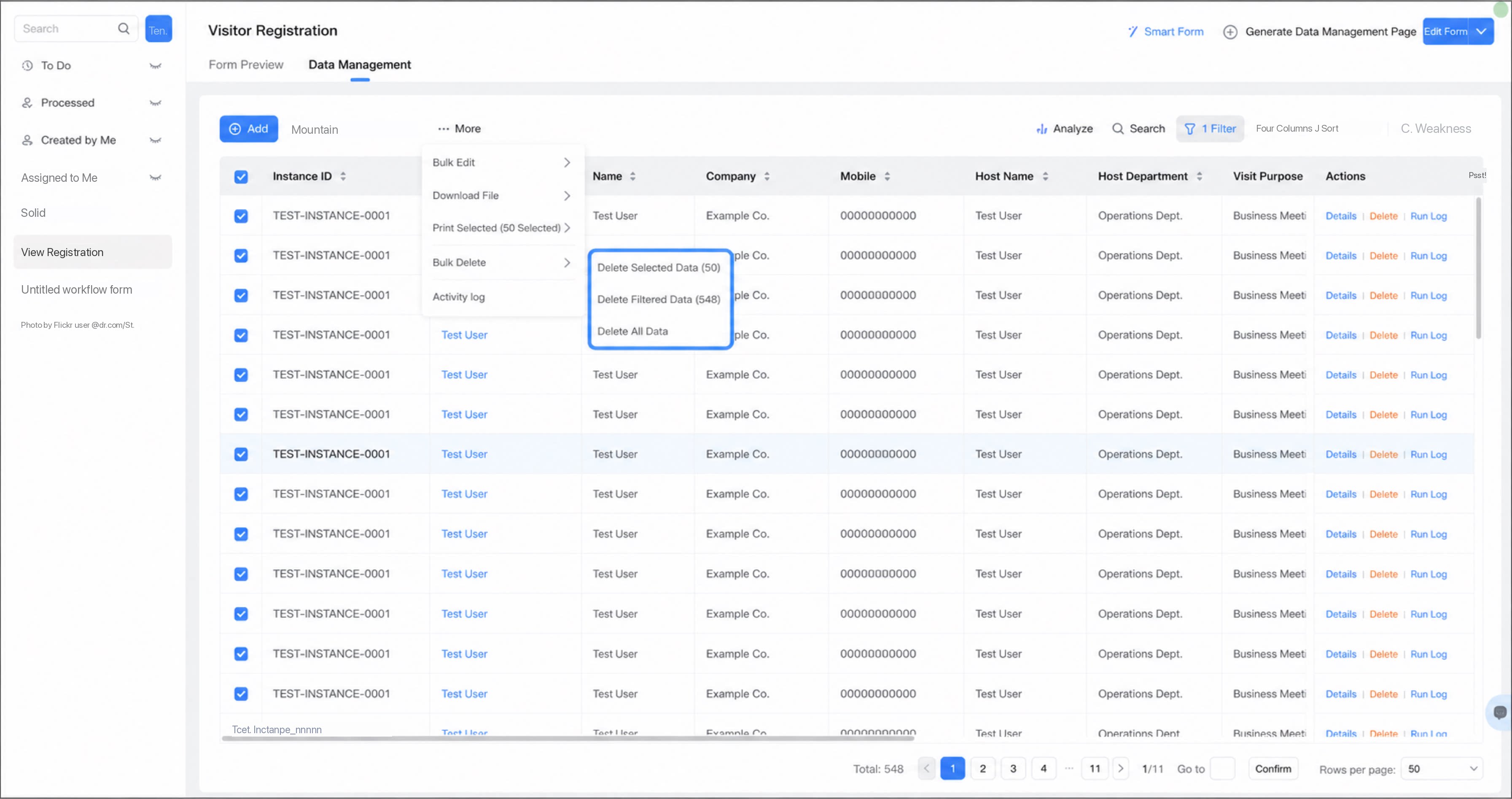
- Click More > Bulk delete, and select the records to delete.
1
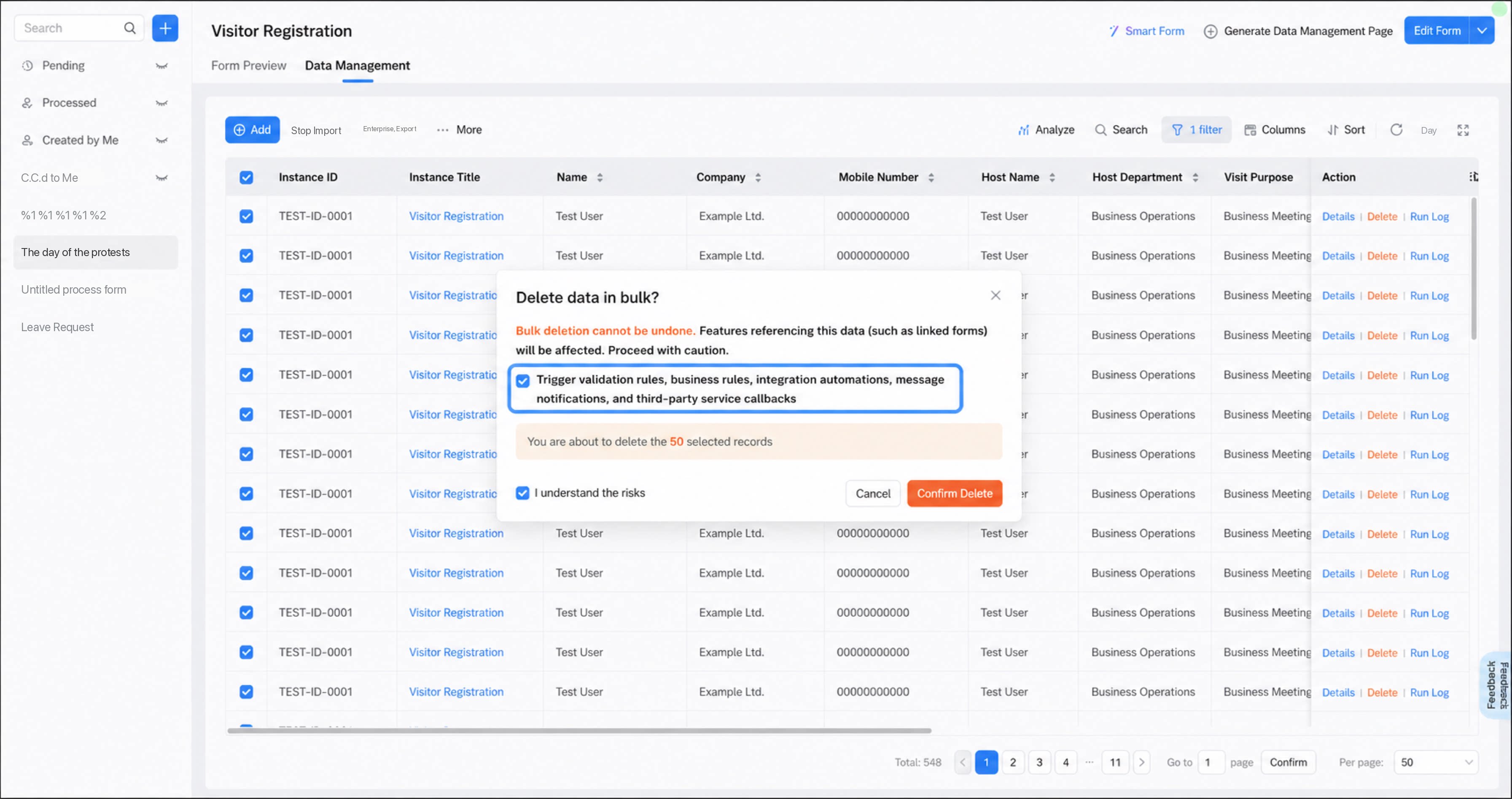
Choose whether to trigger validation rules, business rules, integration & automation flows, Message notifications, and third-party service callbacks
Available only when fewer than 50 records are processed in the bulk action.
2
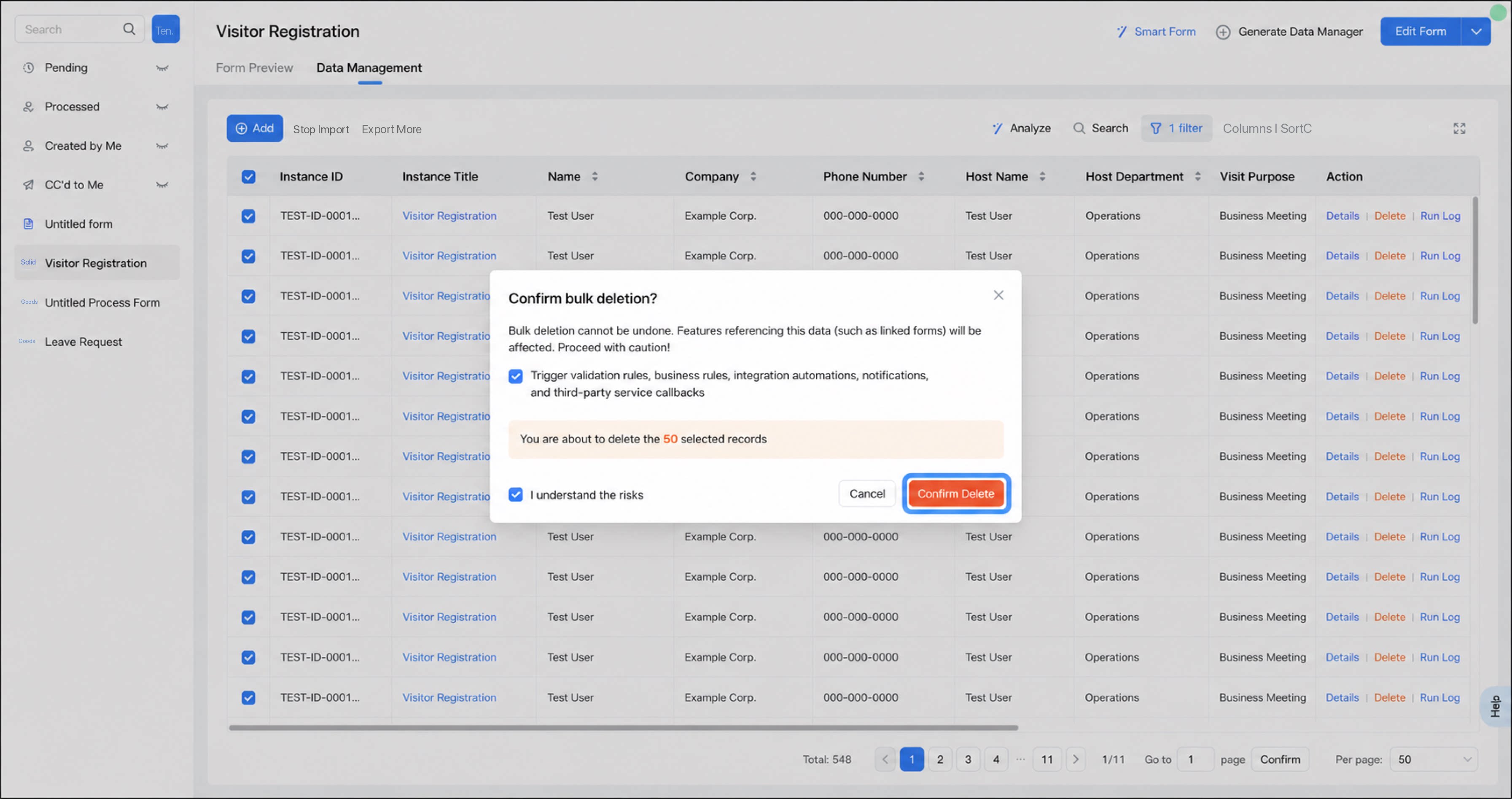
Read and select the Risk warning, then click Confirm delete
Precautions
- When fewer than 50 records are processed in a bulk action, message notifications and business association rules can be triggered.
- Bulk delete is available only to admins. Deleted data cannot be recovered, and any feature that references the data (such as associated forms) will be affected. Delete with caution.
If you are using the legacy version of YiDA, the bulk delete process may differ. Contact YiDA support for assistance.