Chats
Chats Calendar
 Meetings
 Contacts
 Mail
Mail Docs
Docs Drive
Drive AI Table
 AI Minutes
 Attendance
 Approval
 YiDA
YiDA Admin Console
Data management page
Procedure
- Sign in to the YiDA workbench and open the page management page of the app.
- Locate the target workflow form or form, and click Data management.
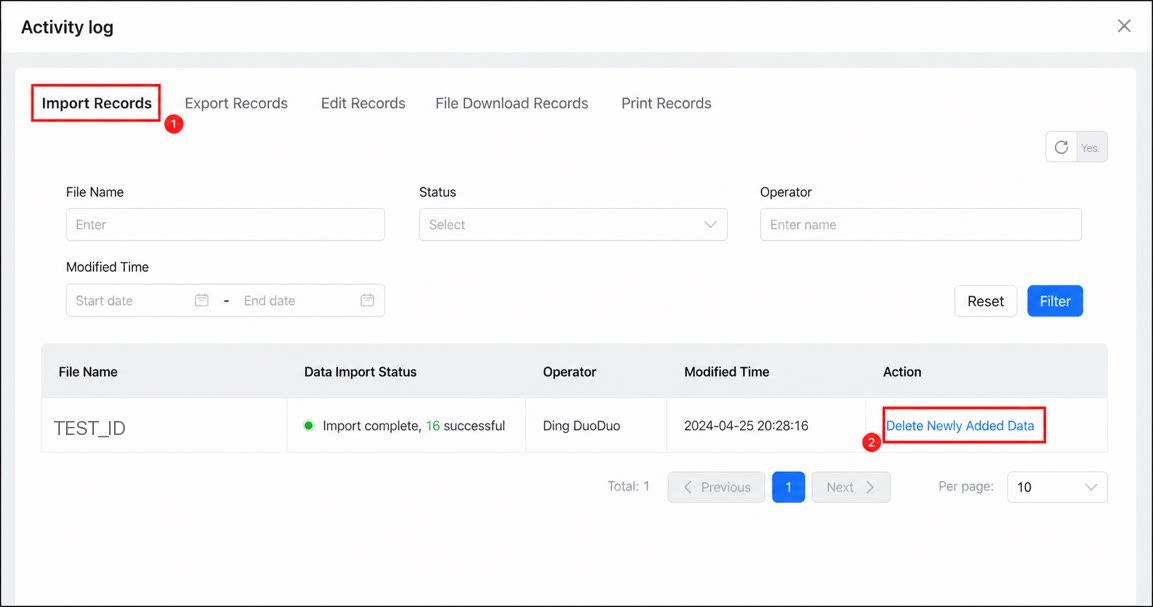
- Click More > Activity log.
- Click Import records, select the data to delete, and click Delete data added in this batch.