Chats
Chats Calendar
 Meetings
 Contacts
 Mail
Mail Docs
Docs Drive
Drive AI Table
 AI Minutes
 Attendance
 Approval
 YiDA
YiDA Admin Console
1. Overview
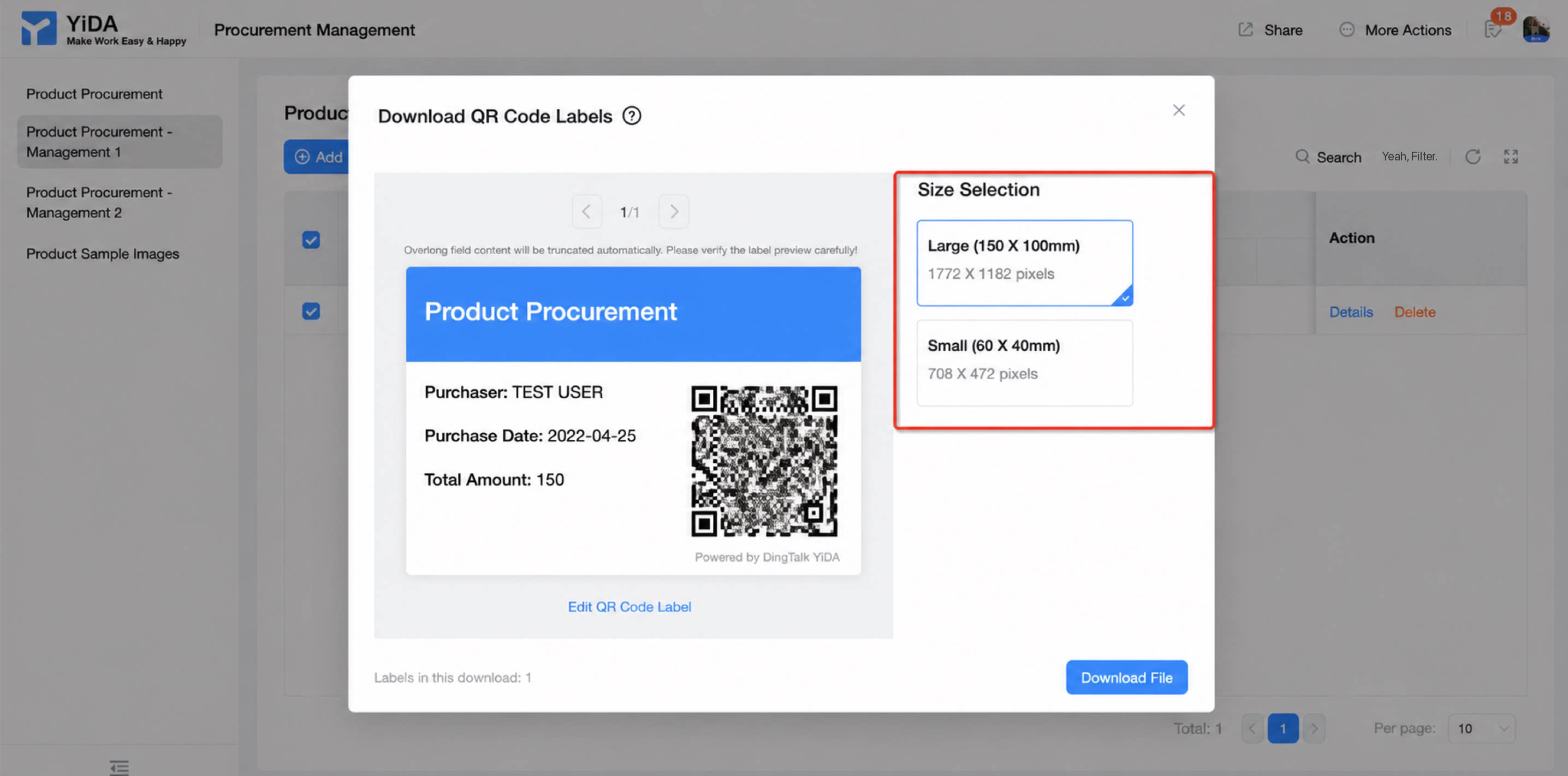
This topic explains how to download QR Code labels for a form, covering both admin and employee paths and the available label sizes. For QR Code label configuration, see QR Code labels.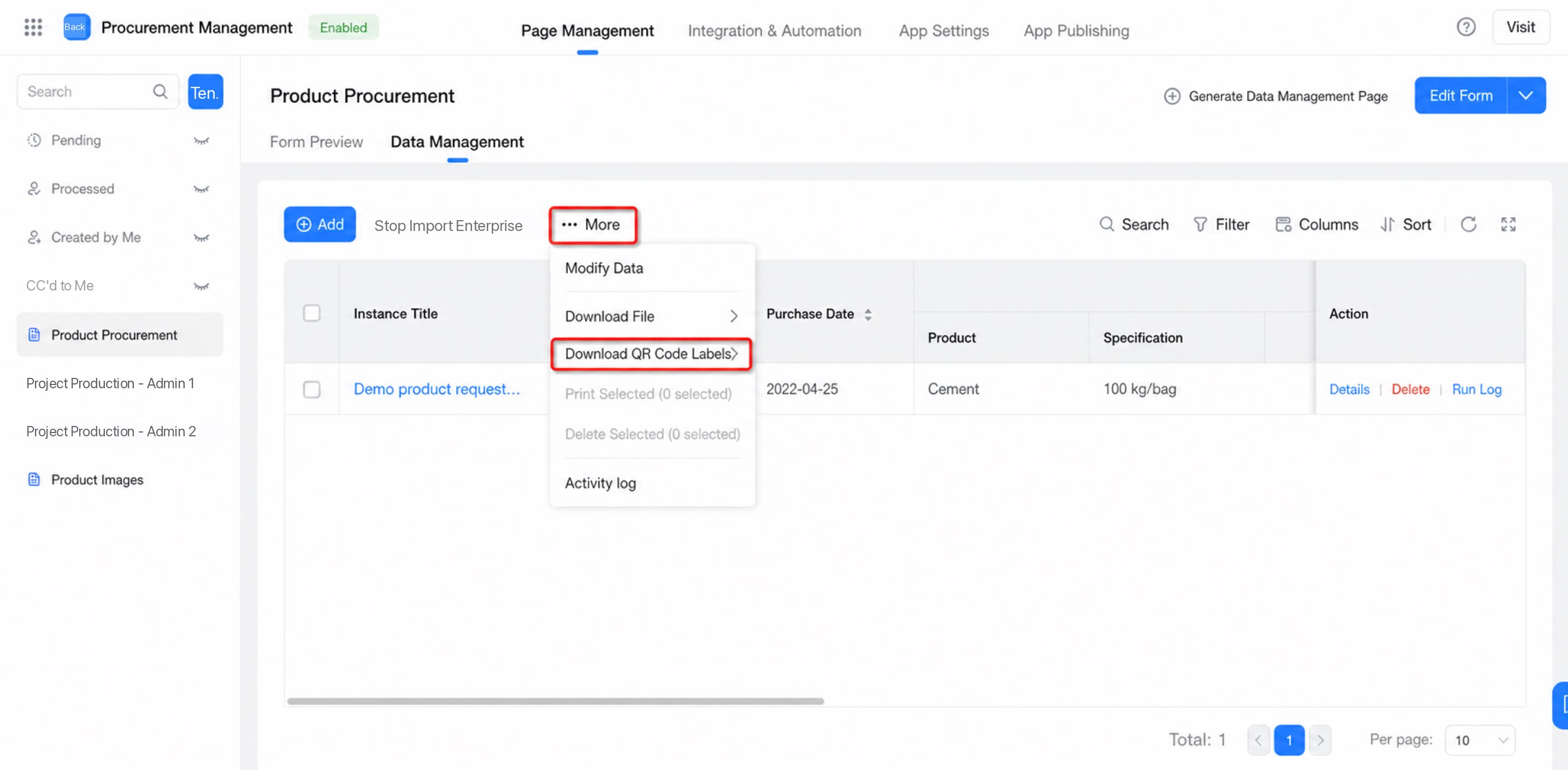
2. User Guide
Both YiDA admins and employees can download QR Code labels, but the paths differ as follows.2.1 Download as an Admin
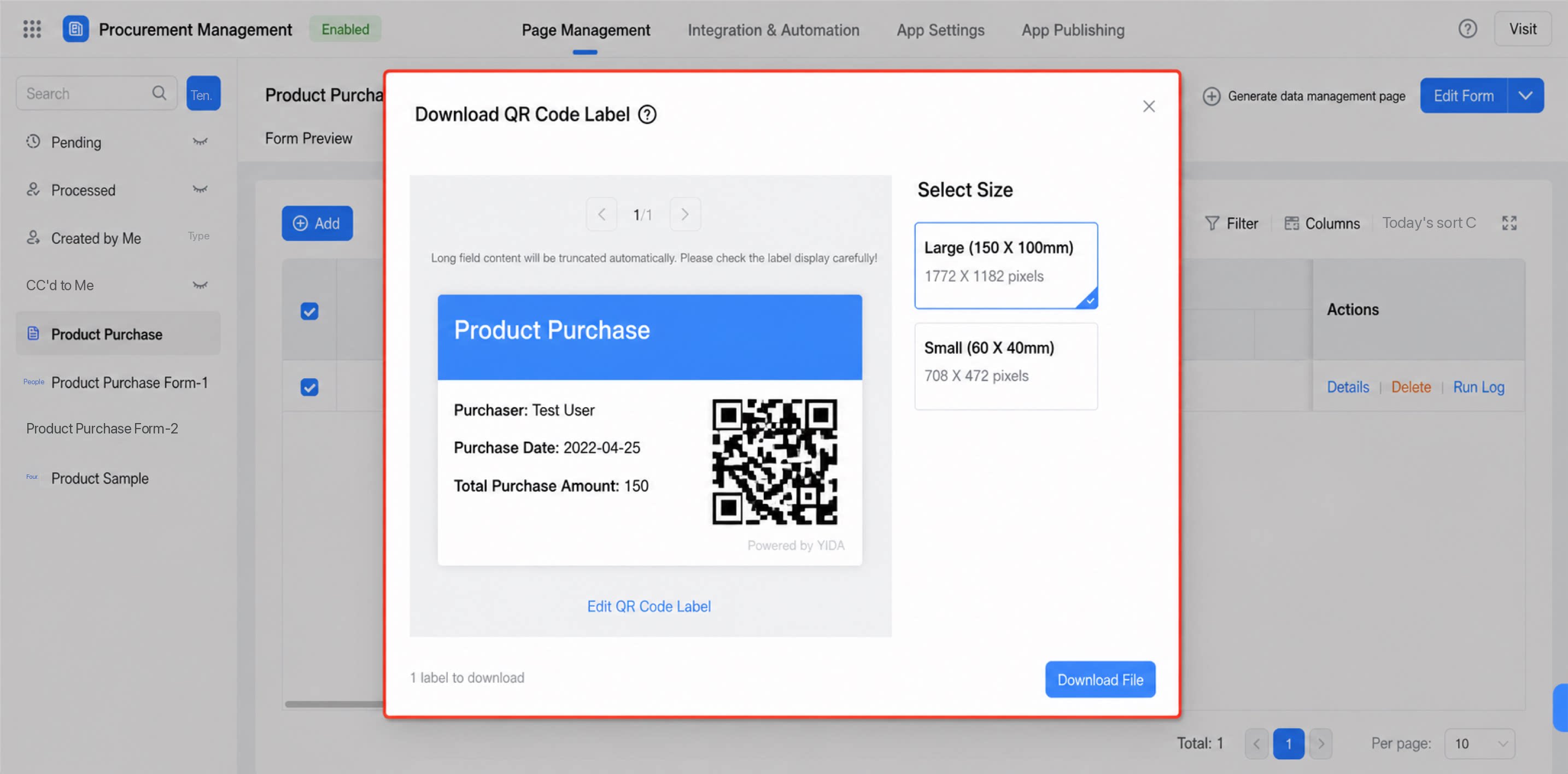
Edit mode: Go to YiDA > My Apps > select the target app and form > Data Management > Download QR Code Labels.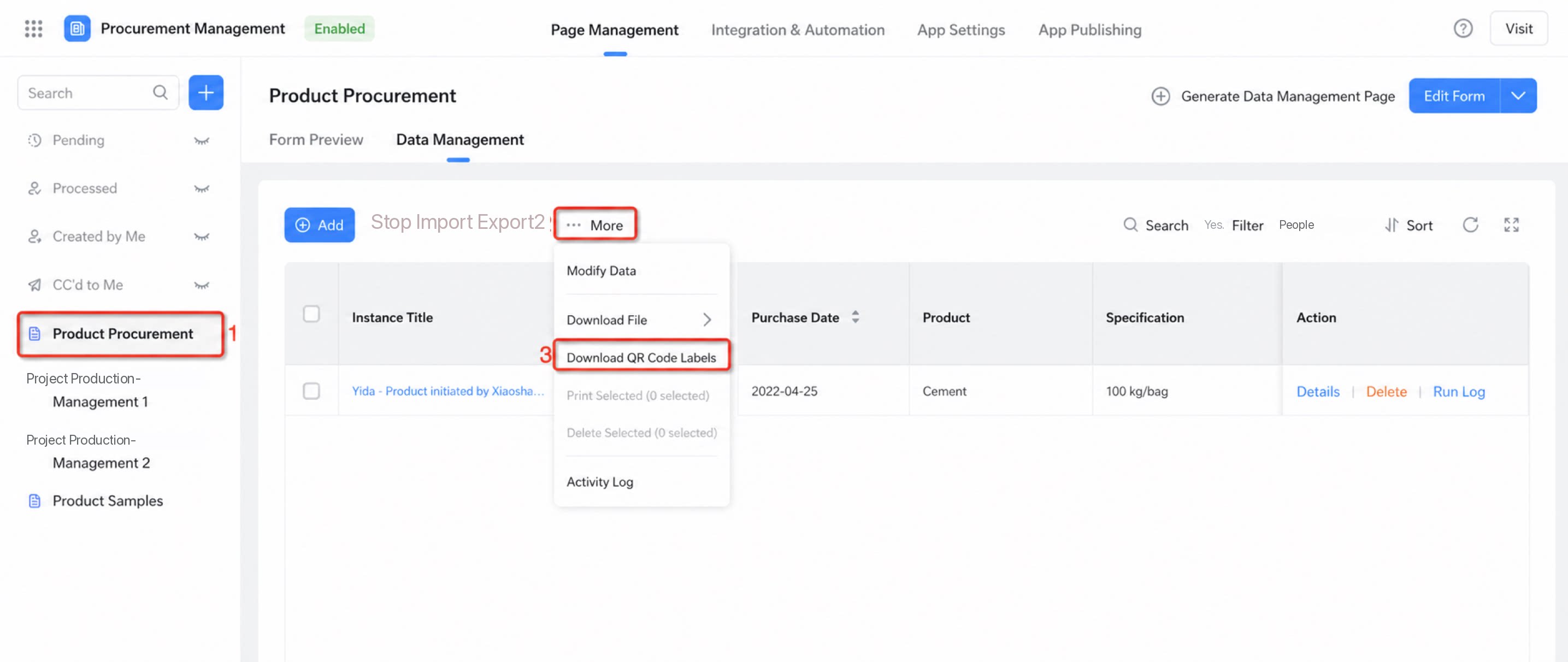
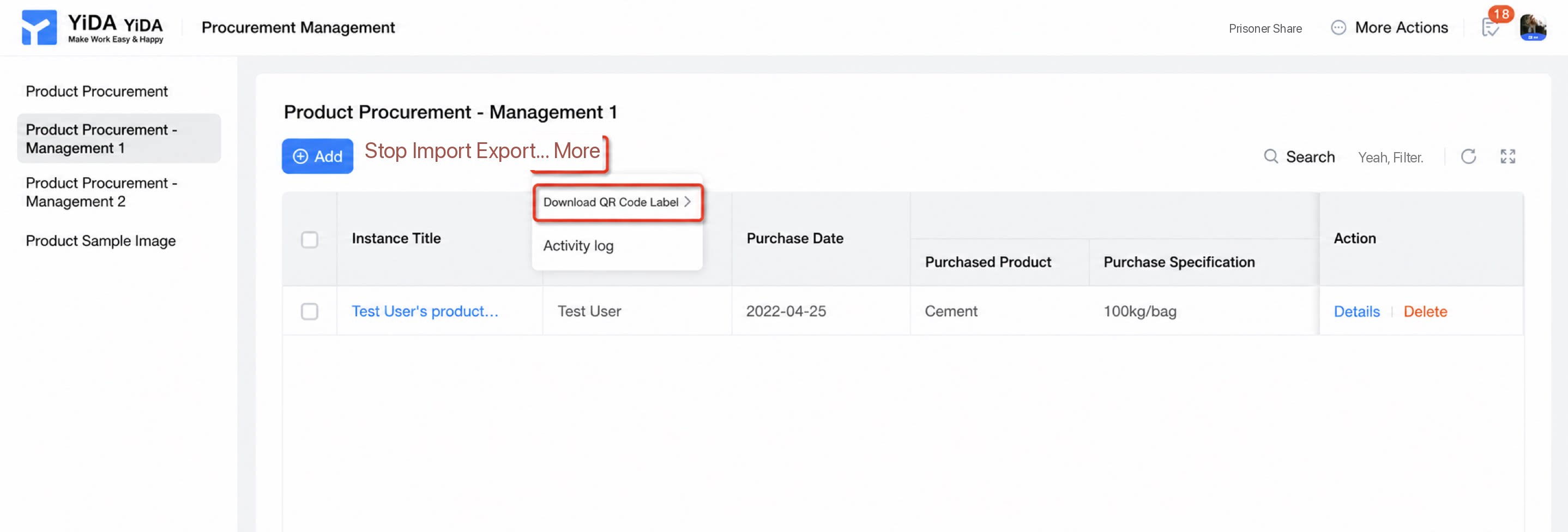
2.2 Download as an Employee
Employees can download QR Code labels in view mode only. Path: YiDA > App Center > locate the data management page of the target app and form > Download QR Code Labels.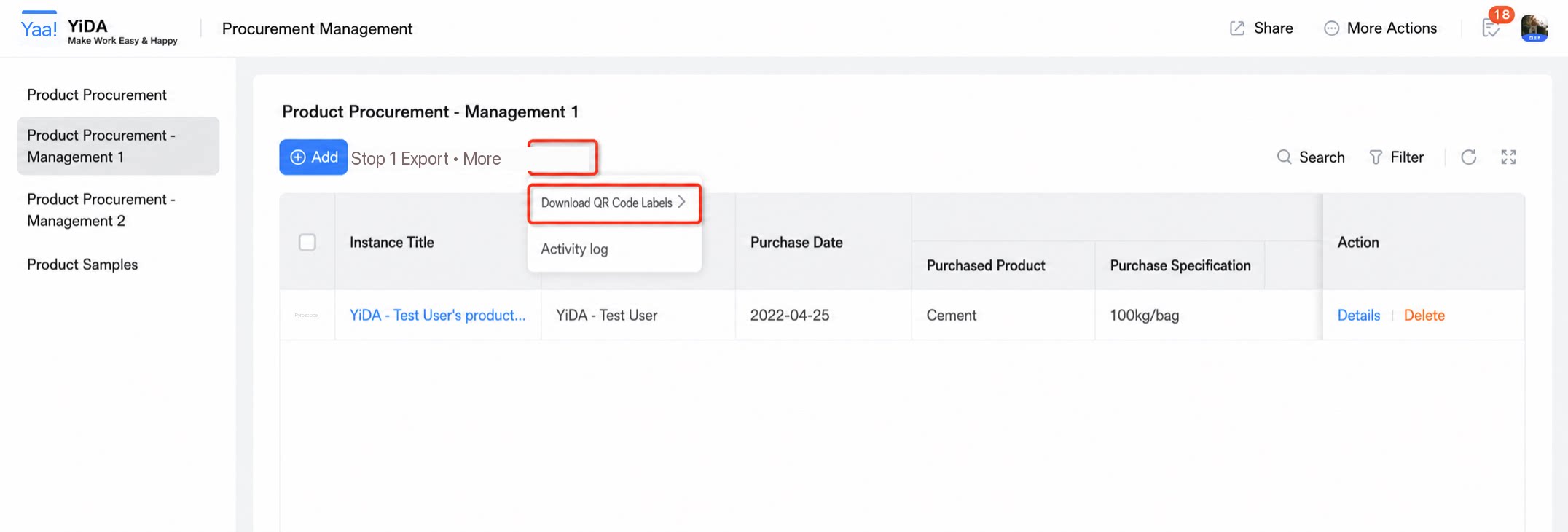
2.3 Available Sizes
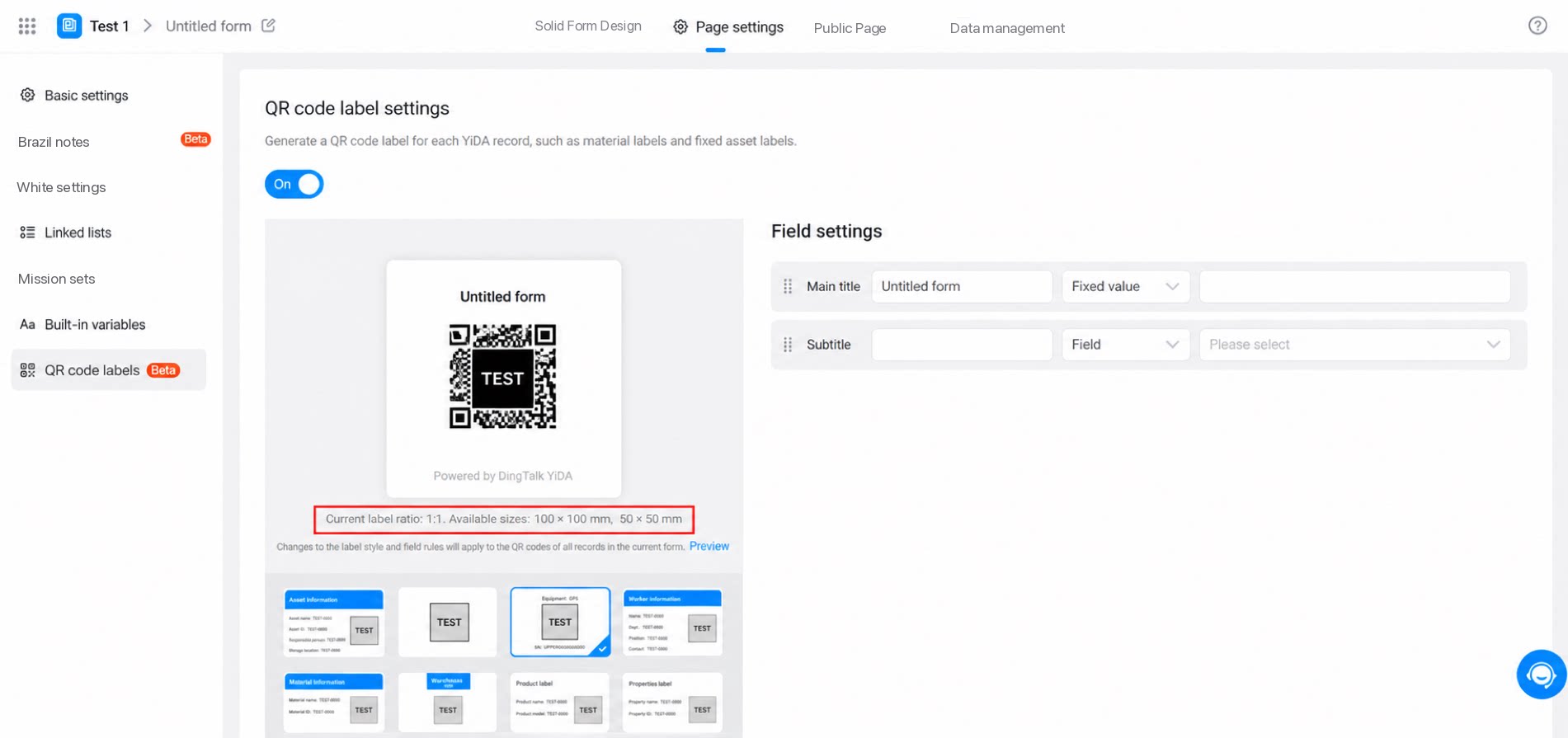
Available download sizes vary by label style. You can view the available sizes while configuring the label style.