

 Chats
Chats Calendar
 Meetings
 Contacts
 Mail
Mail Docs
Docs Drive
Drive AI Table
 AI Minutes
 Attendance
 Approval
 YiDA
YiDA Admin Console
Simple Bulk Edit
Follow these steps to bulk edit data.- Sign in to the YiDA workbench and open the app whose data you want to bulk edit.
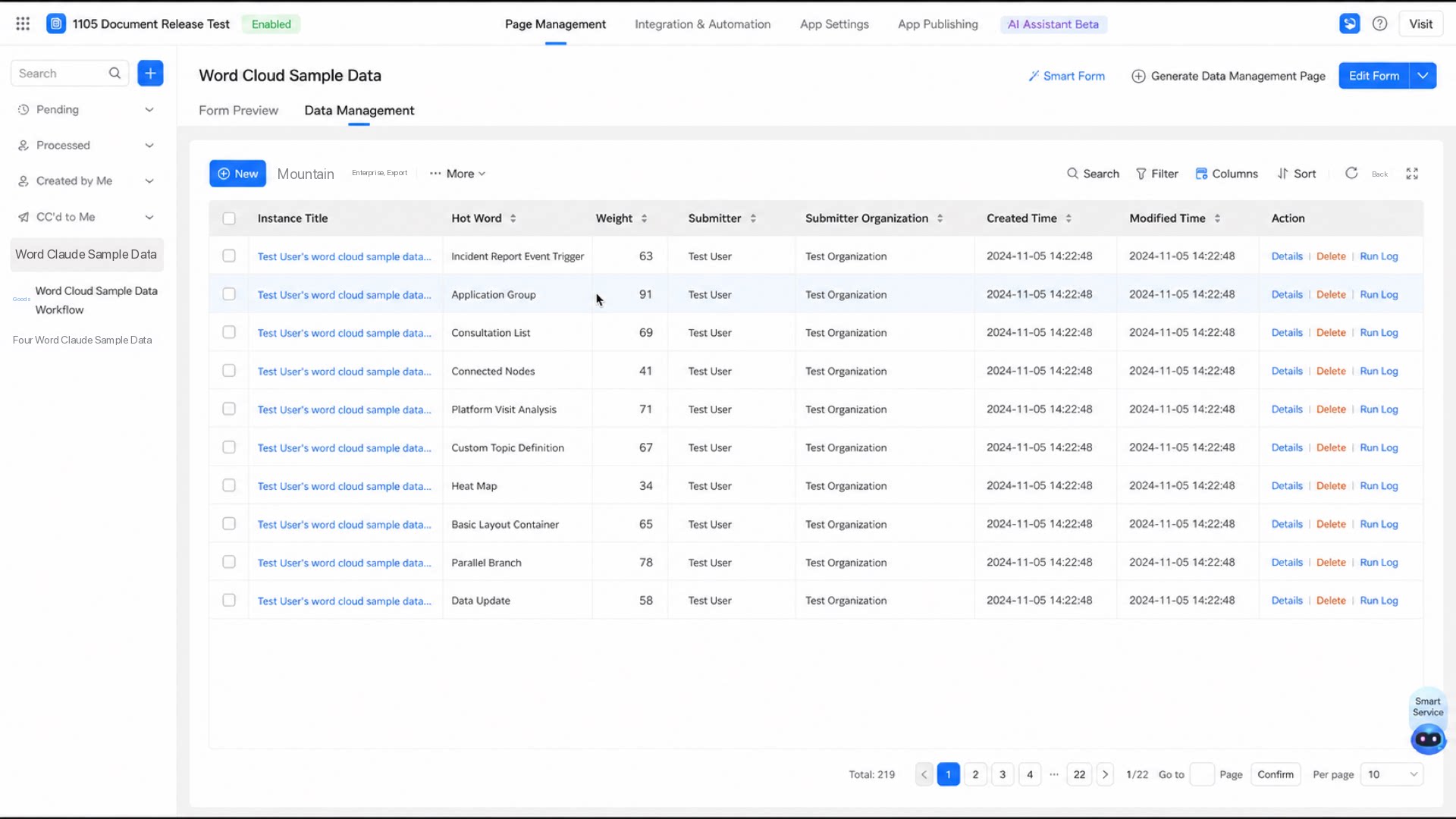
- Select the target form and click Data management.
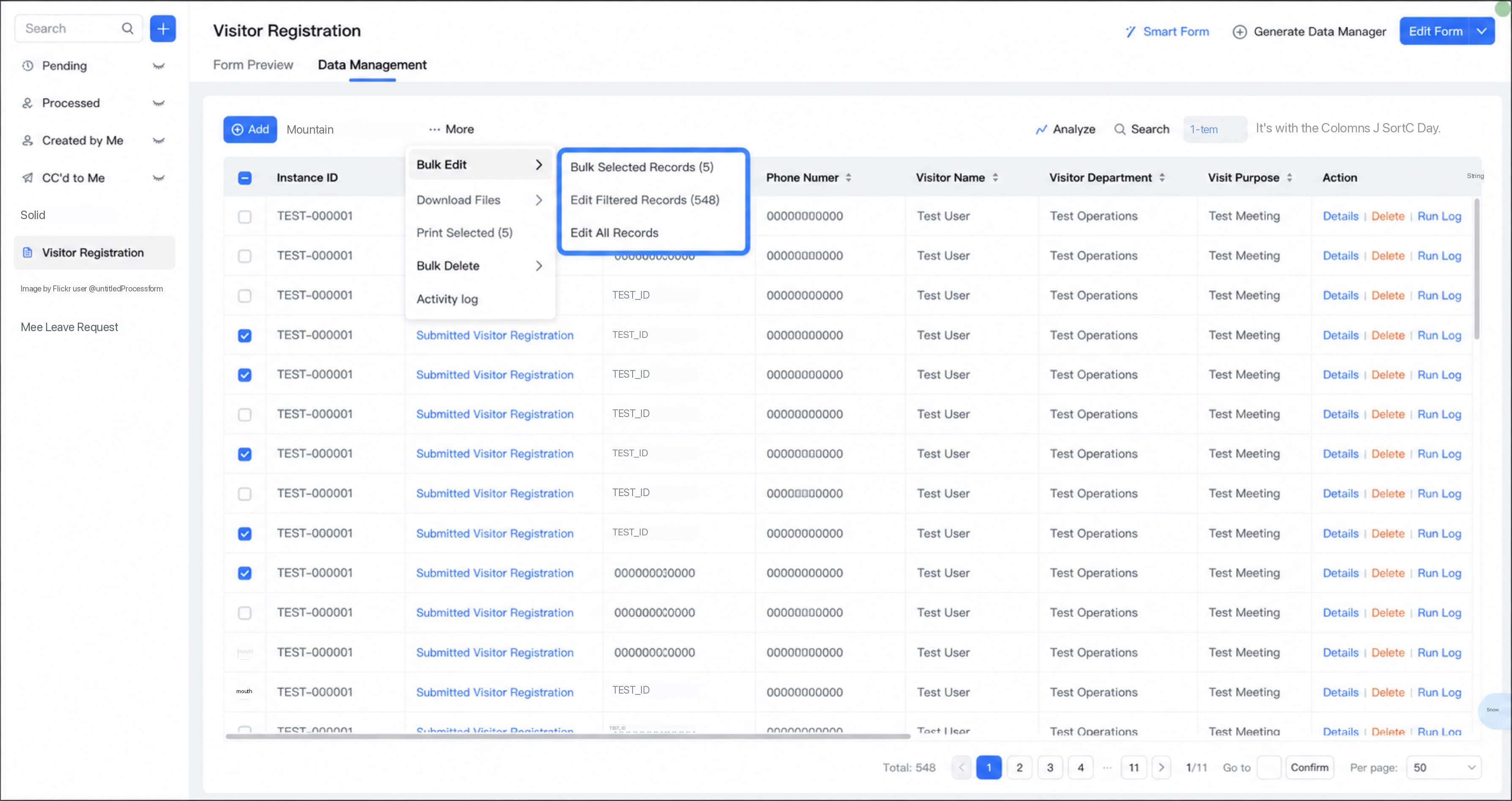
- Click More > Bulk edit, and then select the records to edit.
- In the dialog box, select the fields to edit and set the new values.
- Choose whether to trigger validation rules, business rules, integration & automation flows, message notifications, and third-party service callbacks.
Available only when fewer than 50 records are edited.
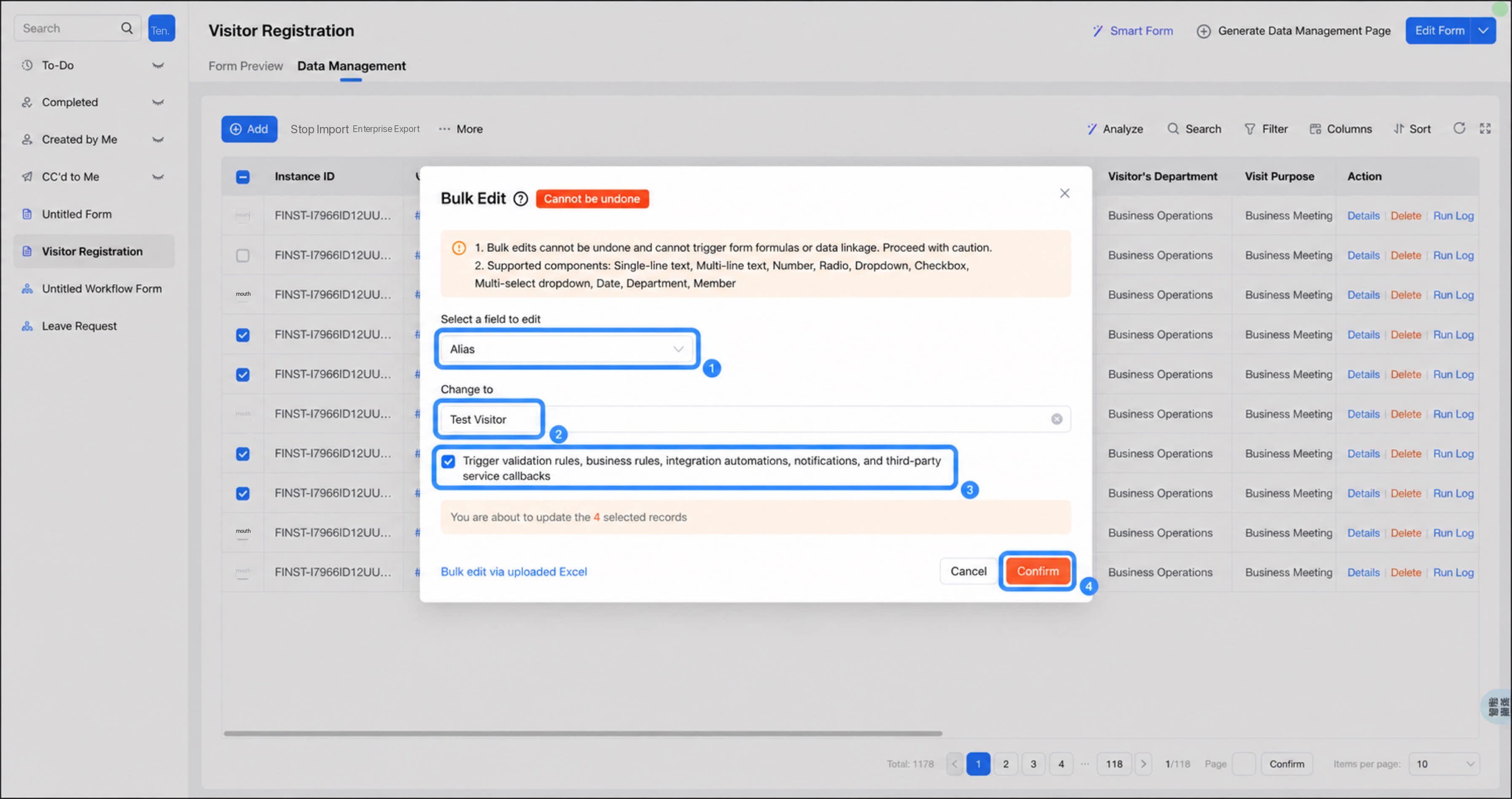
- Click Confirm edit.
Bulk Edit by Uploading an Excel File
- Sign in to the YiDA workbench and open the app whose data you want to bulk edit.
- Select the target form and click Data management.
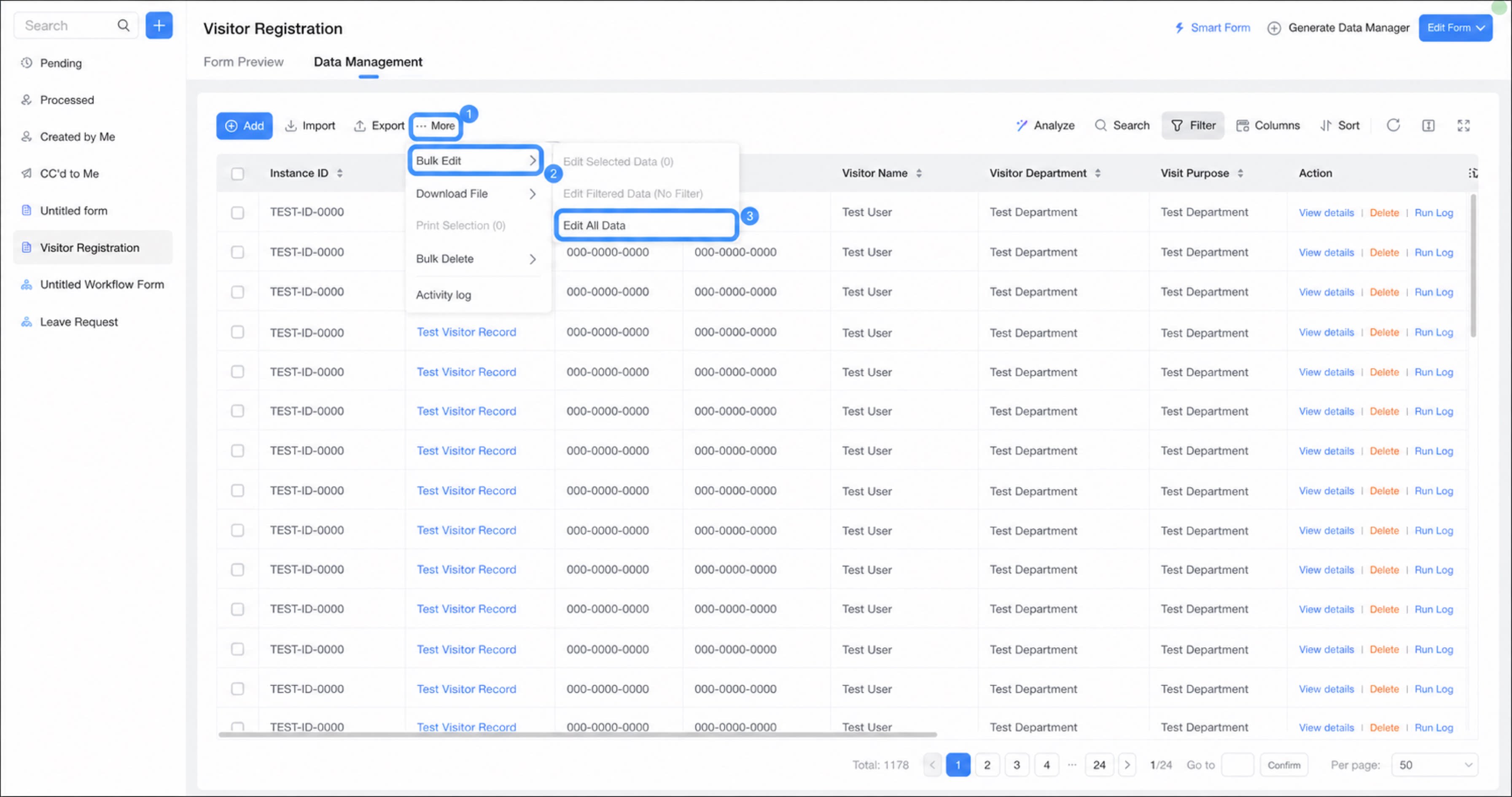
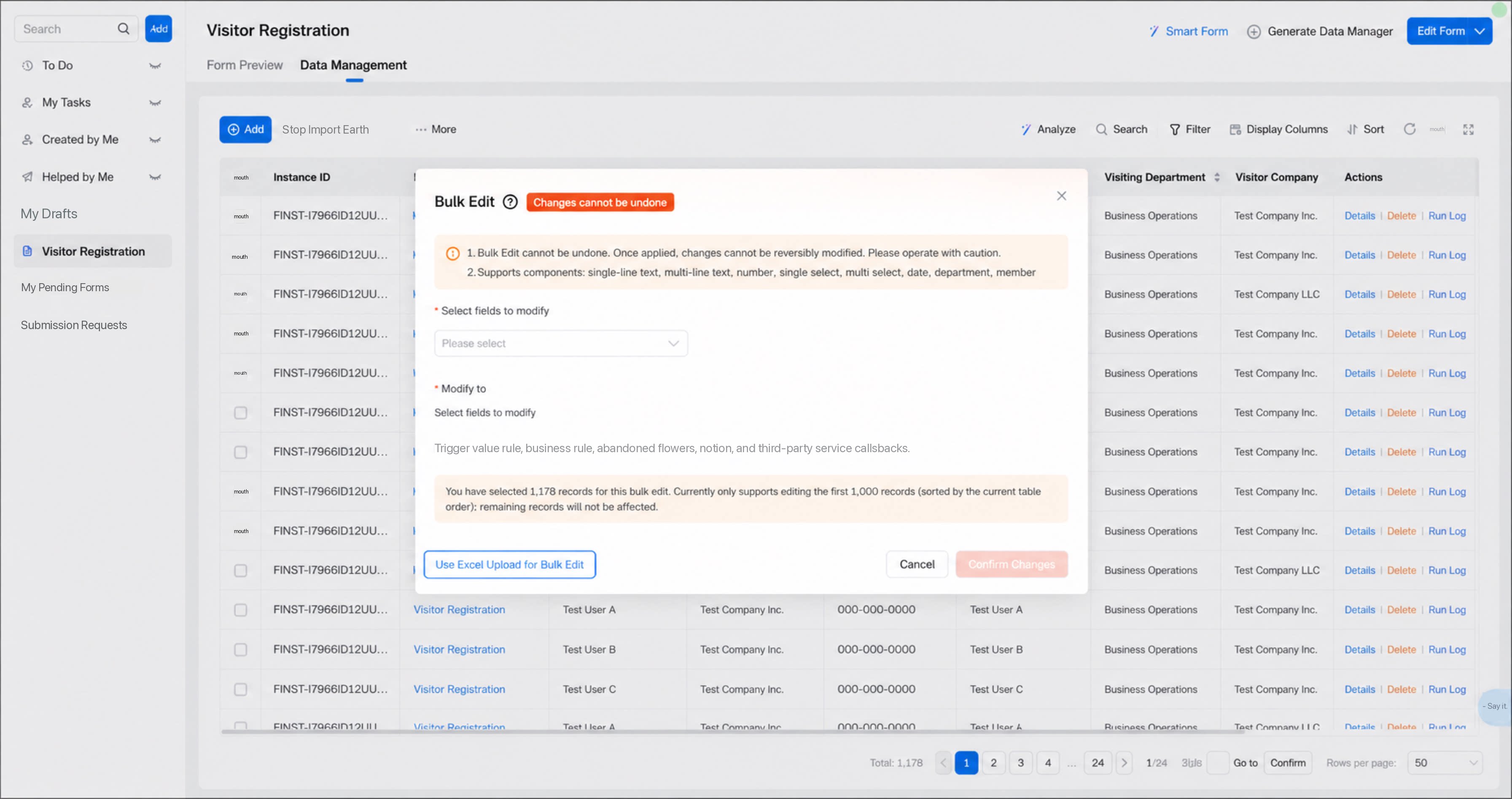
- Click More > Bulk edit > Edit all data in sequence.
1
In the dialog box, select Bulk edit by uploading Excel
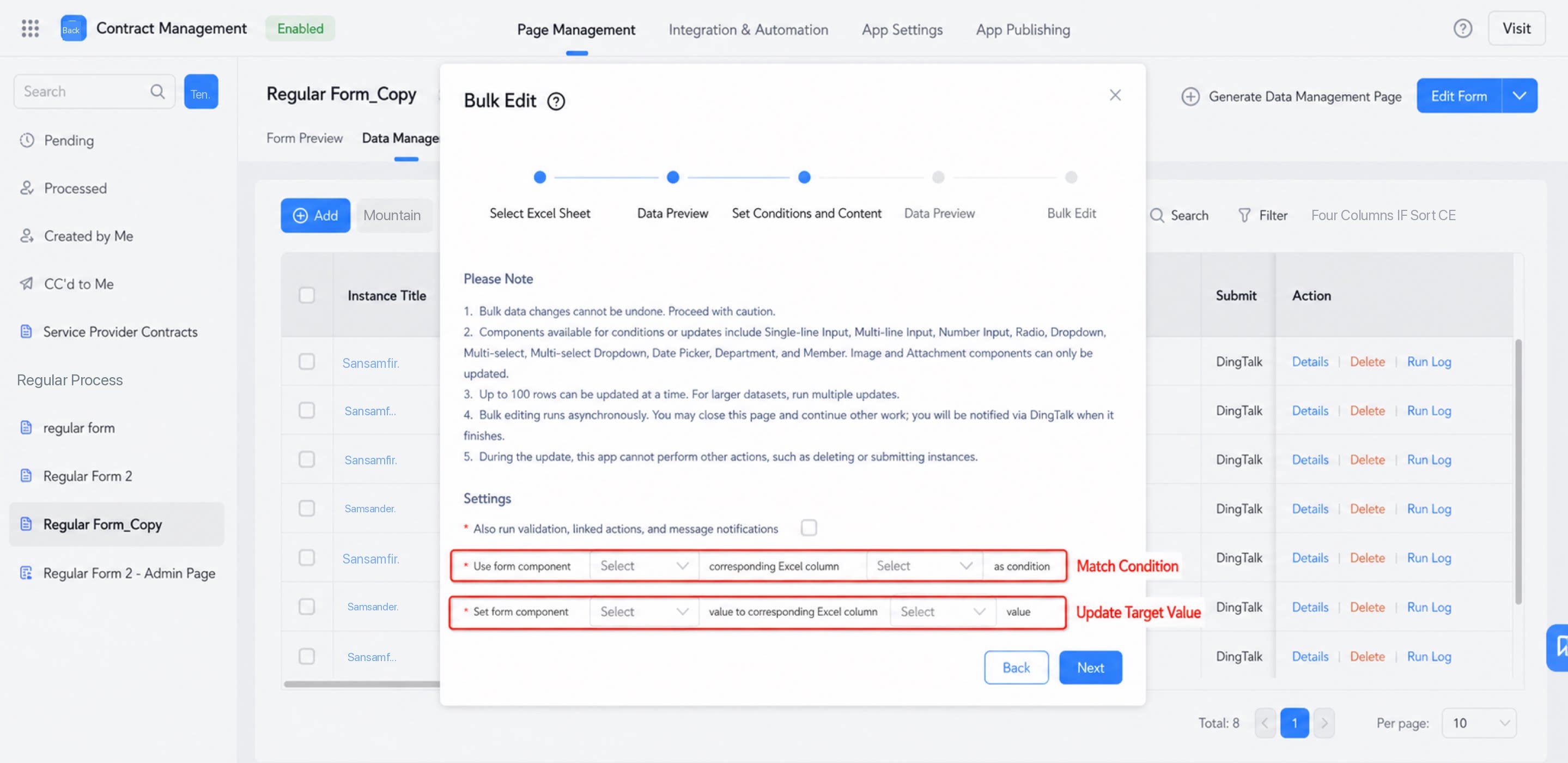
2
Set the matching conditions and target values
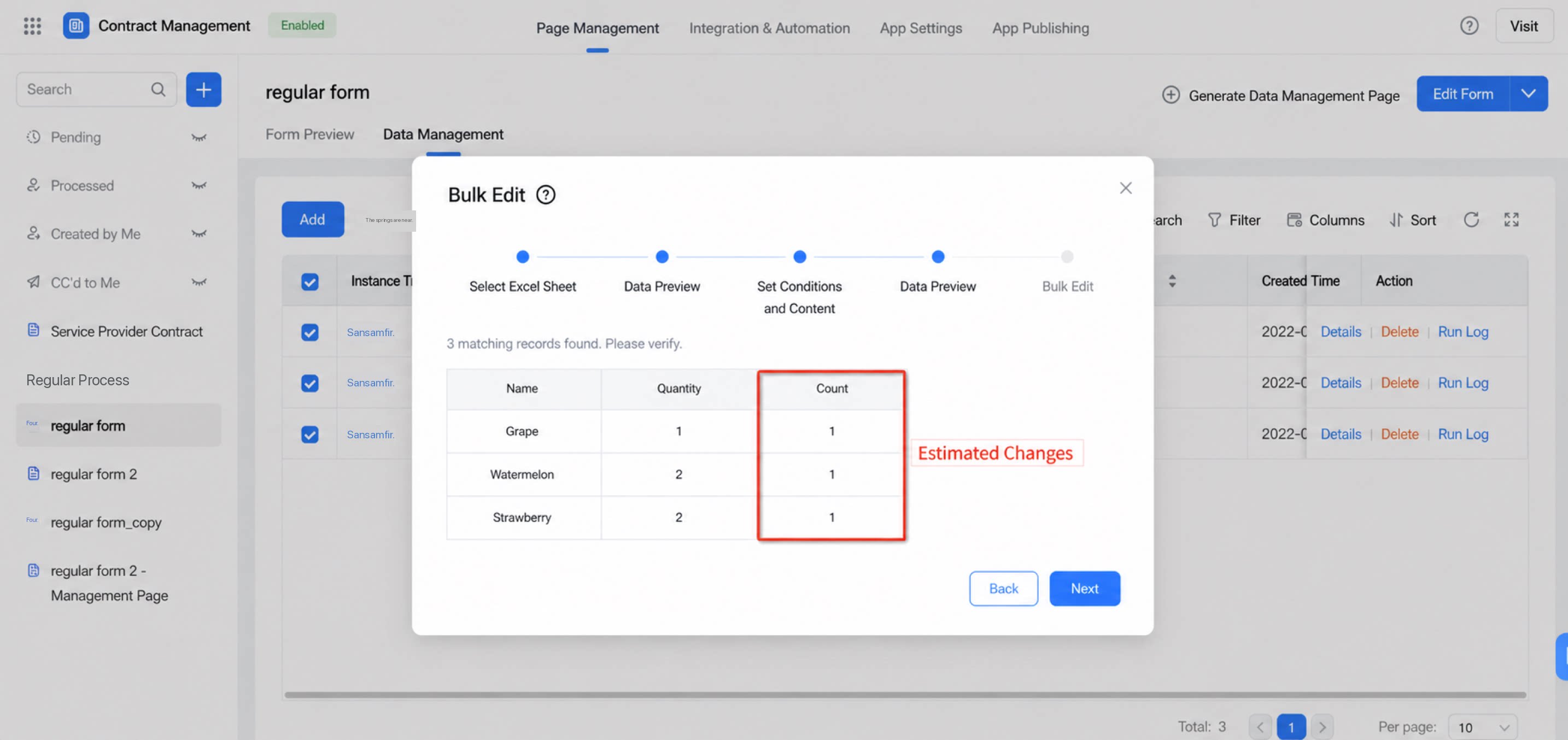
3
Confirm the bulk edit details
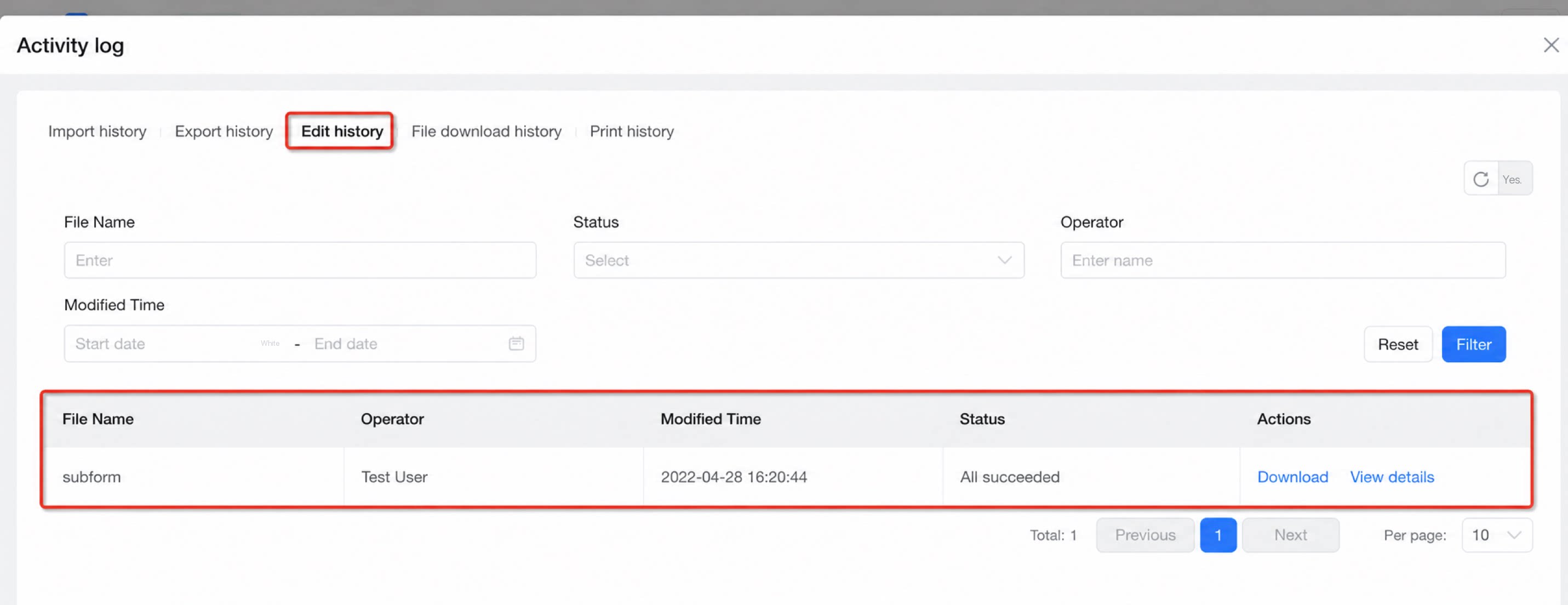
4
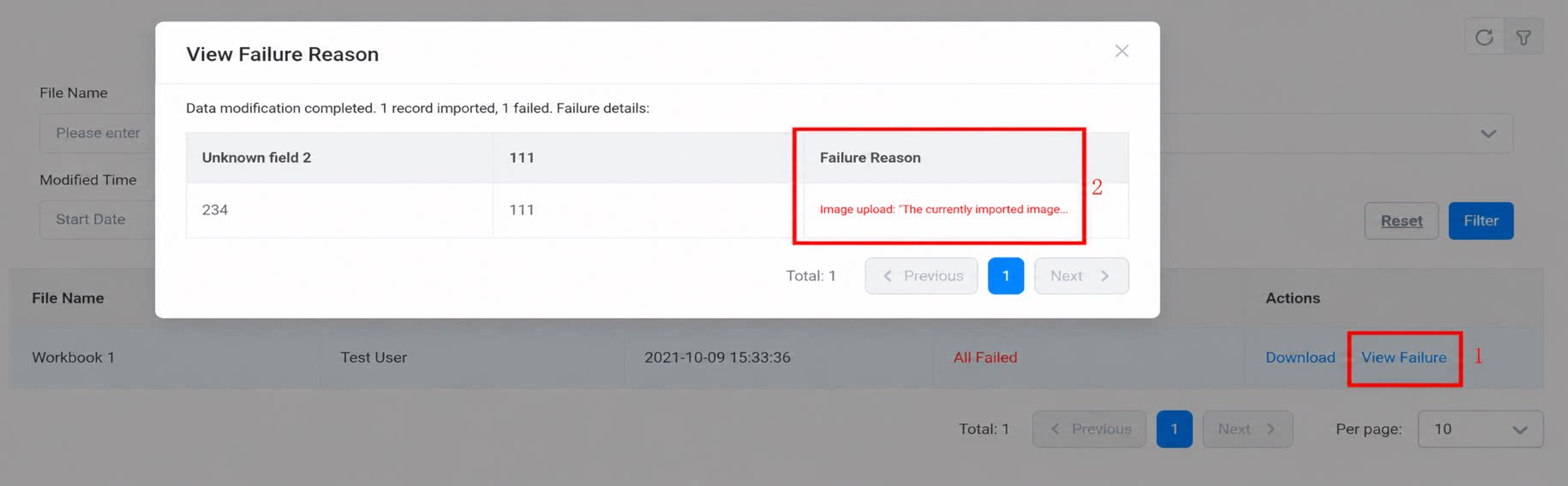
View the bulk edit results
Precautions
- Only forms support bulk edit. Workflow forms are not supported.
- Matching form data cannot be changed while a bulk edit is running. Run bulk edits during off-peak hours.
- Bulk edits cannot be undone and do not trigger form formulas or data linkage. Proceed with caution.
- Only the following components are supported: Single-line text, Multi-line text, Numerical, Select, Dropdown select, Checkbox, Dropdown checkbox, Date, Department, User, Image upload, and Attachment. In 2.0 apps, the User, Image upload, and Attachment components do not support bulk edit.
- Bulk edits take time to run. A DingTalk notification is sent once the edit is complete.
- Only one bulk edit can run on the same form at a time. Wait until the previous bulk edit finishes before starting another.
- One record corresponds to one matching condition, and one matching condition can apply to multiple records. Up to 1,000 records can be edited per bulk edit.
- Subforms do not support bulk edit. However, strict subform validation is disabled during bulk edit, so the main form can still be edited when subforms are present. For example, if a local Excel file contains subform-formatted content, the main form content can still be imported and edited normally.