Chats
Chats Calendar
 Meetings
 Contacts
 Mail
Mail Docs
Docs Drive
Drive AI Table
 AI Minutes
 Attendance
 Approval
 YiDA
YiDA Admin Console
1. Overview of Activity Logs
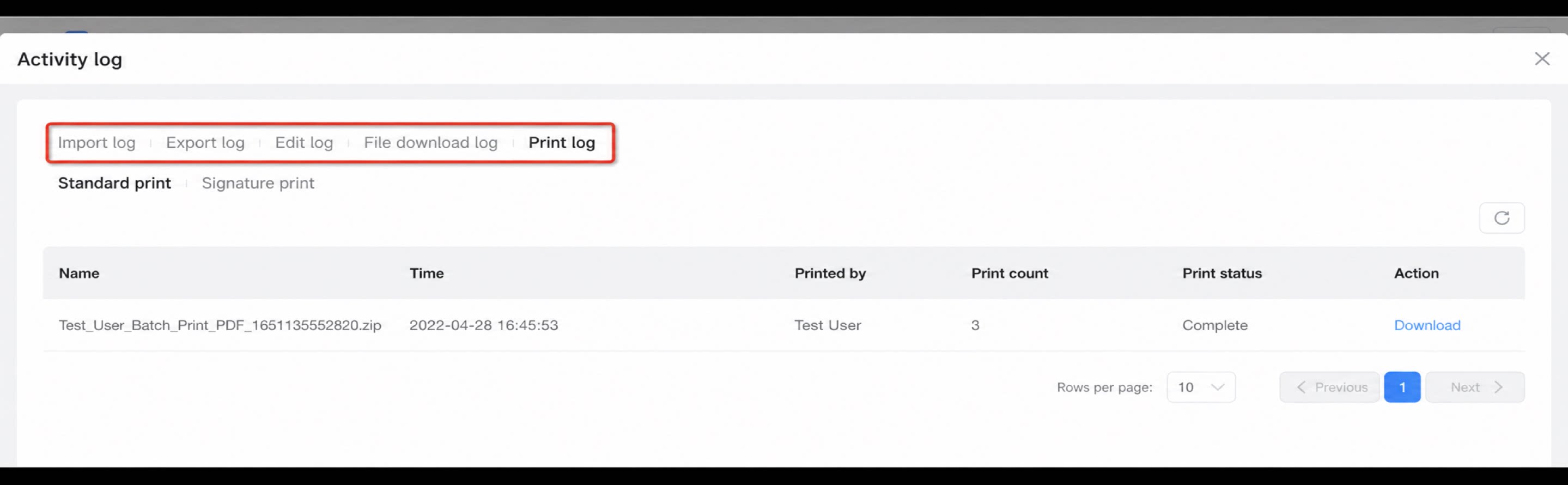
You can query records for Import, Export, modification, File download, and Print actions.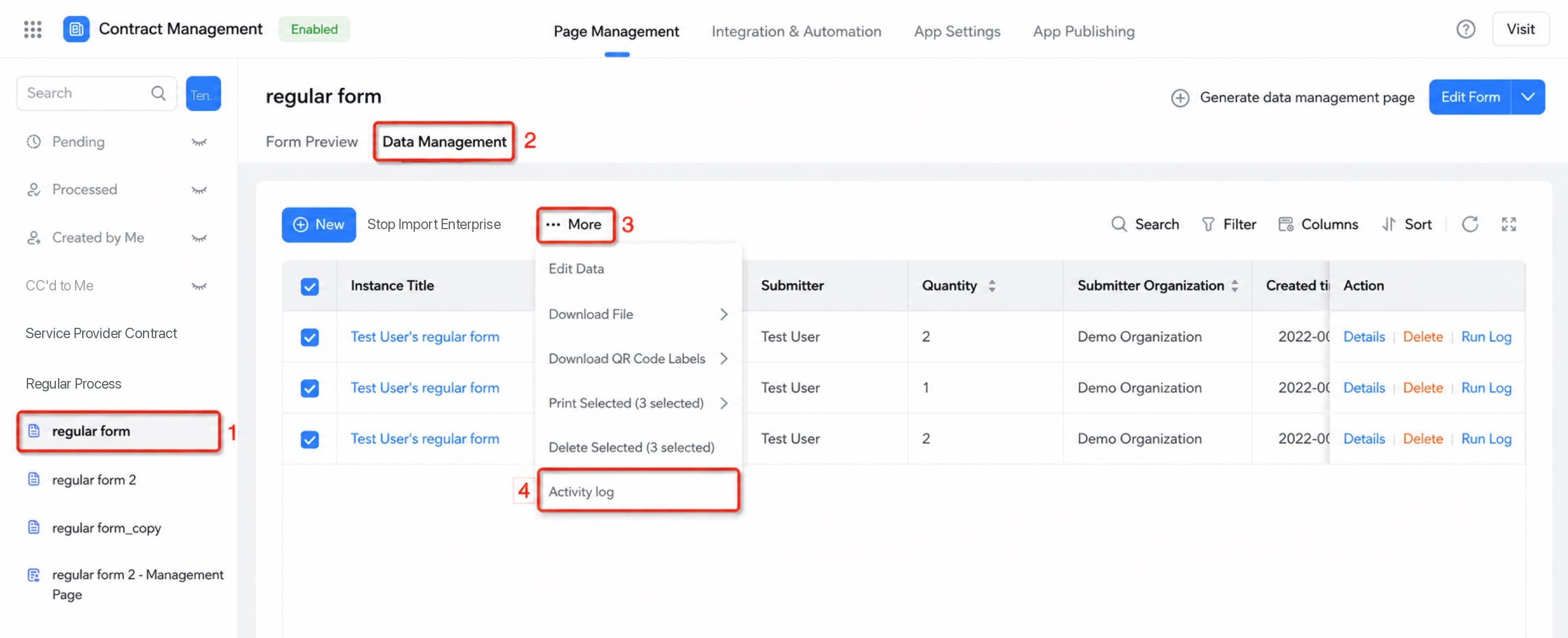
1.1 Query Export Records
Path: Click Form/workflow form >> Data management >> Export records To quickly locate an Export record, Filter by File name, status, operator, or modified time, as shown below: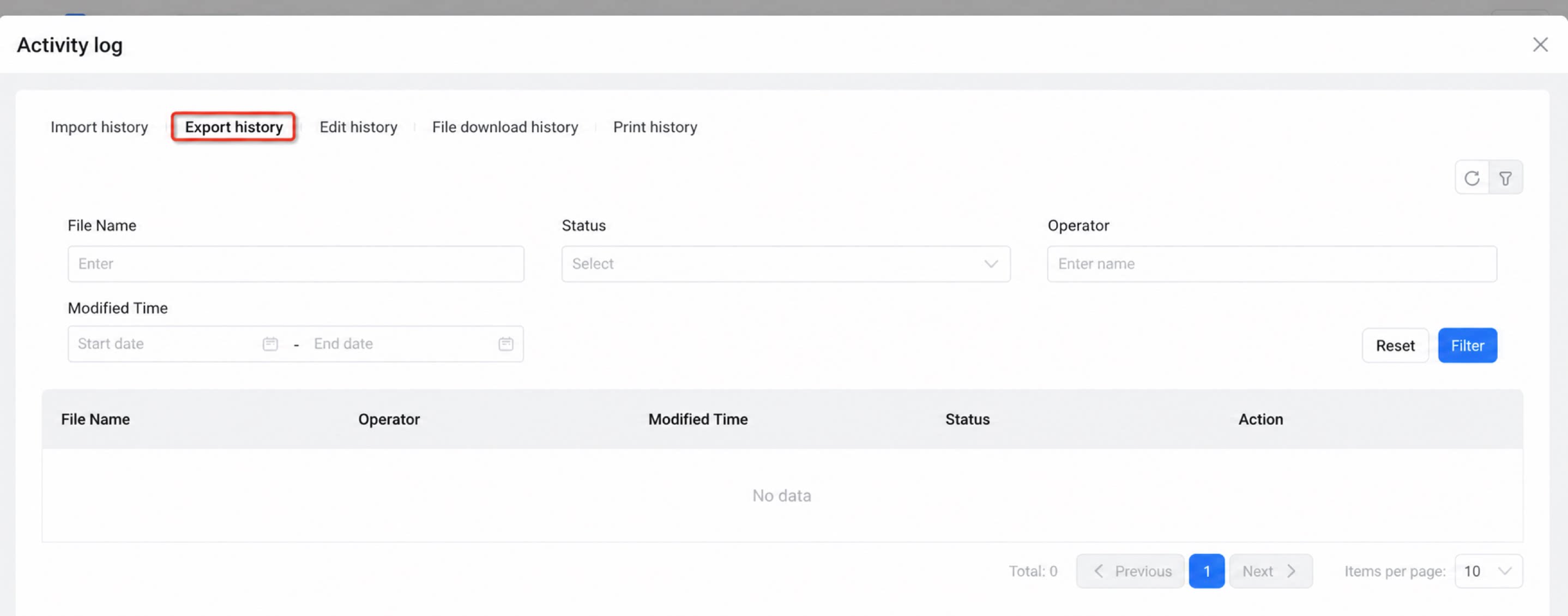
1.2 Query Import Records
Path: Click Form/workflow form >> Data management >> Import records Similarly, to quickly locate an Import record, Filter by File name, status, operator, or modified time, as shown below: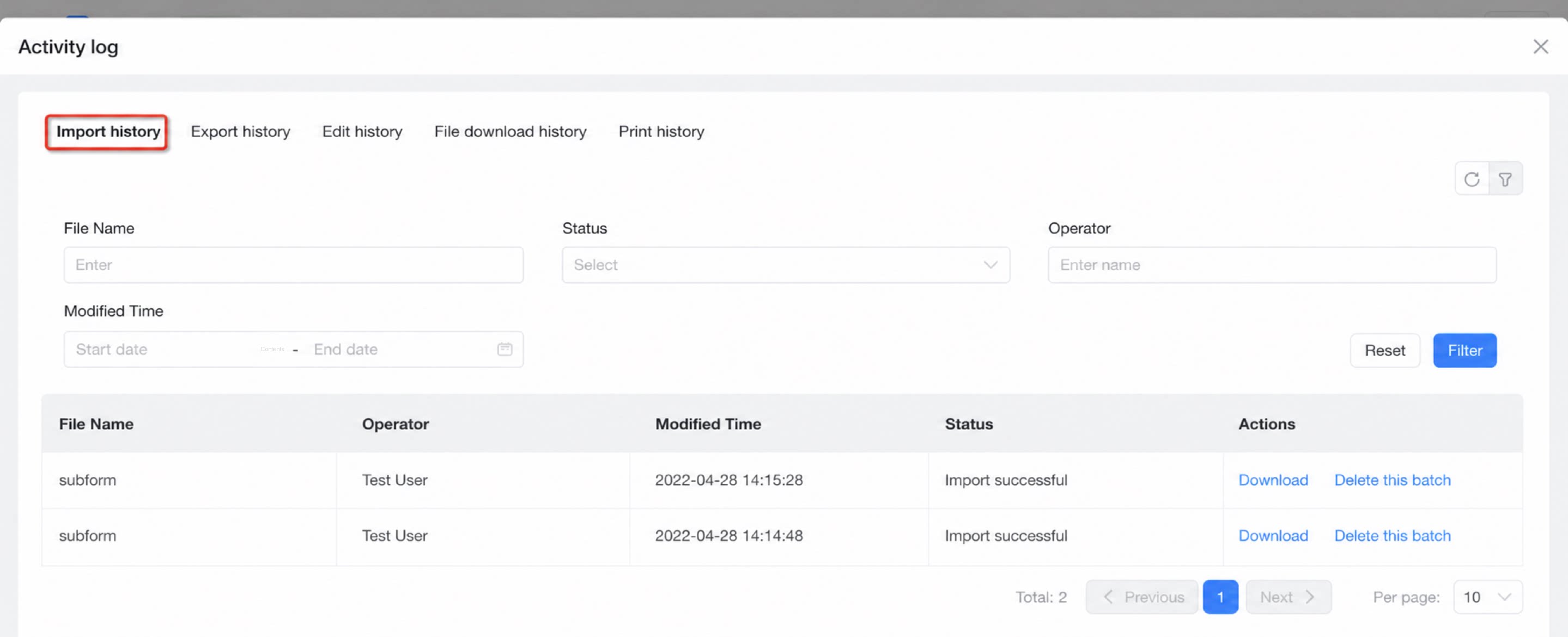
1.3 Query Print Records
Path: Click Form/workflow form >> Data management >> Print records Note: Print records cannot be Filtered.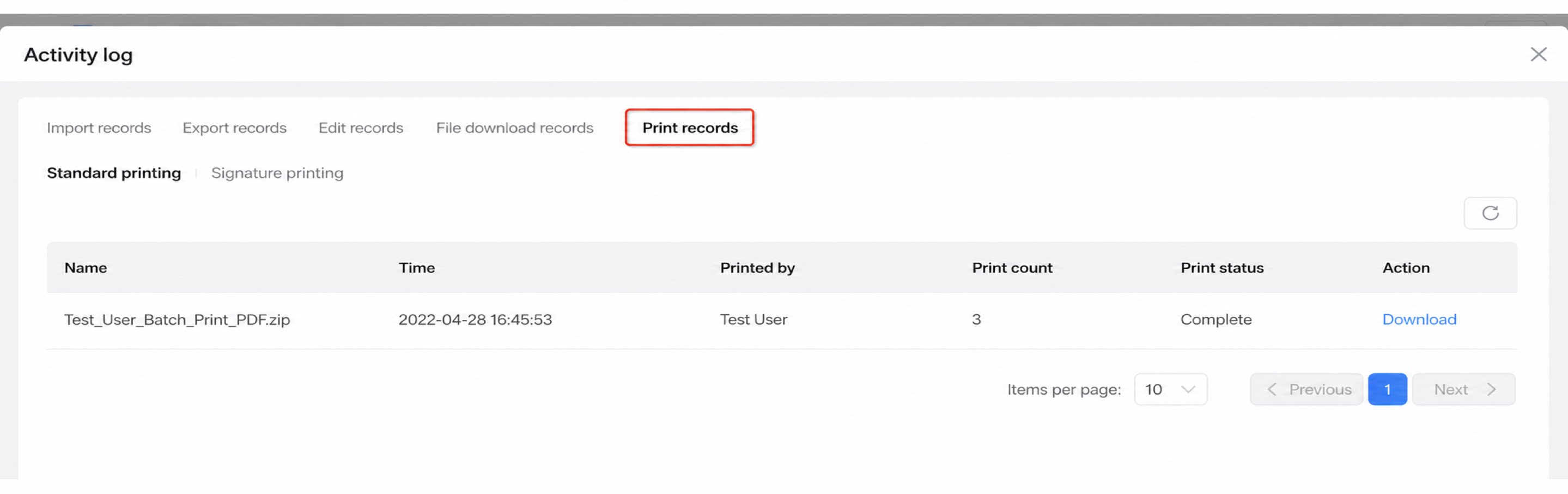
1.4 Query Modification Records
Path: Click Form/workflow form >> Data management >> Modification records Modification records can be located quickly by File name, status, operator, or modified time, as shown below: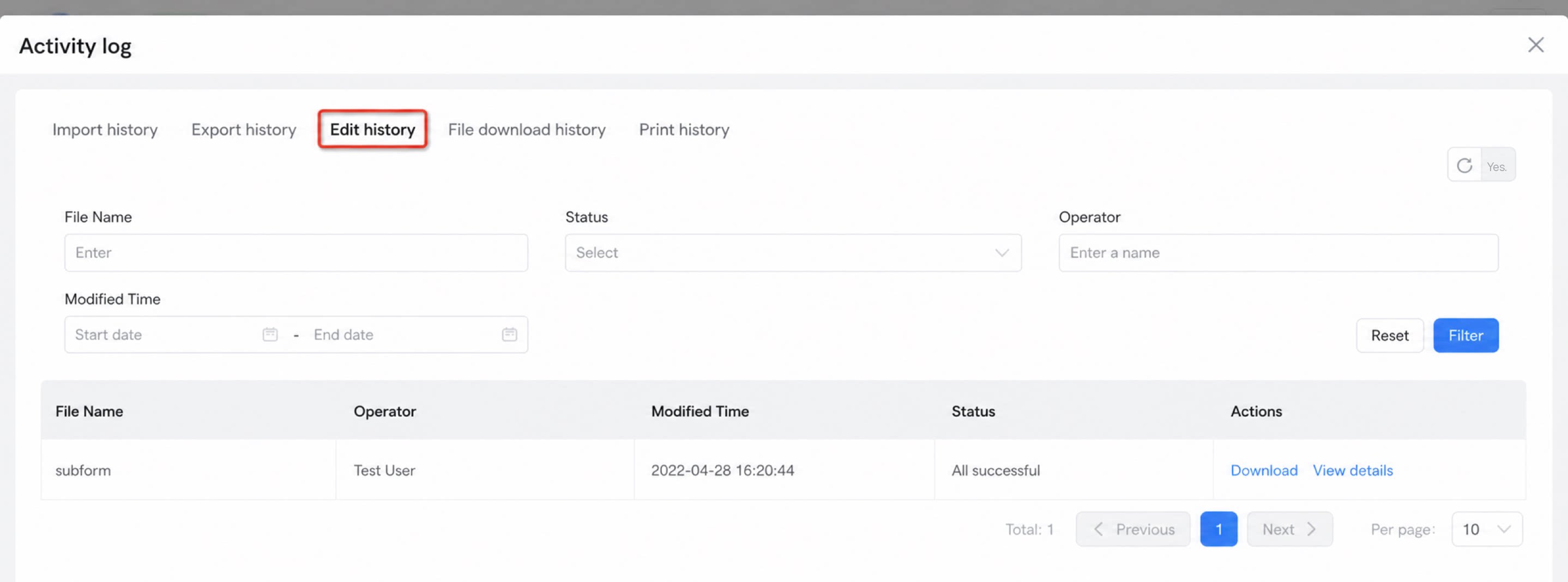
1.5 Query File Download Records
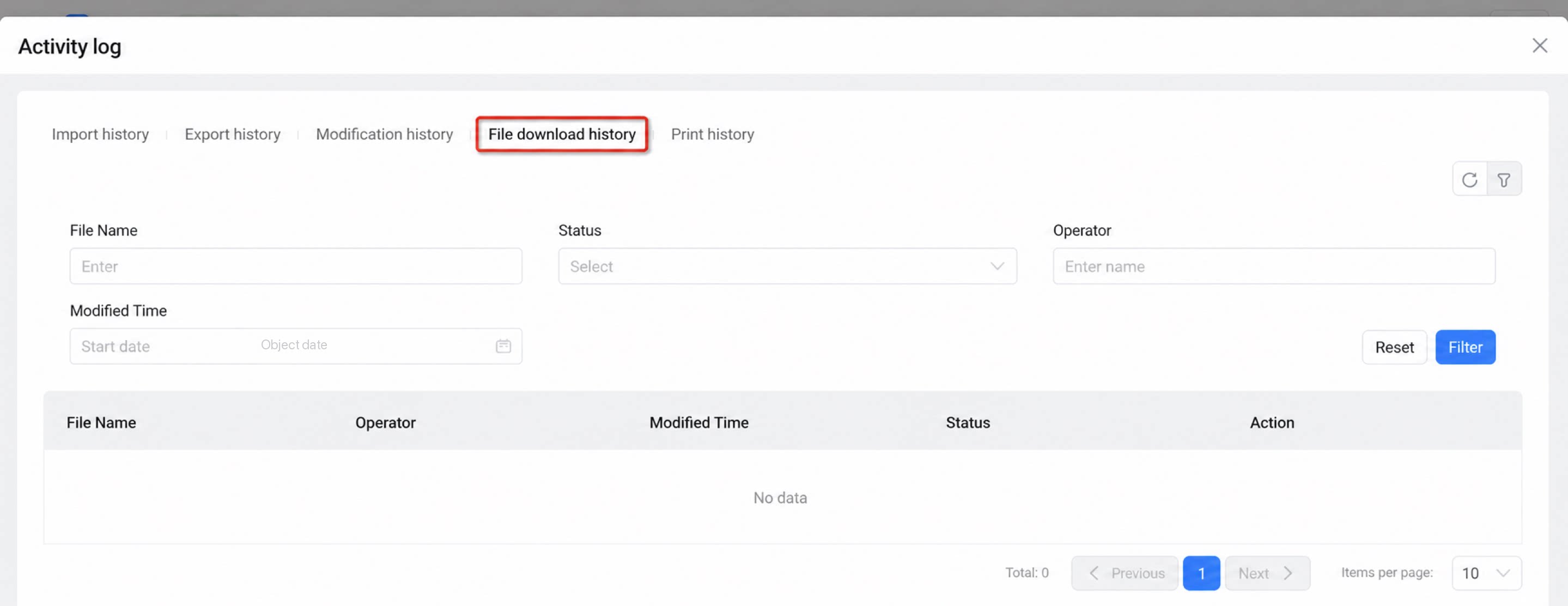
Path: Click Form/workflow form >> Data management >> File download records This page displays records of bulk downloads for attachments and images. Filter by File name, status, operator, or modified time, as shown below: