Chats
Chats Calendar
 Meetings
 Contacts
 Mail
Mail Docs
Docs Drive
Drive AI Table
 AI Minutes
 Attendance
 Approval
 YiDA
YiDA Admin Console
1. Overview
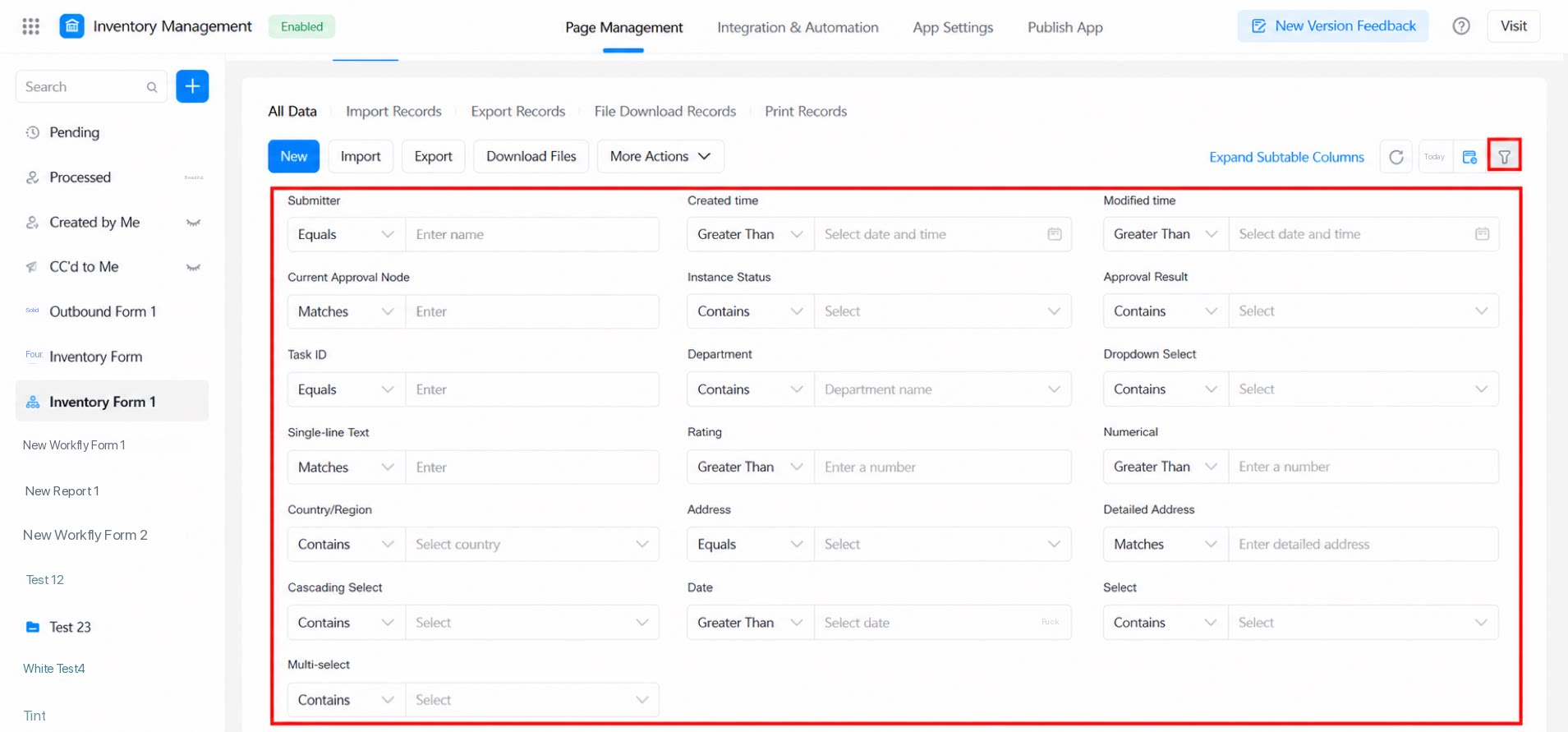
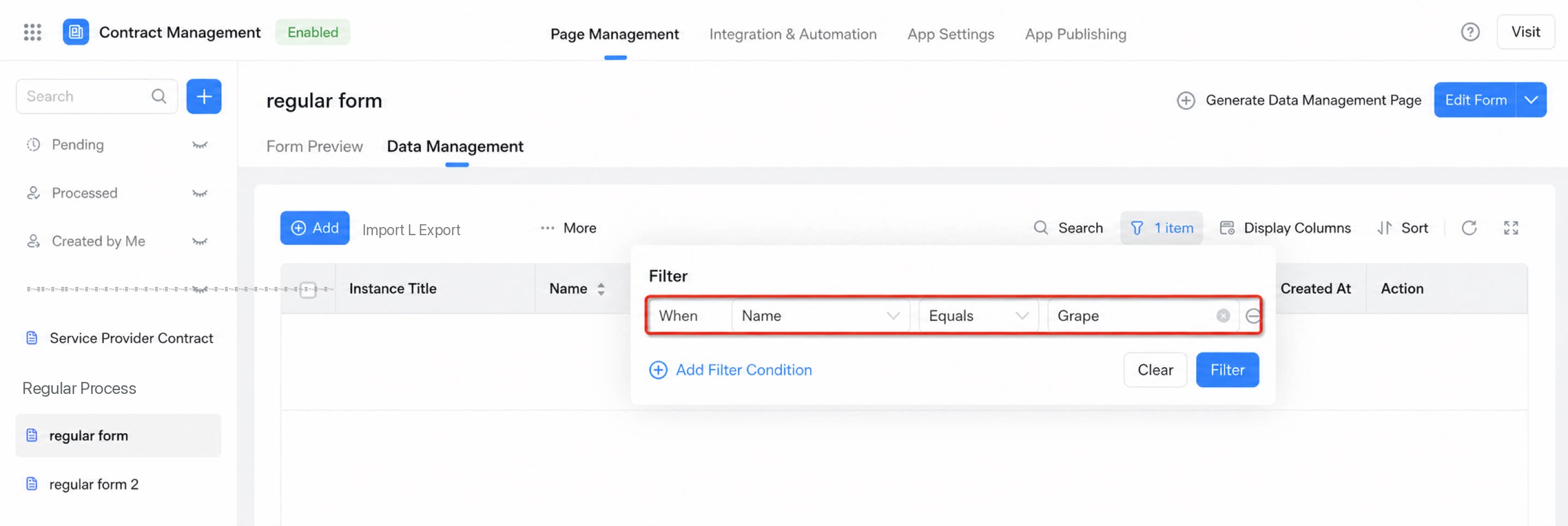
Select fields to configure filters for viewing data. Note: The system remembers whether the filter panel was open or closed the last time it was used. Path: Form >> Data management >> Filter >> Set filters. See the example below: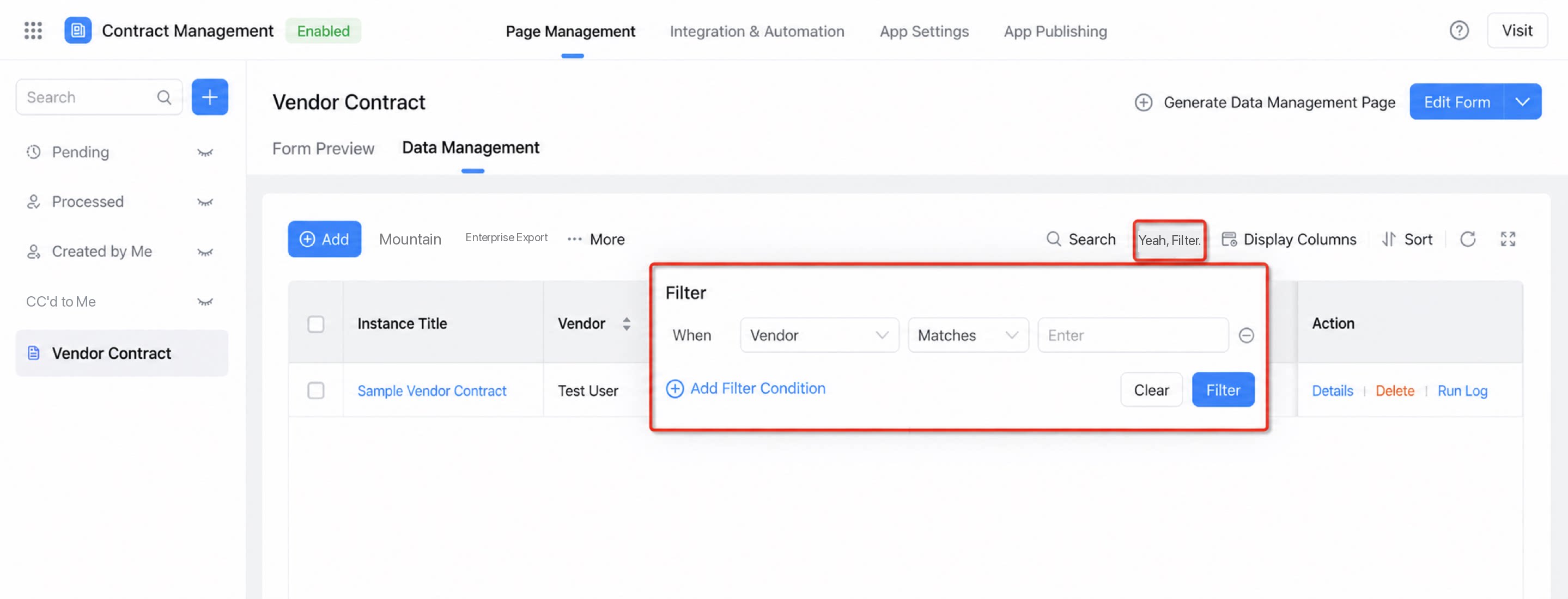
1.2 Filter Fields Support Flexible Operators
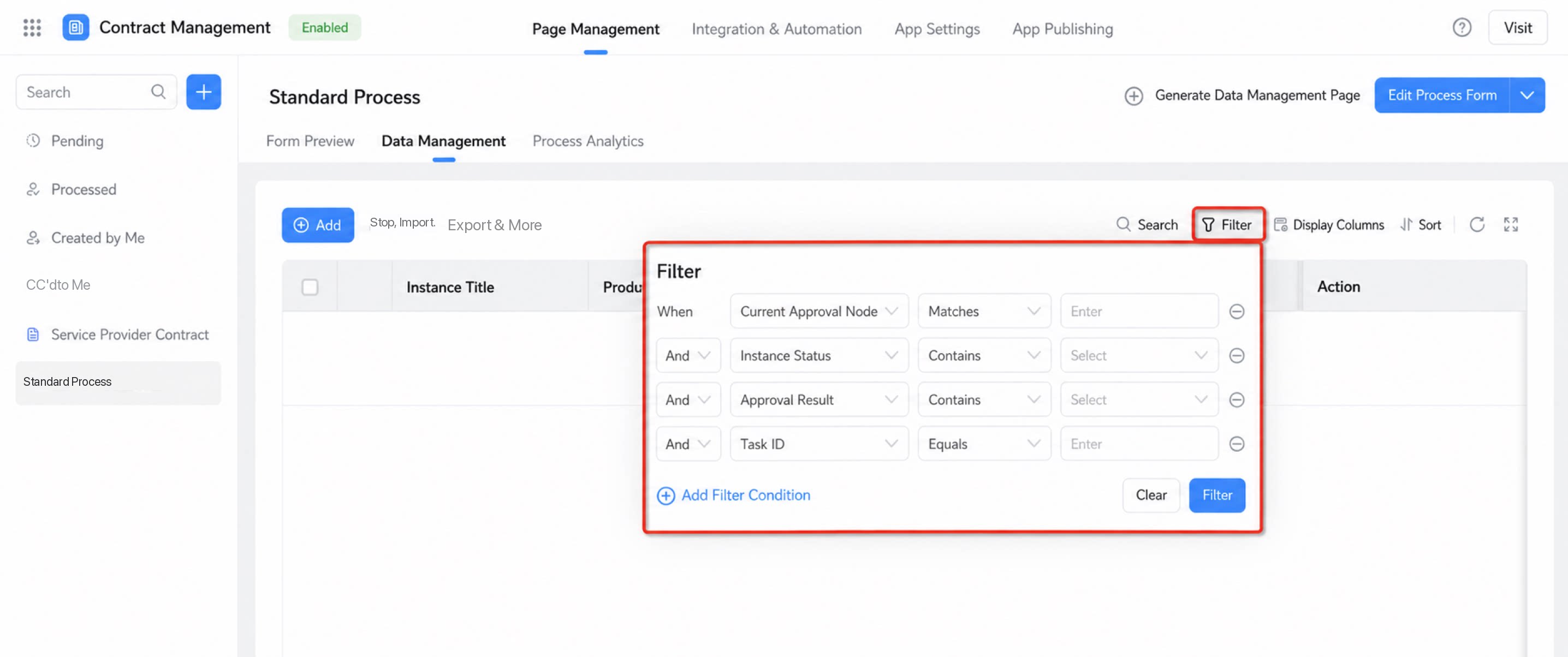
Filters support different operator ranges depending on the component type. Notes:- Operators do not currently support Is empty / Is not empty.
- When the operator is Between, the filter shows two components to define the range.
| Component name | Operator | Screenshot / Alias | |
| Standard components | Single-line text | Equals Like | |
| Multi-line text | |||
| Numerical | Greater than / Less than / Between / Greater than or equal to / Less than or equal to | ||
| Rating | |||
| Select | Equals / Contains | Equals allows only a single selection. Contains allows multiple selections. | |
| Dropdown select | Equals / Contains | Supports fuzzy search by numbers or letters (search options when submitting data). | |
| Checkbox | Equals / Contains (in) | ||
| Dropdown multiselect | |||
| Cascading select | Equals / Contains (eq at each level) | ||
| Date | Greater than / Less than / Between / Greater than or equal to / Less than or equal to | ||
| Date range | The default operator for the two components is Equals. | Two components are generated automatically. | |
| Image upload | Fuzzy match (like) | Filter by entering the image file name. | |
| Attachment | |||
| User | Equals / Contains (in) | Equals allows only a single selection. Contains allows multiple selections. | |
| Subform | This field is not shown in the filter panel. | ||
| Premium components | Department | Equals / Contains (in) | Equals allows only a single selection. Contains allows multiple selections. |
| Country/Region | Equals / Contains (in) | Equals allows only a single selection. Contains allows multiple selections. | |
| Address | Address: Equals / Contains (eq at each level) Detailed address: Equals / Like | Two components are generated automatically: Address and Detailed address. Equals allows only a single selection. Contains allows multiple selections. | |
| Rich Text | This field is not shown in the filter panel. | ||
| Layout container | |||
| Group | |||
| Associated form | Supports fuzzy search by numbers or letters (select associated form data when submitting data). | ||
| Location | |||
| Signature |
1.3 Tokenized Search
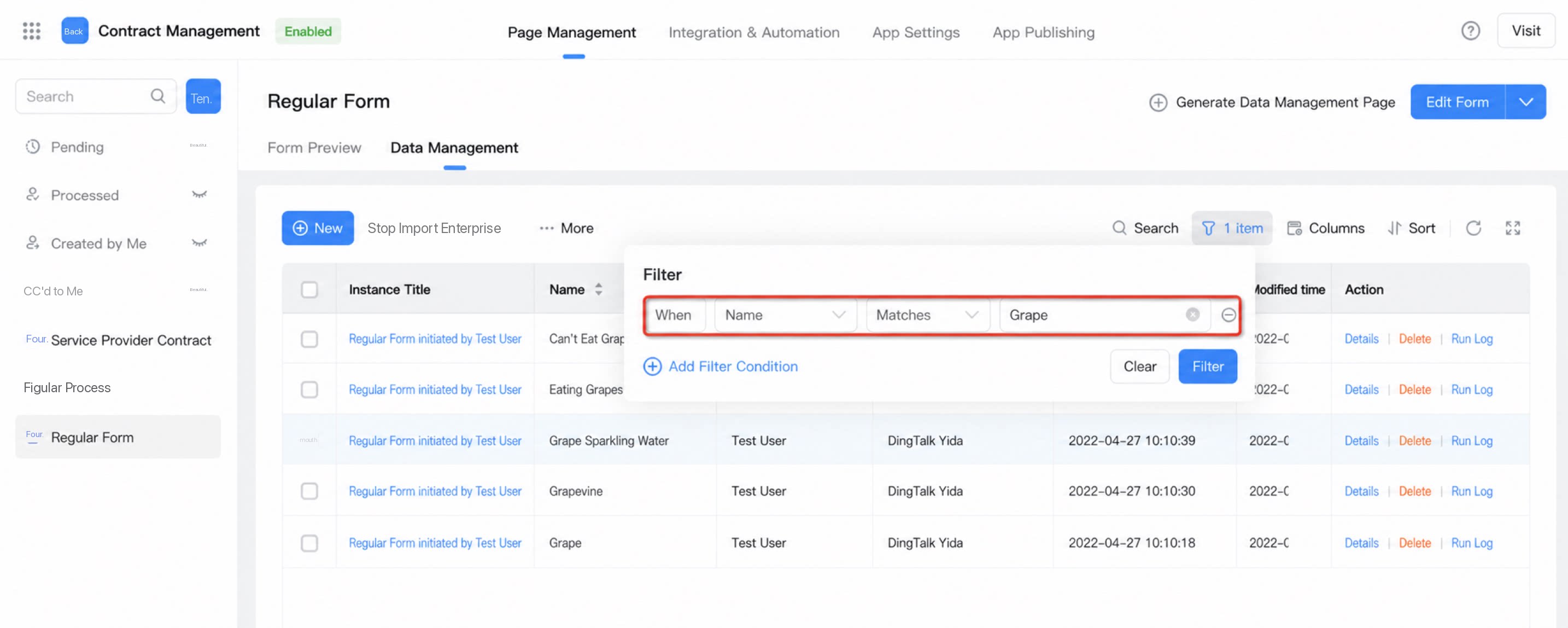
Before the upgrade, single-character fuzzy or exact search was not supported. This has now been improved. Example: Search for “萄”:- 葡萄
- 葡萄树
- 葡萄气泡水
- 吃葡萄要吐葡萄皮
- 吃不到葡萄说葡萄酸
2. Usage Instructions
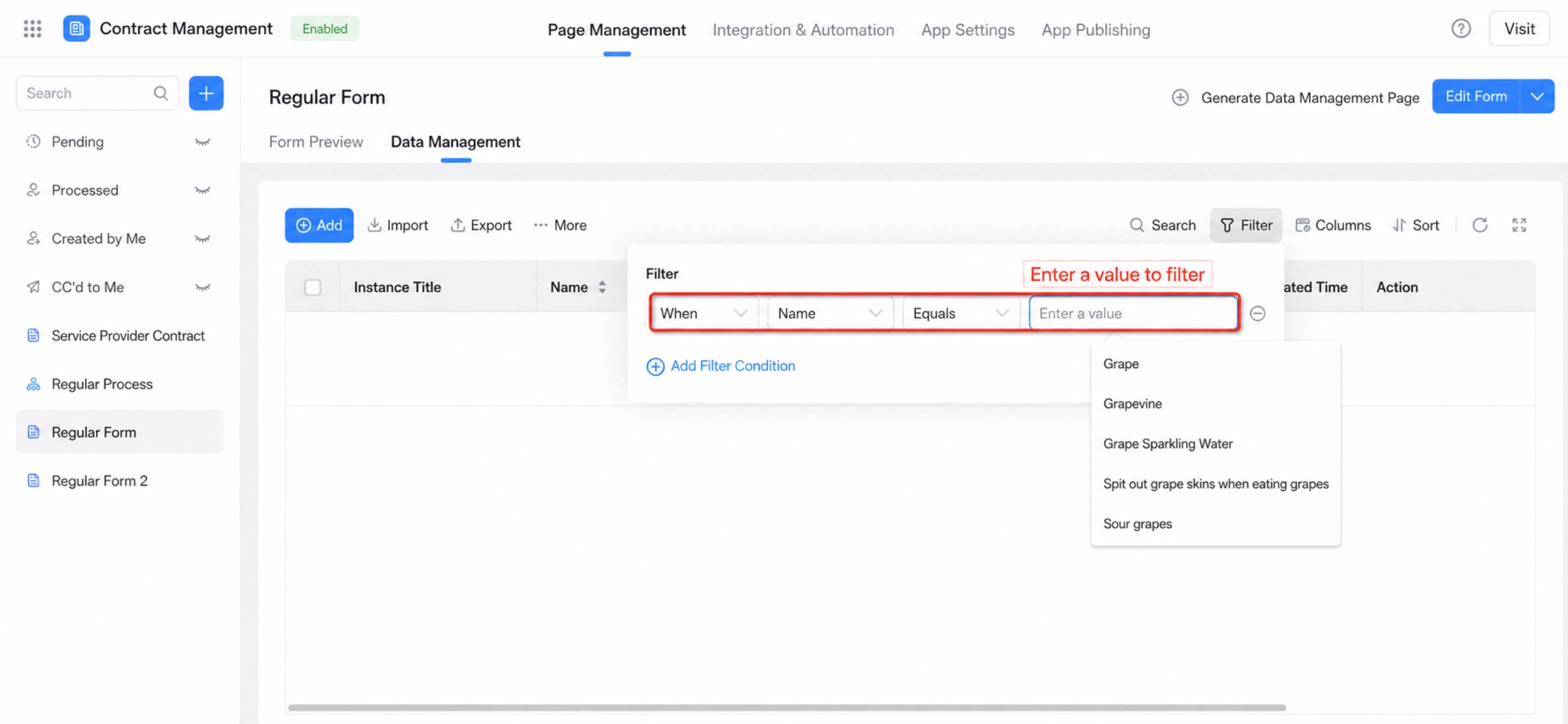
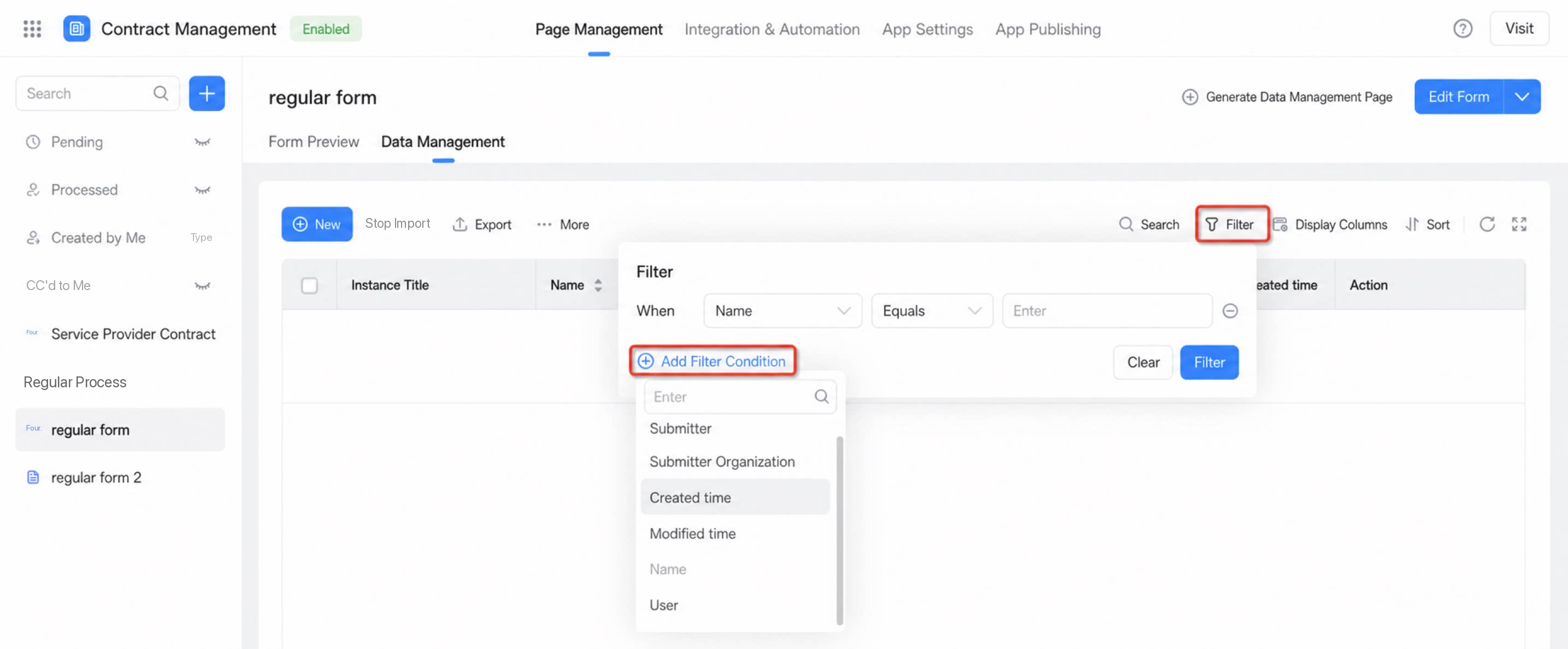
Steps: Open the target form >> Data management >> Filter >> Add filter >> Select the fields to filter. Currently supported capabilities:- Combine multiple filter conditions using AND / OR logic.
- The new search storage removes restrictions on which fields can participate in search. By default, all added filter fields are searchable.
- Previous filters are preserved for easy reuse.
- Clear all filters with a single click.
4. FAQ
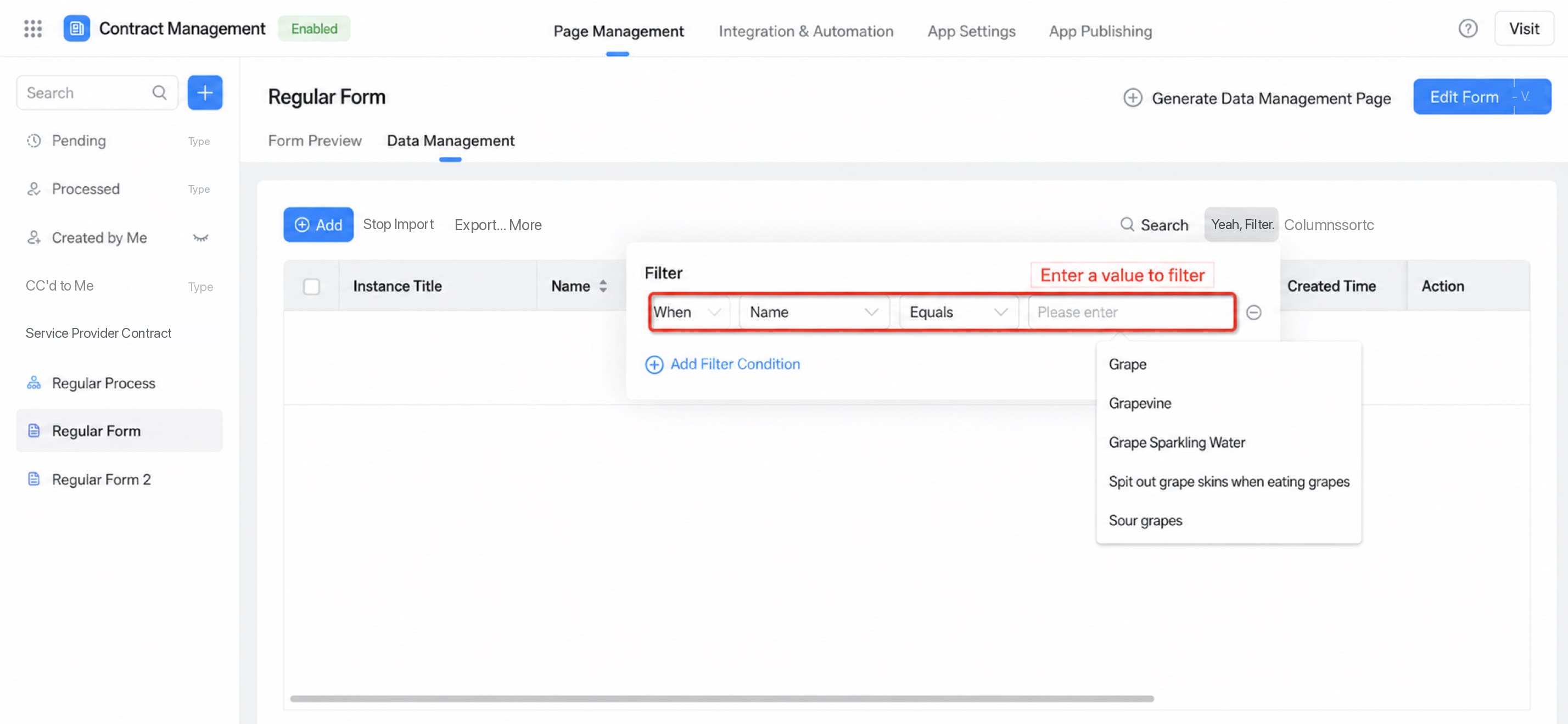
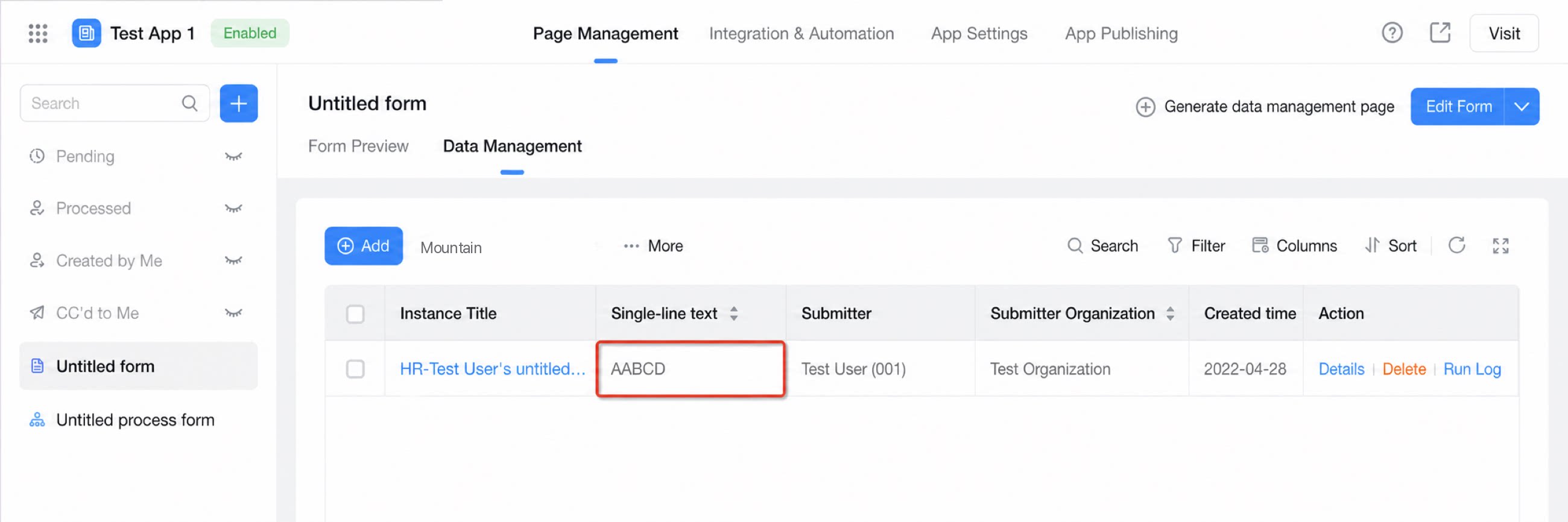
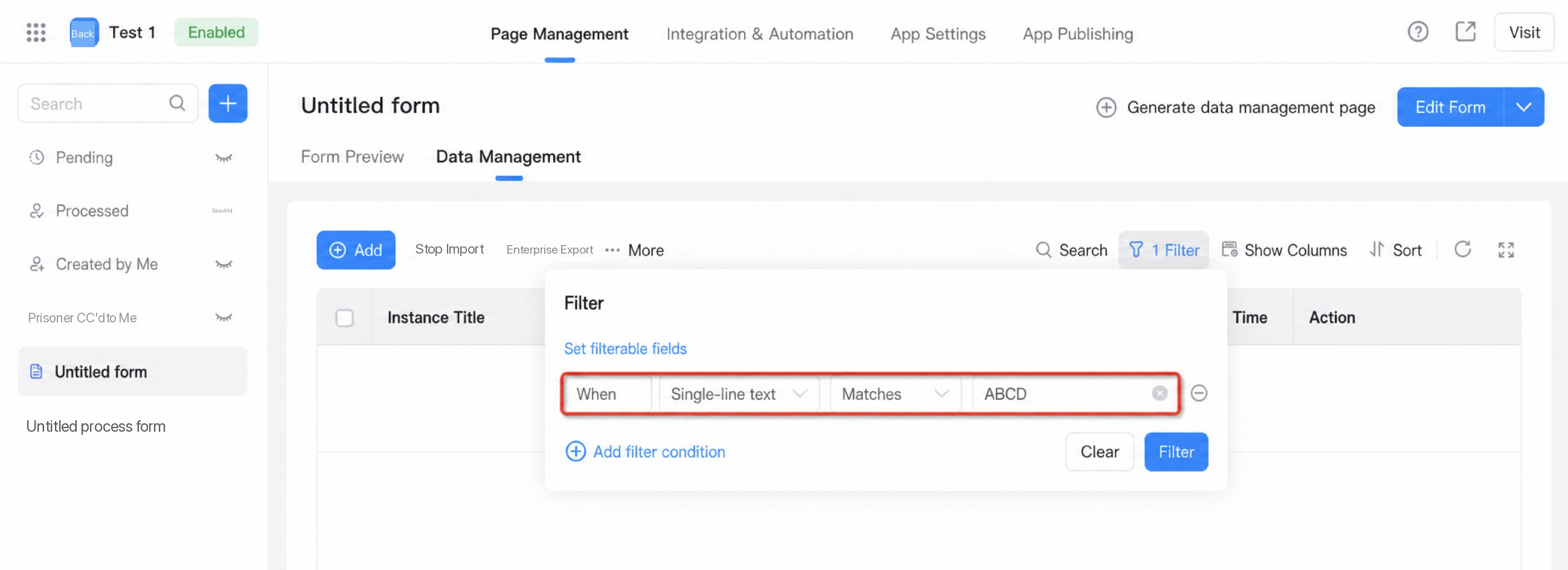
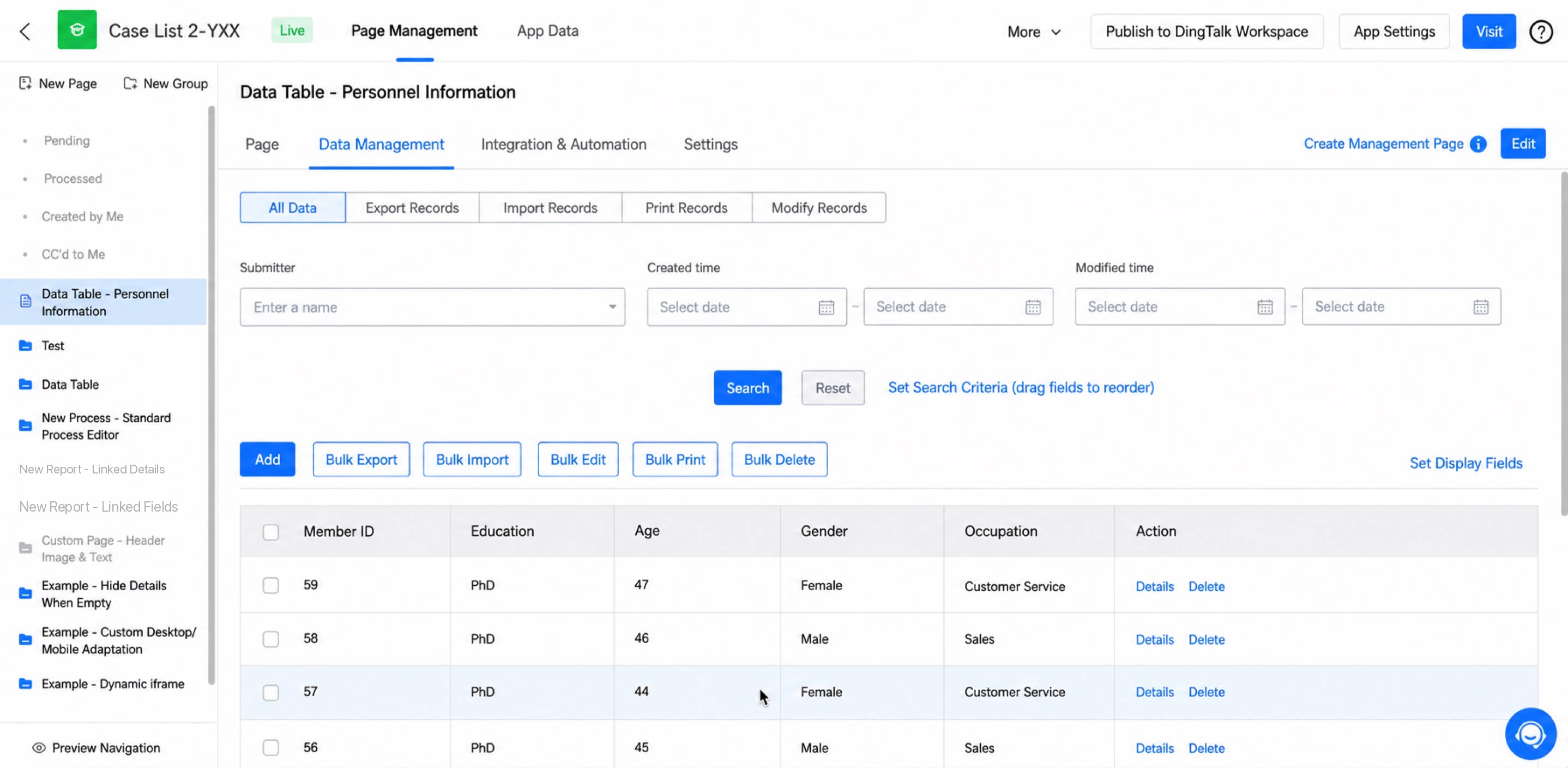
4.1 Why Can’t I Find AABCD When Searching for ABCD?
Single-character letter tokenized search is not currently supported, as shown below. After the paid edition search capability upgrade, newly created apps can find AABCD when searching for ABCD. For upgrade details, see the release notes.