

 Chats
Chats Calendar
 Meetings
 Contacts
 Mail
Mail Docs
Docs Drive
Drive AI Table
 AI Minutes
 Attendance
 Approval
 YiDA
YiDA Admin Console
1. Prerequisites
Attachment editing currently supports only three types of Office documents: Word, PPT, and Excel. The supported file extensions are as follows: Excel: et, xls, xlt, xlsx, xlsm, xltx, xltm, csv Word: doc, docx, txt, dot, wps, wpt, dotx, docm, dotm PPT: ppt, pptx, pptm, pptm, ppsm, pps, potx, potm, dpt, dps Note: In addition to the file types listed above, attachment preview also supports PDF.2. How to Enable Online Attachment Editing
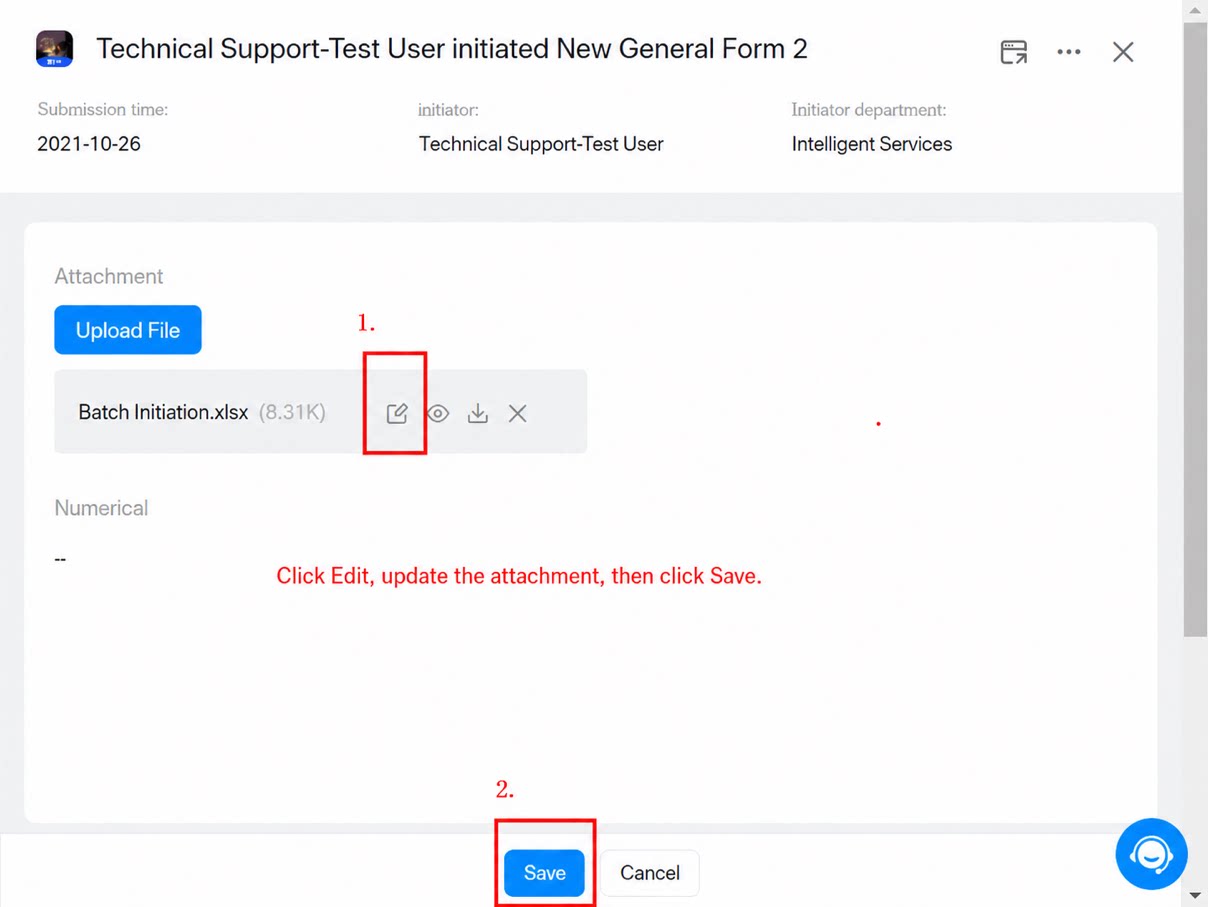
To use online attachment editing, first turn on the Online Editing switch in the Attachment component. See the example below: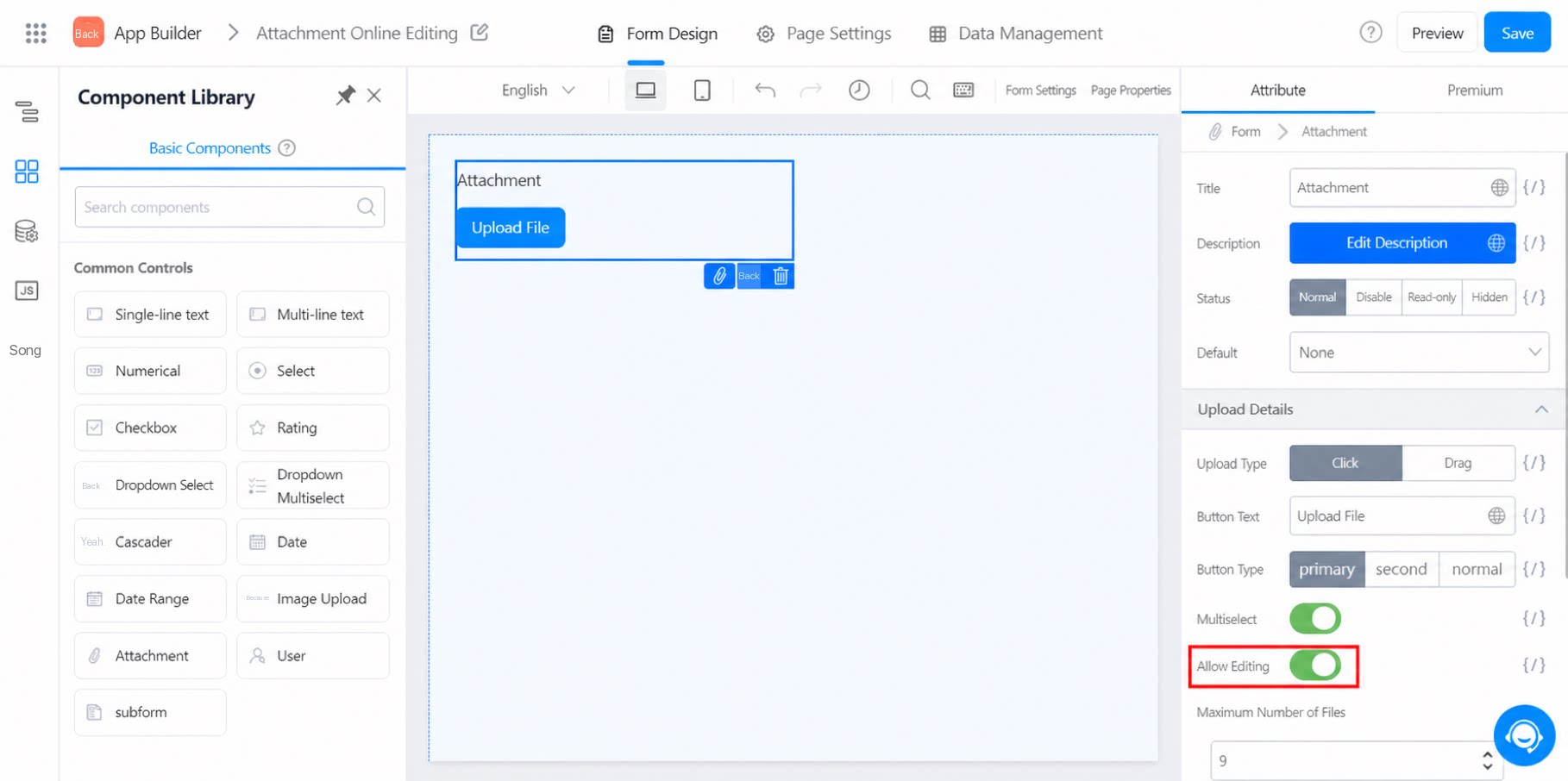
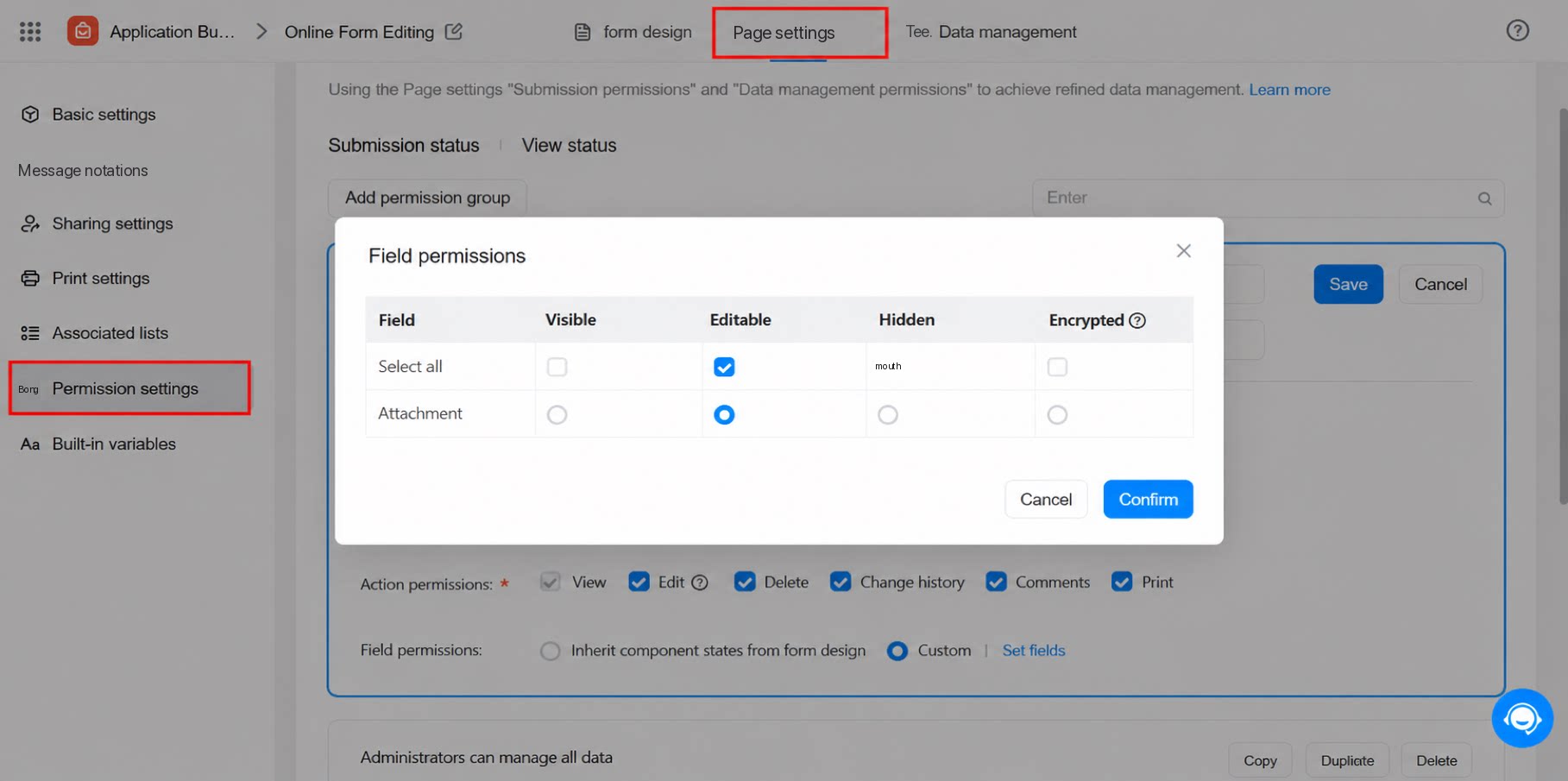
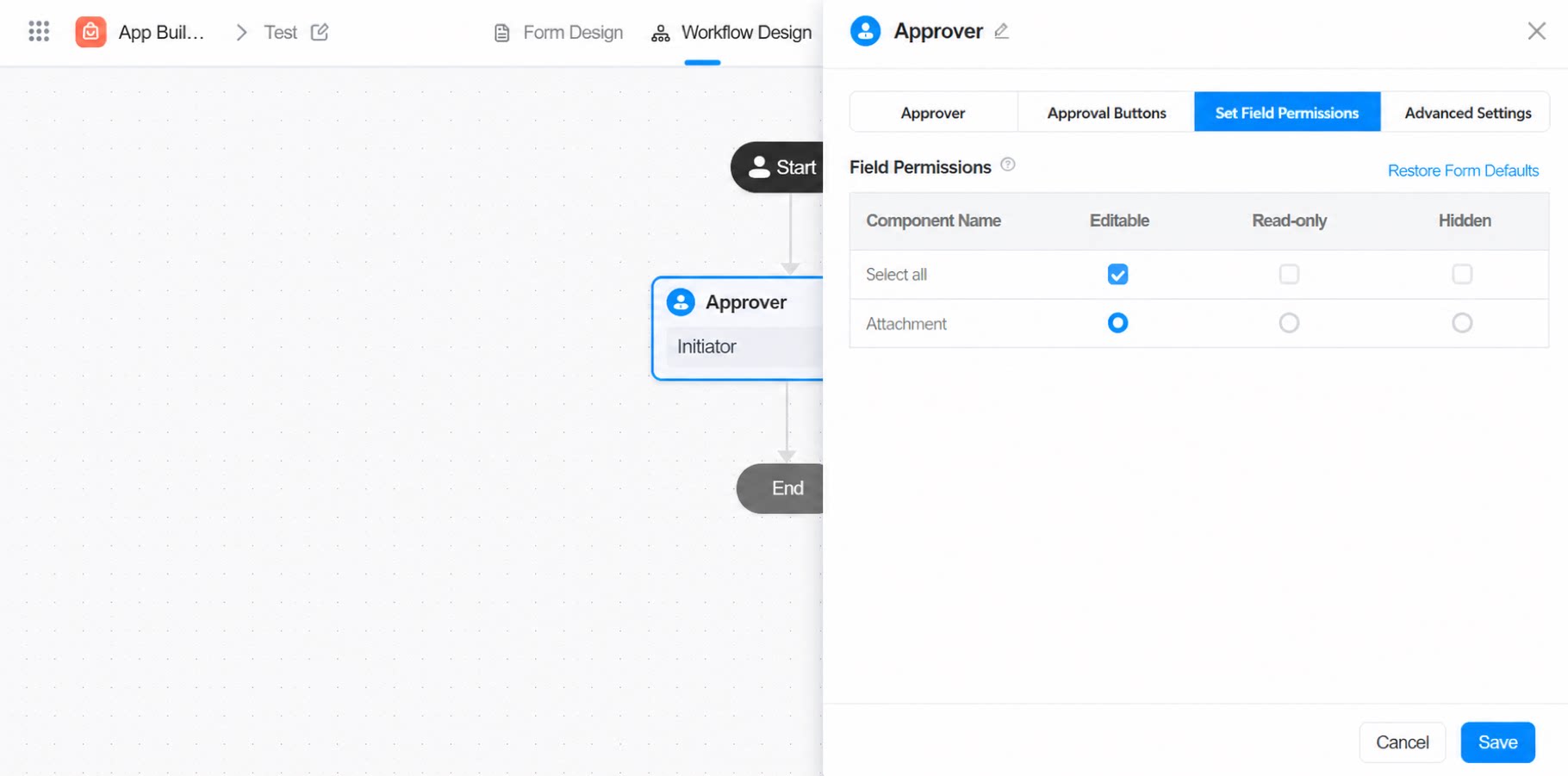
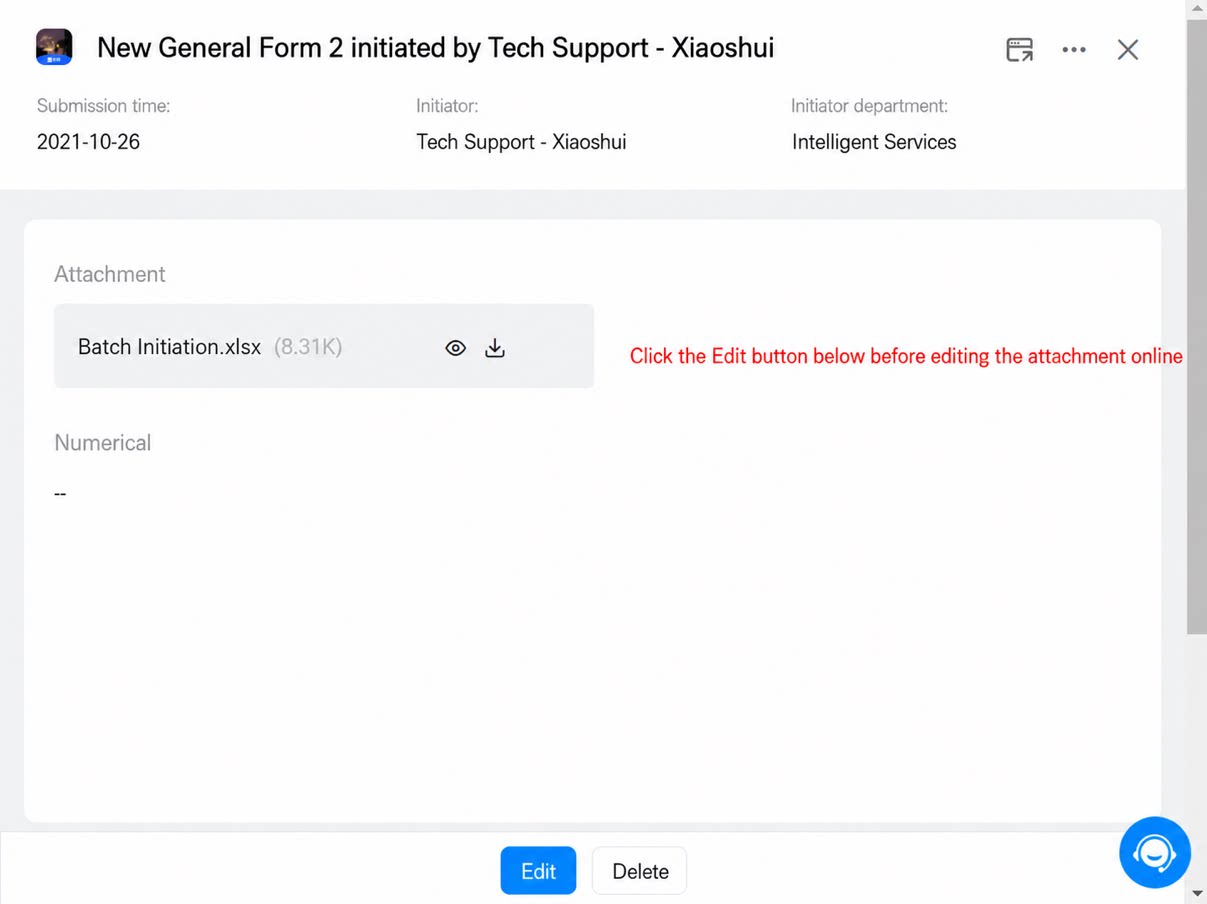
3. Instructions for Online Editing
3.1 Auto-Save
The editing page saves automatically after every change. You can also press Ctrl+S to save manually. Frequent manual saving is not recommended. Each manual save creates a new version. The system keeps up to 10 saved versions, and older versions are deleted automatically once this limit is exceeded.3.2 Collaboration Records
Click Collaboration Records in the upper-right corner to view the edit history of every user who has worked on the document. See the example below: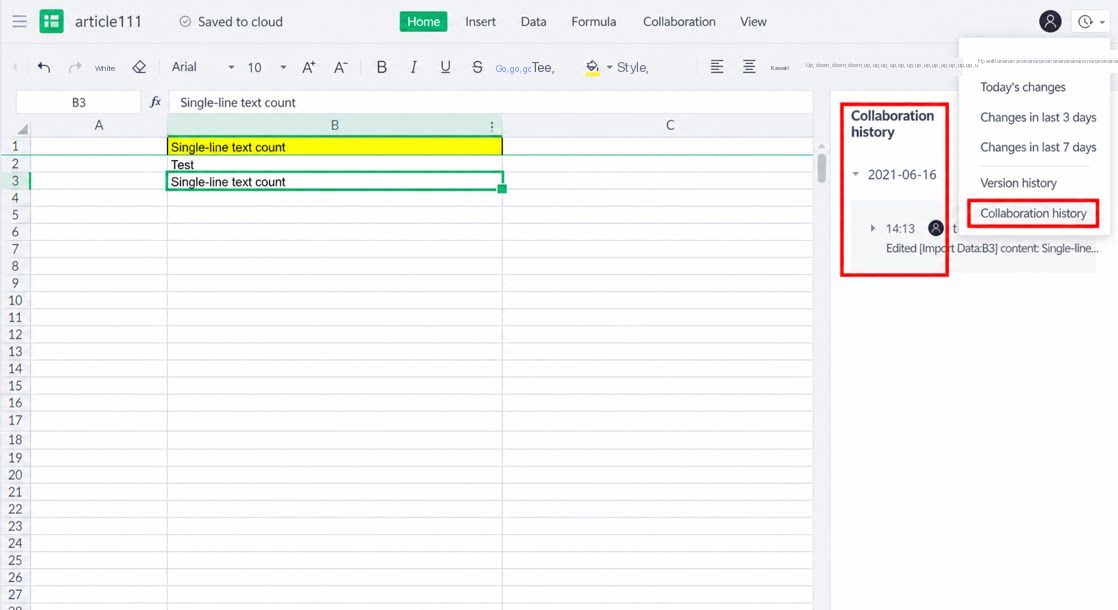
4. Notes
- Online attachment editing is available only in the Professional edition and above. The Attachment component provides the online editing functionality.