Chats
Chats Calendar
 Meetings
 Contacts
 Mail
Mail Docs
Docs Drive
Drive AI Table
 AI Minutes
 Attendance
 Approval
 YiDA
YiDA Admin Console
1. Use Cases
Use the Numerical component to enter numeric information such as amounts, ages, and quantities. Numbers entered through this component can be used for calculations, statistical analysis, and aggregation. Component basicsFor component attributes, usage, and examples, see Component interface.
2. Basic Features
2.1 Unit
Set a unit for the number, such as “CNY”, “book”, or “page”. Customize the unit as needed. See the example below: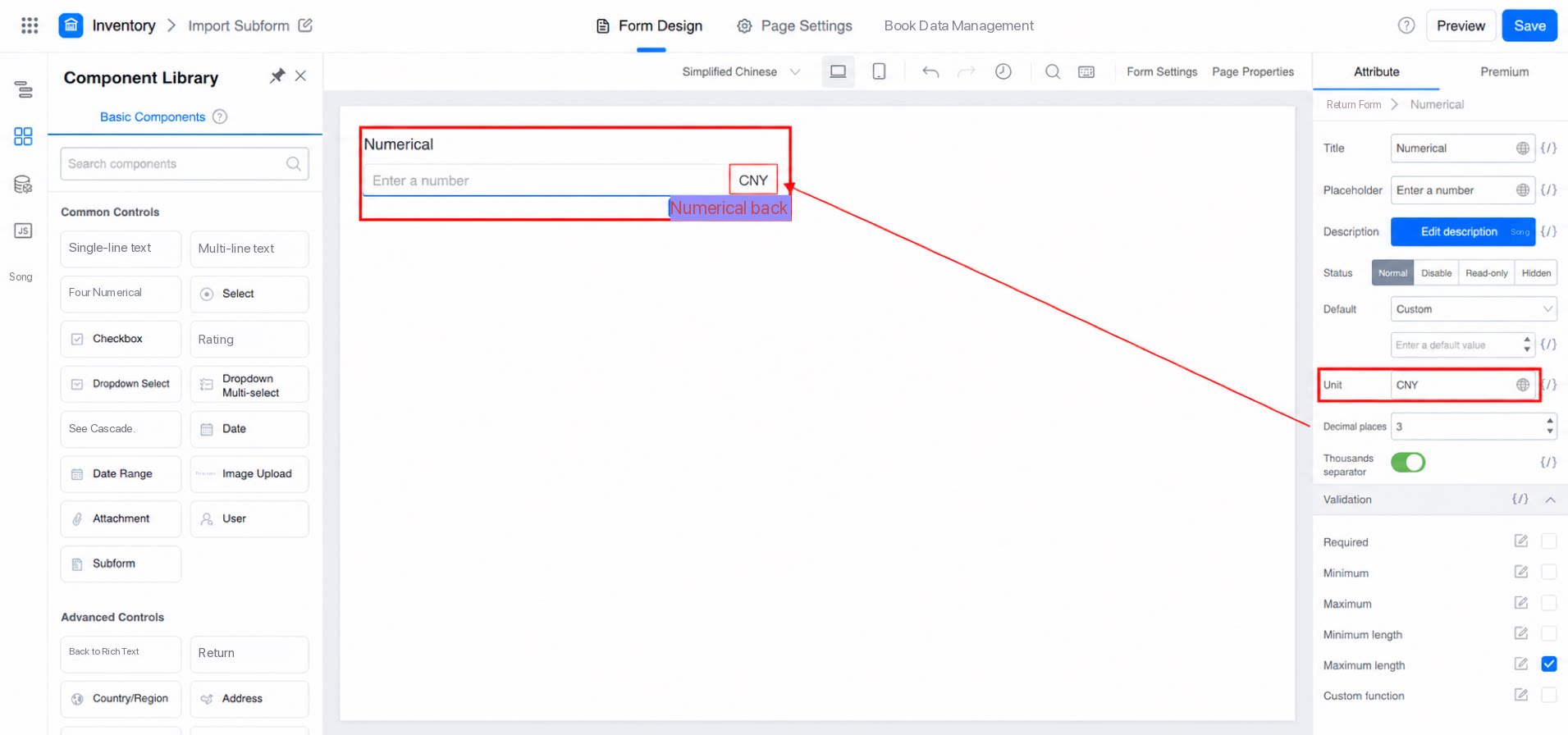
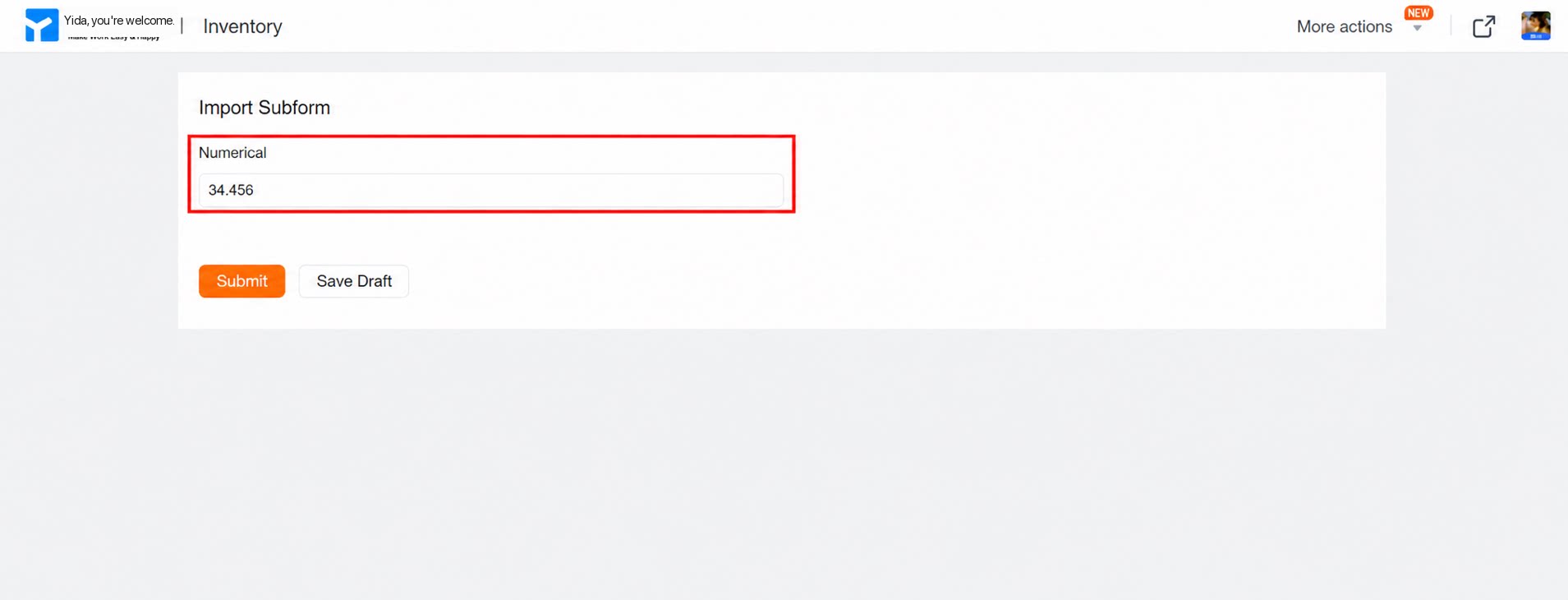
2.2 Decimal Places
Set the number of decimal places to retain. This is useful for entering amounts with precise decimal values. See the example below: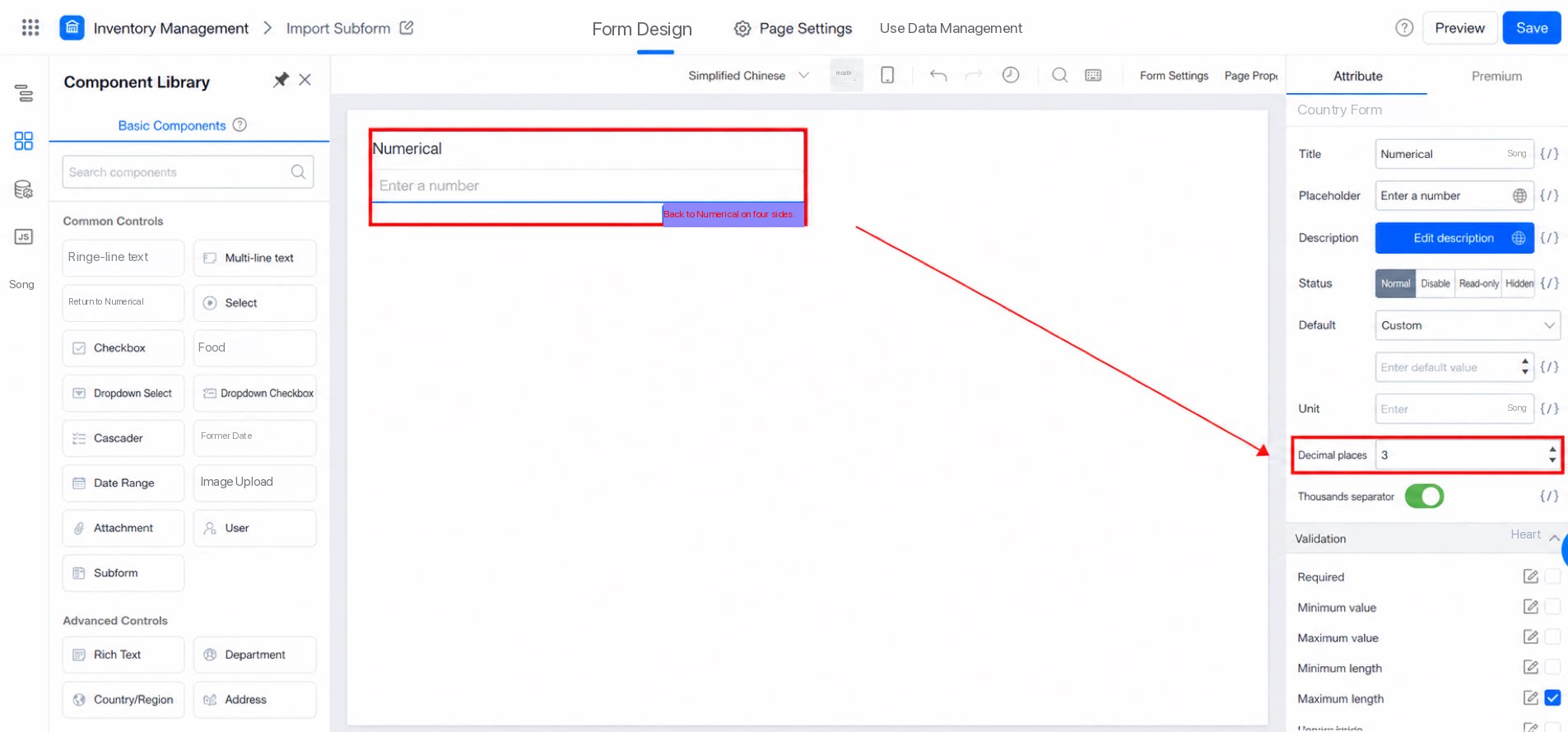
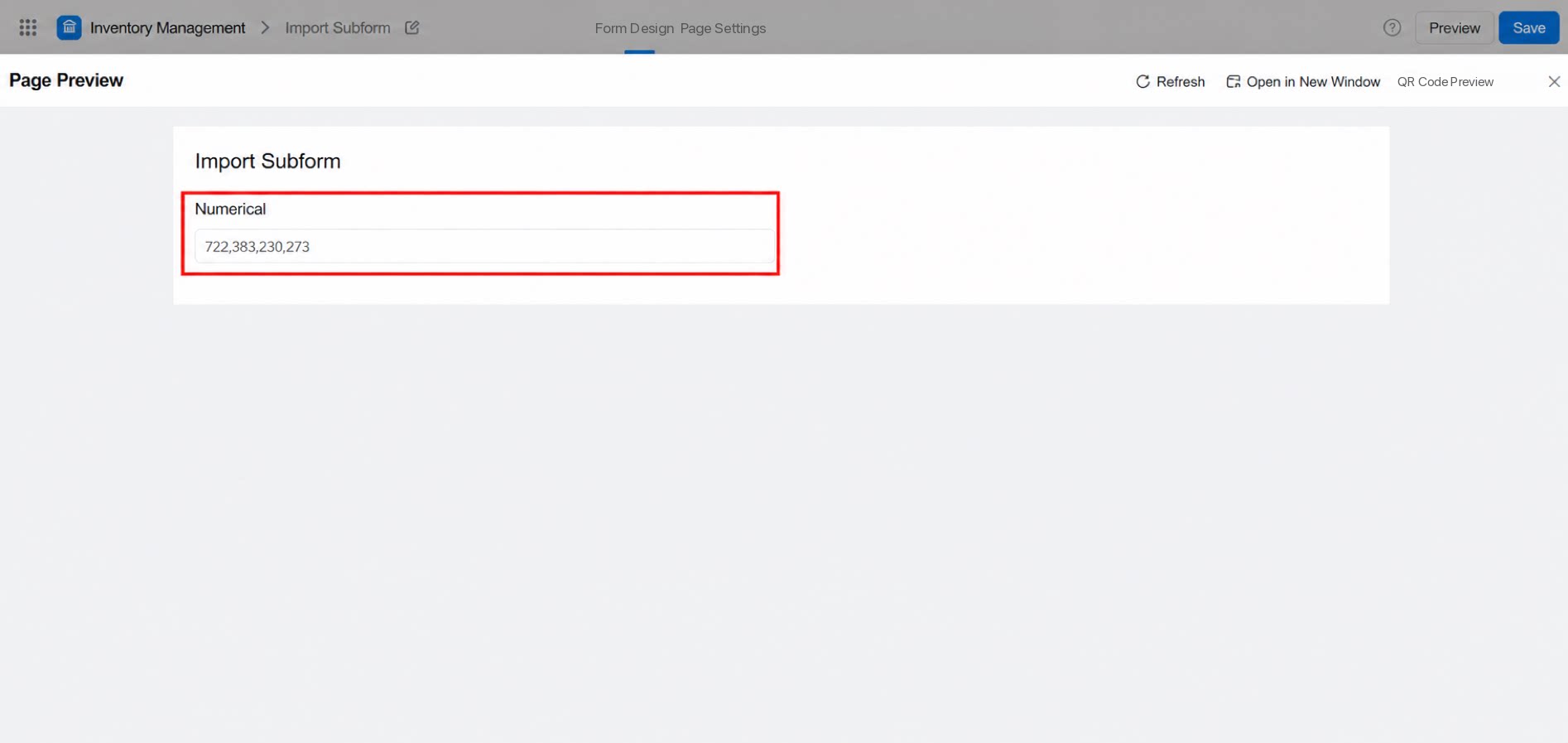
2.3 Thousands Separator
To make large numbers easier to read, use the Thousands separator toggle in the attribute panel on the right side of the Numerical component. Toggle in the right panel: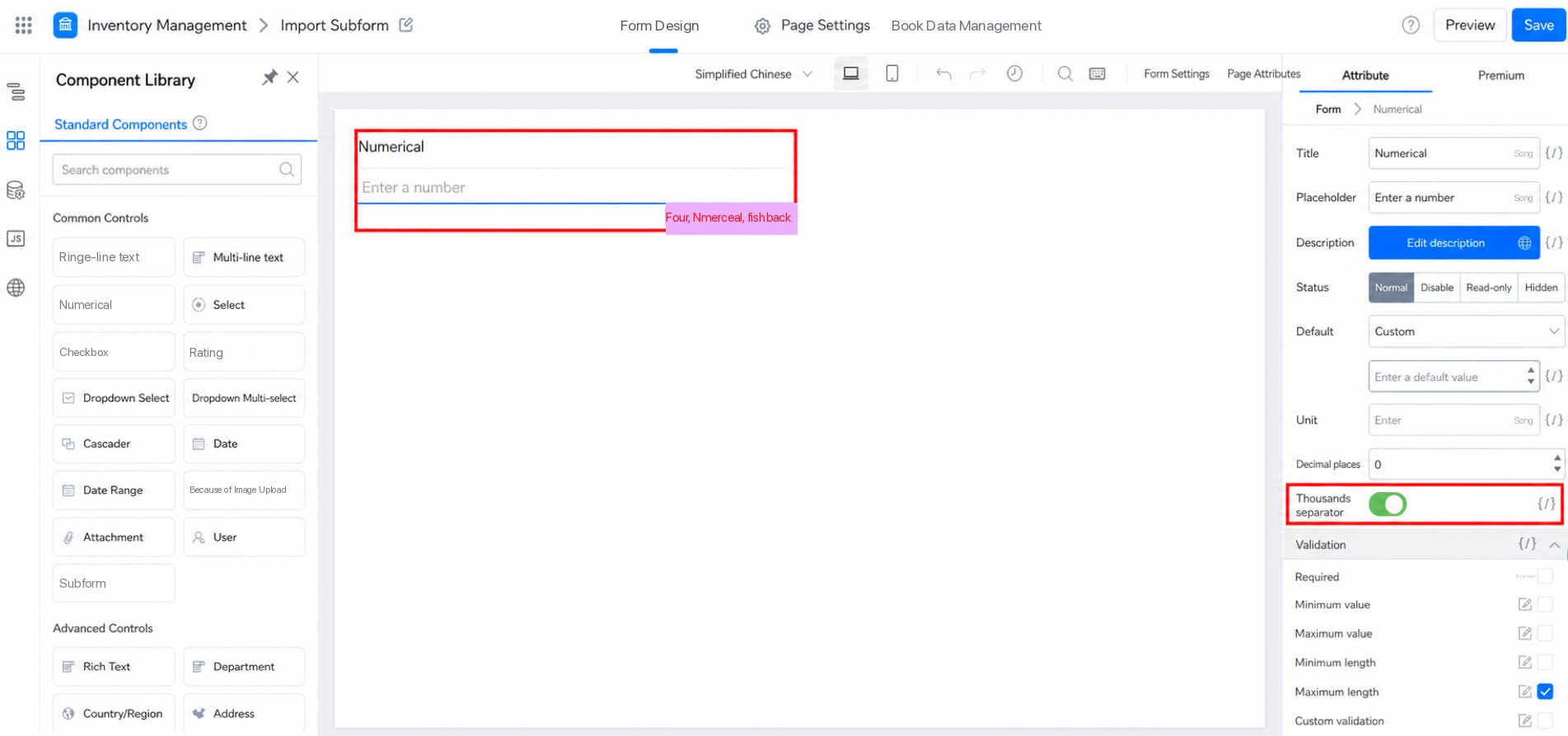
3. FAQ
3.1 Why can't the Numerical component accept numbers longer than 16 digits?
3.1 Why can't the Numerical component accept numbers longer than 16 digits?
The maximum value of the Numerical component is
9007199254740991, and the minimum is -9007199254740991. If your value exceeds this range, use the Single-line text component instead.3.2 Decimal Places Setting Does Not Take Effect
The decimal places setting applies only to values entered manually in the Numerical component. If the value is produced by a formula calculation, use a math function such asROUND to control the decimal places.
3.3 Why can't I enter a decimal in the default value?
3.3 Why can't I enter a decimal in the default value?
The Numerical component’s default value does not support decimals directly. Use variable binding instead, as shown below:
3.4 How do I format an entered number as a percentage automatically?
3.4 How do I format an entered number as a percentage automatically?
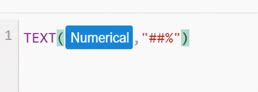
Drag a Text component onto the form and configure the following formula.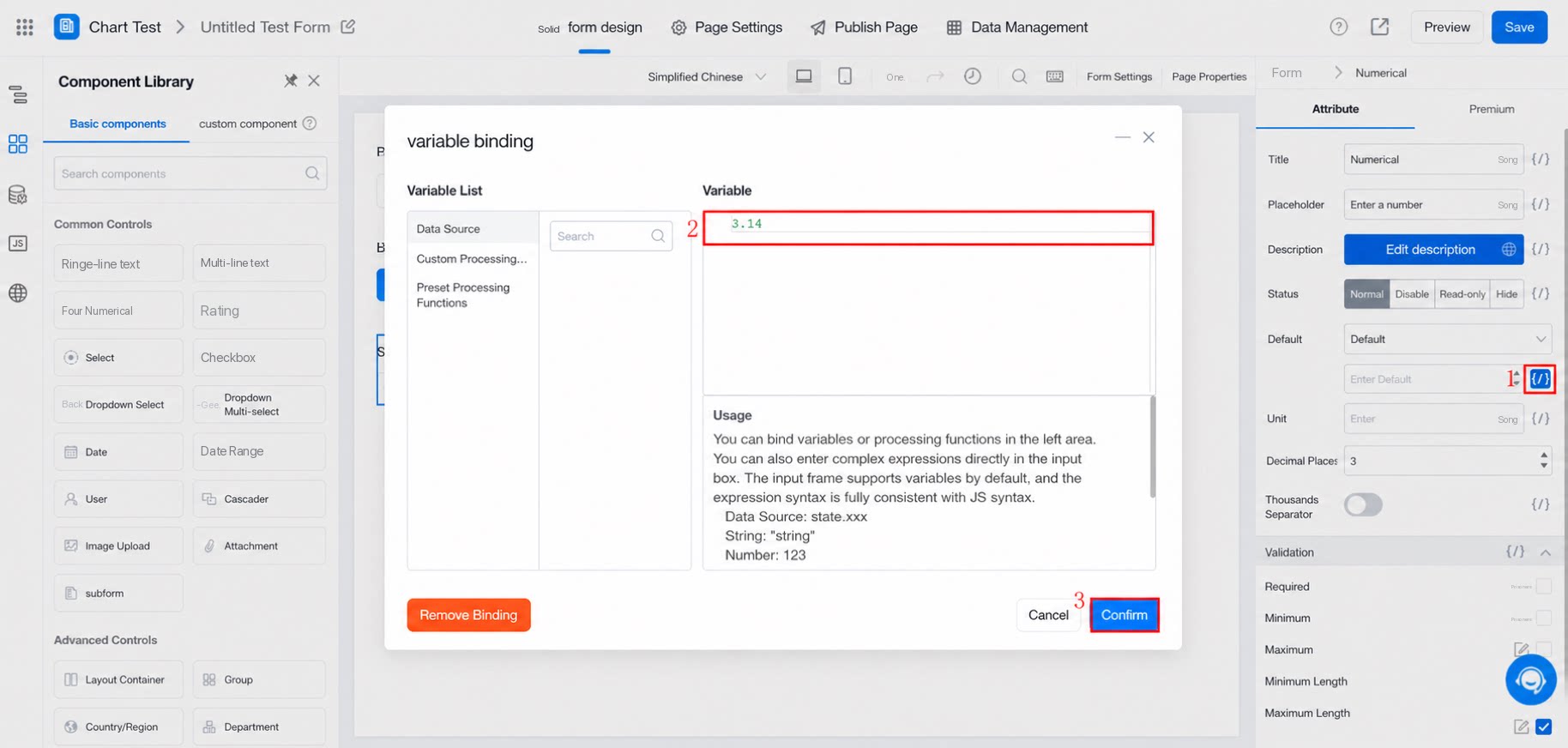
3.5 Why doesn't calculation work when the Numerical component has many decimal places?
3.5 Why doesn't calculation work when the Numerical component has many decimal places?
Check whether the unit of the Numerical component is %. If so, enter at least four decimal places (for values less than 1%) so that the value participates in formula calculations.