Chats
Chats Calendar
 Meetings
 Contacts
 Mail
Mail Docs
Docs Drive
Drive AI Table
 AI Minutes
 Attendance
 Approval
 YiDA
YiDA Admin Console
Prerequisites
Before creating a dataset from a database, add a database Data Source to your app. For detailed steps, see Create a Data Source.Steps
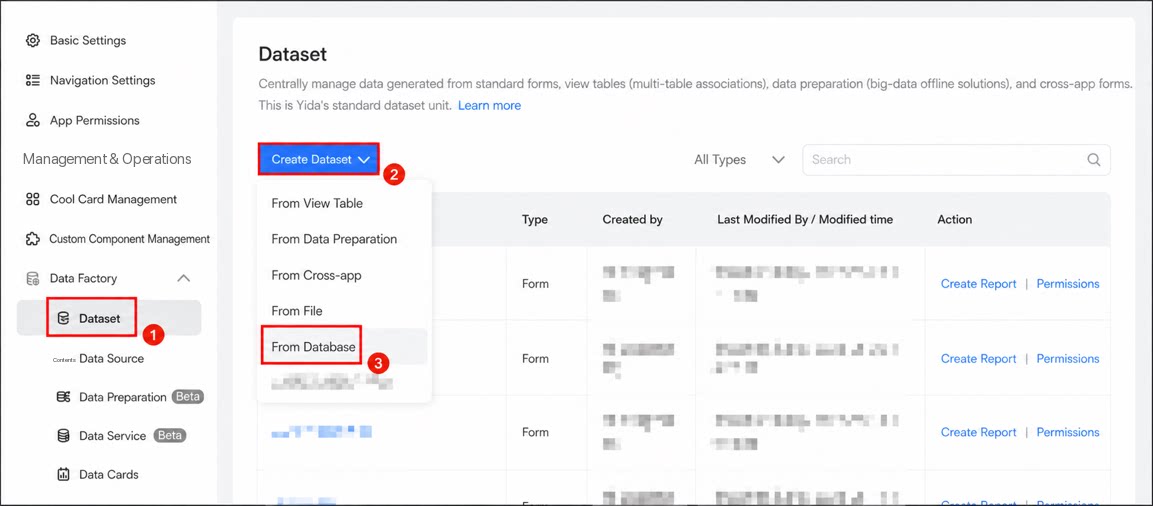
- Sign in to the YiDA workbench and go to the app settings page.
- Click Data Factory > Dataset.
- Click Create Dataset > From Database.
1
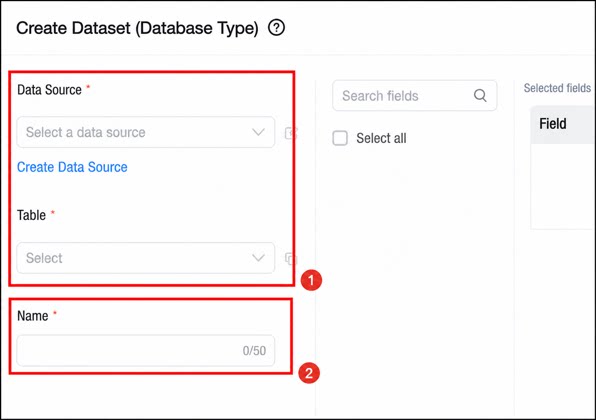
Add the target database and table, then set the dataset name.
2
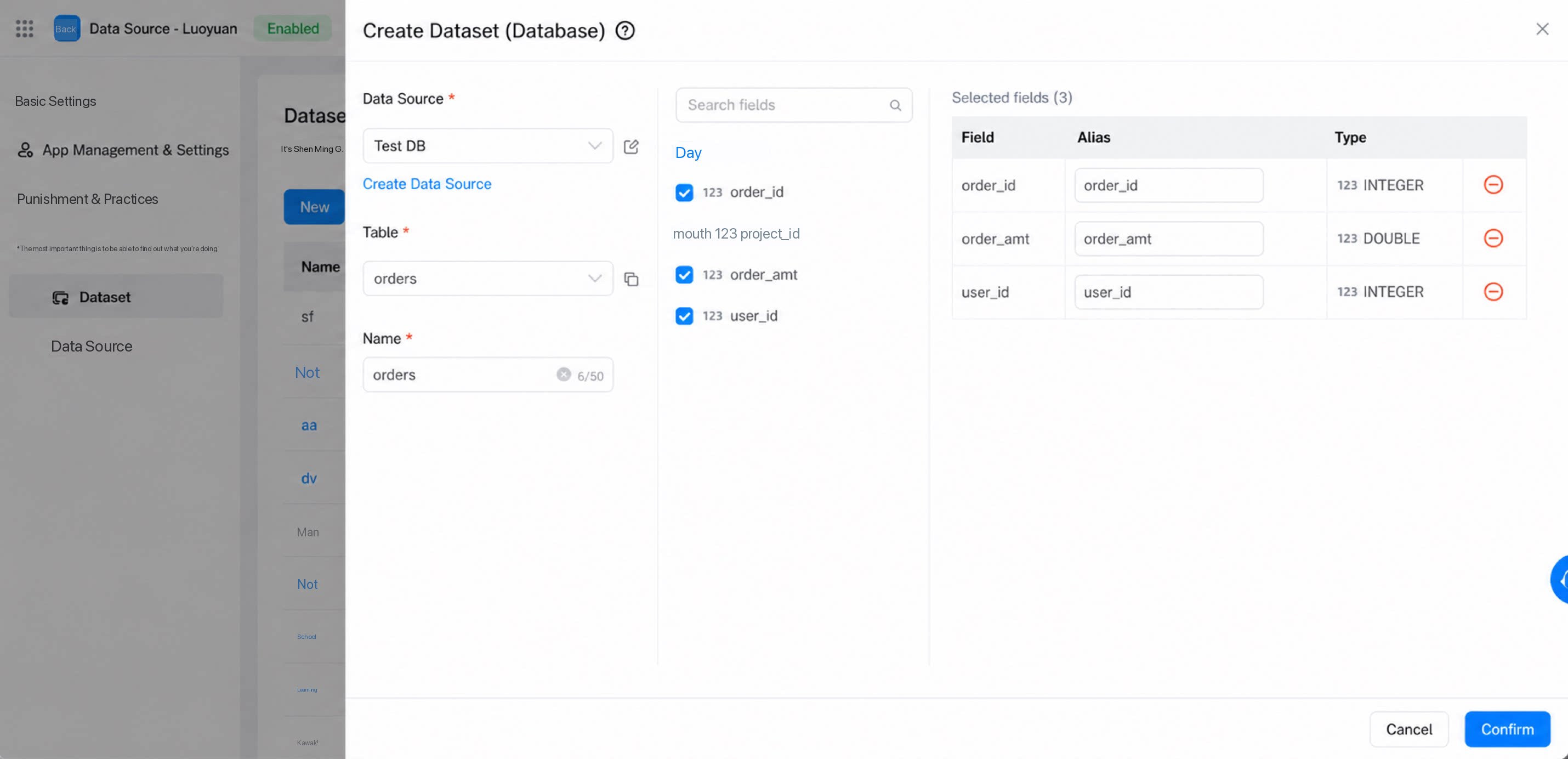
Select the fields to add, set an alias for each field, and click Confirm to complete the setup.
Use Database Data
- On the report page and in data preparation, select the relevant dataset to quickly create a report for analysis.
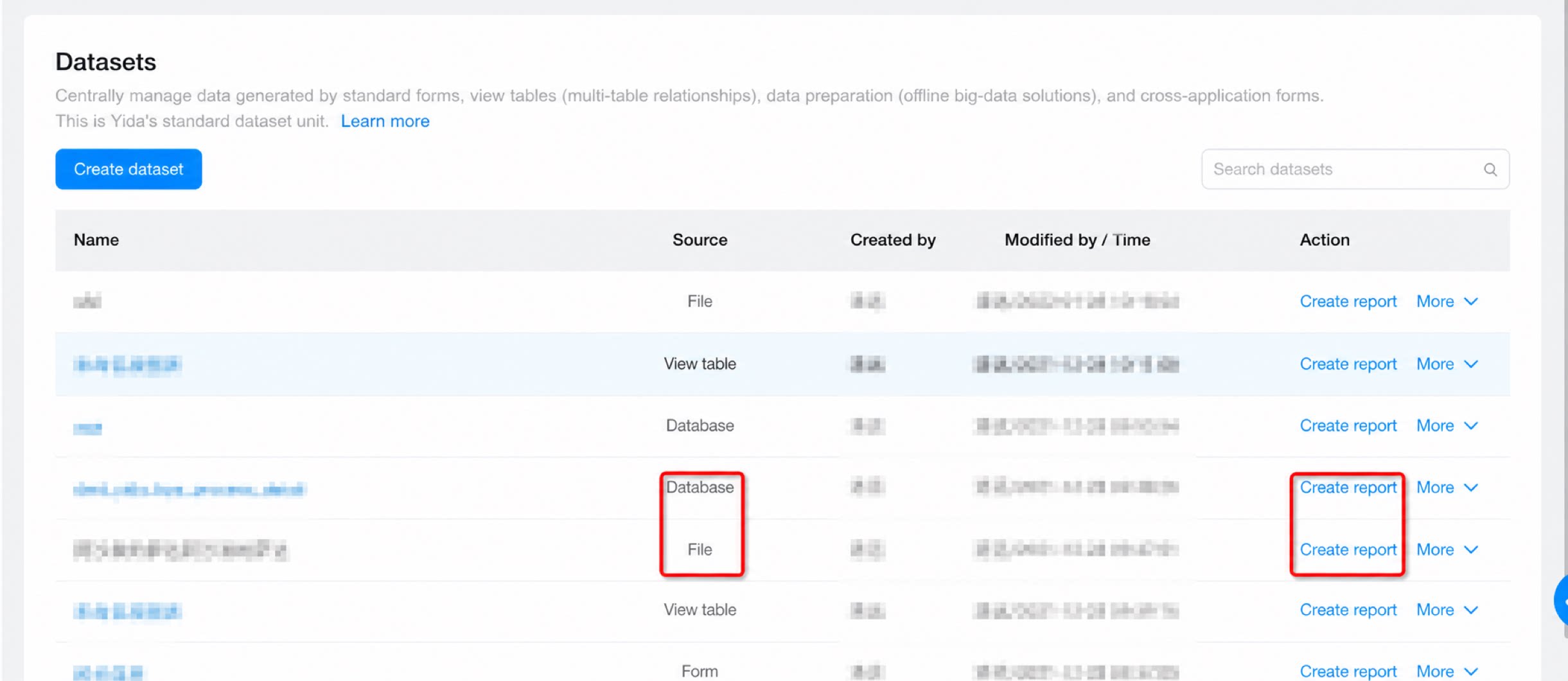
- Example of using data from a specific MySQL database in a report.