Chats
Chats Calendar
 Meetings
 Contacts
 Mail
Mail Docs
Docs Drive
Drive AI Table
 AI Minutes
 Attendance
 Approval
 YiDA
YiDA Admin Console
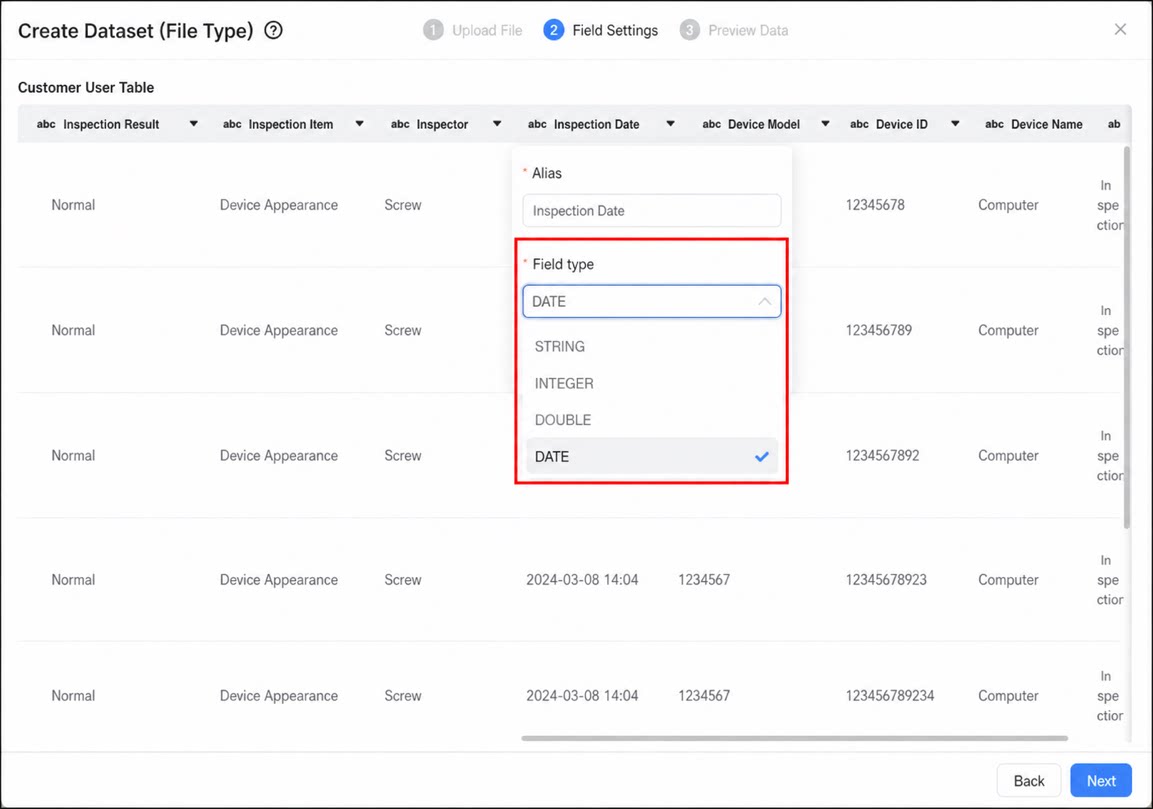
.xls and .xlsx files commonly used in organization information systems, as well as CSV (Comma Separated Values) files suited for large-scale text processing. Uploaded file fields are processed as strings by default, and field type adjustments (numerical, date, and more) are supported so you can apply the right data type in each scenario.
Steps
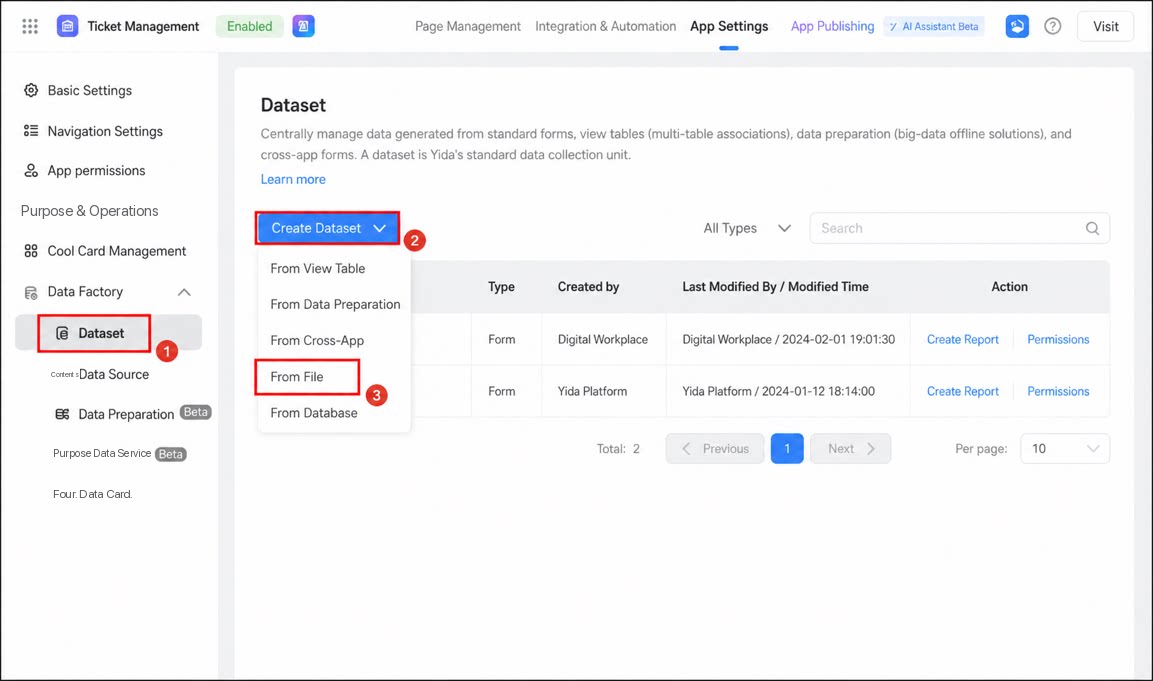
Follow the steps below to create a dataset from a local file.- Sign in to the YiDA workbench and open the App Settings page.
- Click Data Factory > Dataset.
- Click Create Dataset > From File.
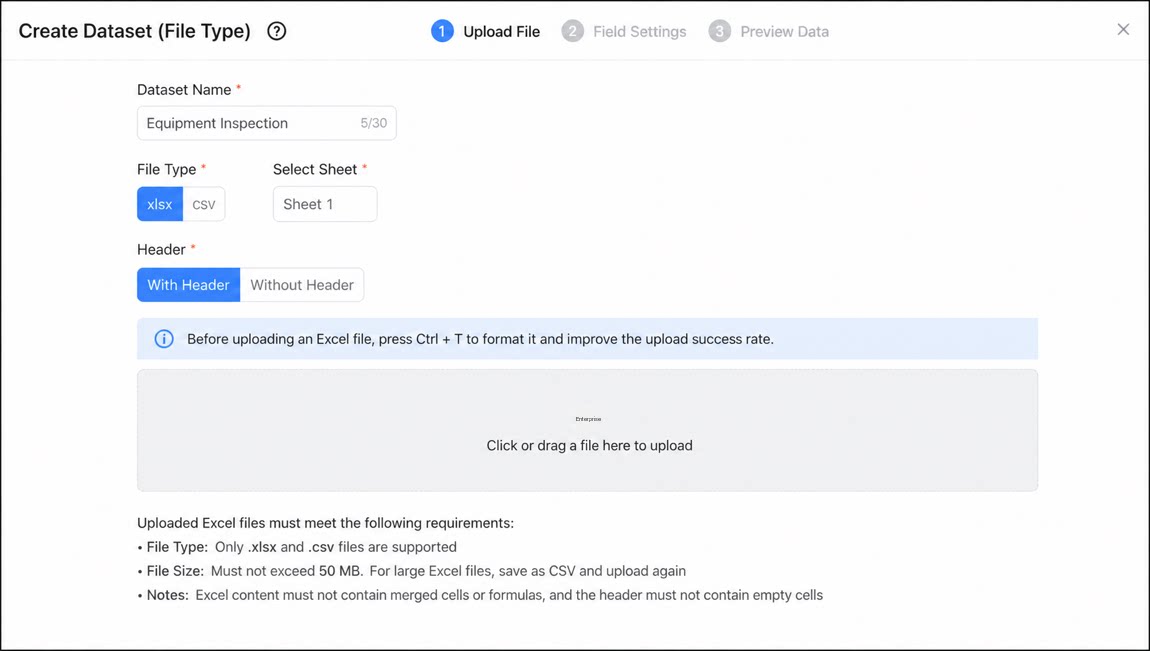
- Refer to the following information to select and upload the file.
- Configure the dataset field aliases and field types, then click Next when done.
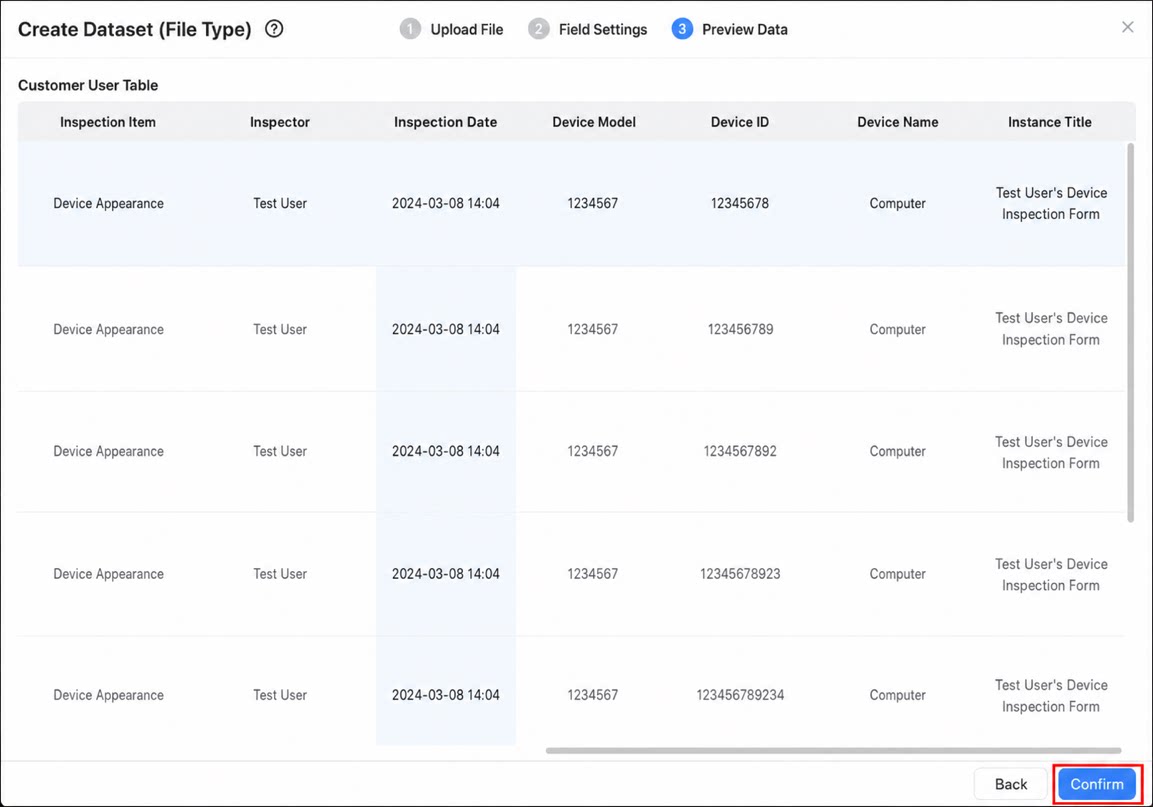
- Preview the data to verify it is correct. If the data is correct, click Confirm to complete the creation.