

 Chats
Chats Calendar
 Meetings
 Contacts
 Mail
Mail Docs
Docs Drive
Drive AI Table
 AI Minutes
 Attendance
 Approval
 YiDA
YiDA Admin Console
| Feature | Free plan | Basic edition | Standard | Professional edition | Premium | Dedicated edition |
| Data Preparation | Auto-run every 24 hours: 0 Auto-run every 1 hour: 0 Data preparation tasks: 1 | Auto-run every 24 hours: 1 Auto-run every 1 hour: 0 Data preparation tasks: 1 | Auto-run every 24 hours: 5 Auto-run every 4 hours: 3 Auto-run every 1 hour: 2 Limit: 10 manual runs per day Total data preparation tasks: 20 | Auto-run every 24 hours: 10 Auto-run every 4 hours: 6 Auto-run every 1 hour: 4 Limit: 10 manual runs per day Total data preparation tasks: 40 | ||
Data Preparation Entitlement Upgrade
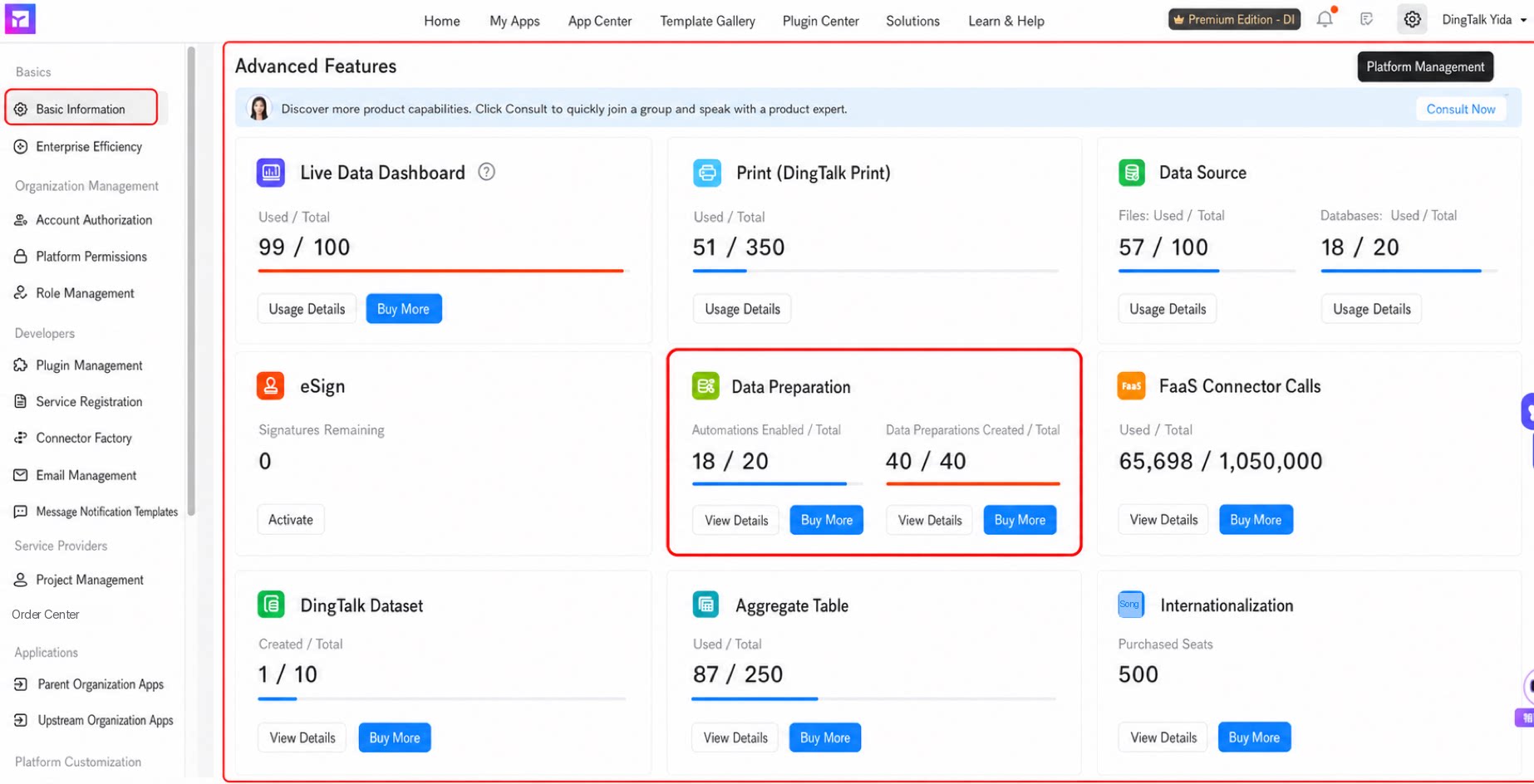
Purchase an add-on package- Go to Platform management > Basic information > Premium features > Data Preparation.
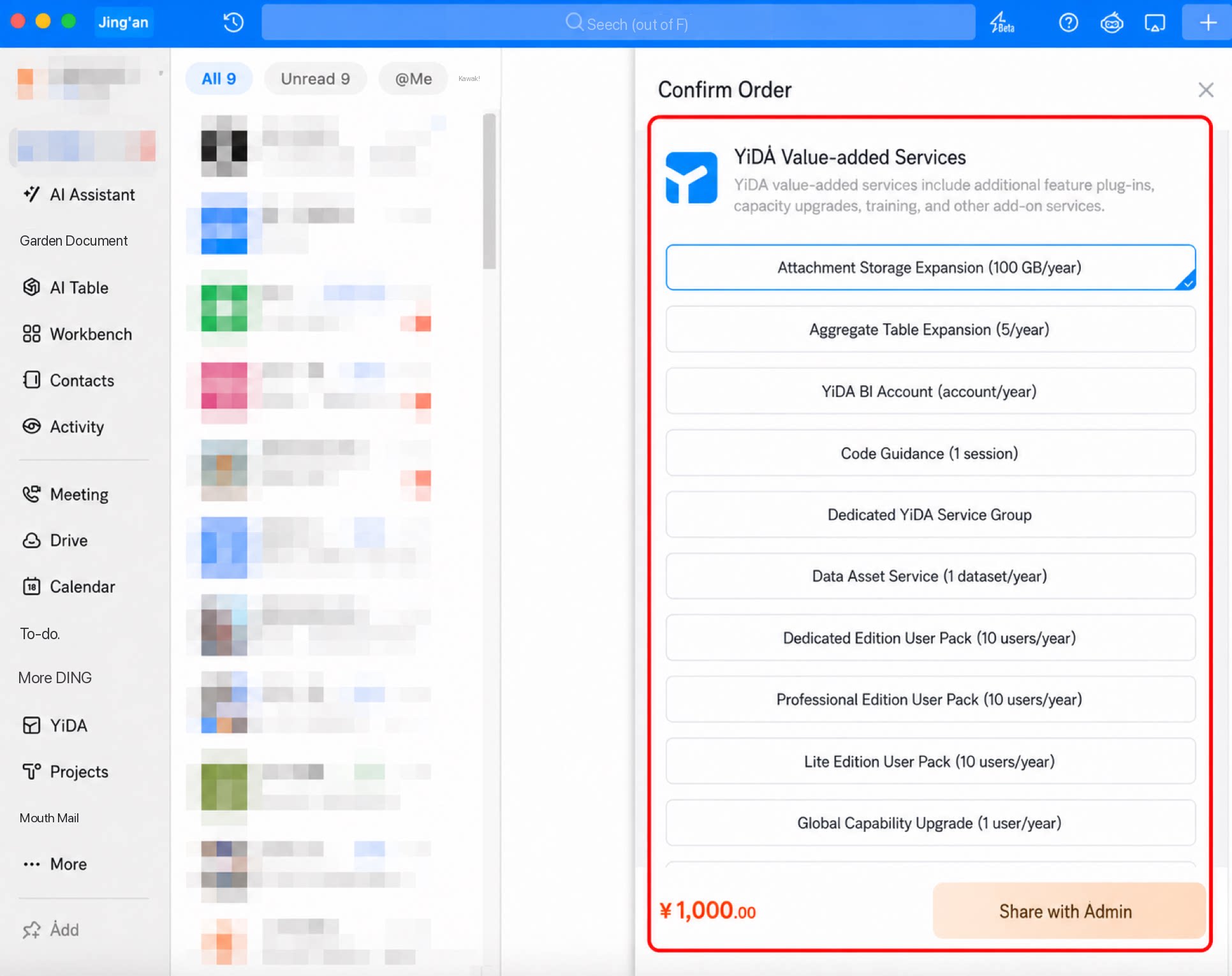
- Click Purchase. DingTalk opens and displays the purchase order.
- Select the value-added service type, then click Share with Admin.
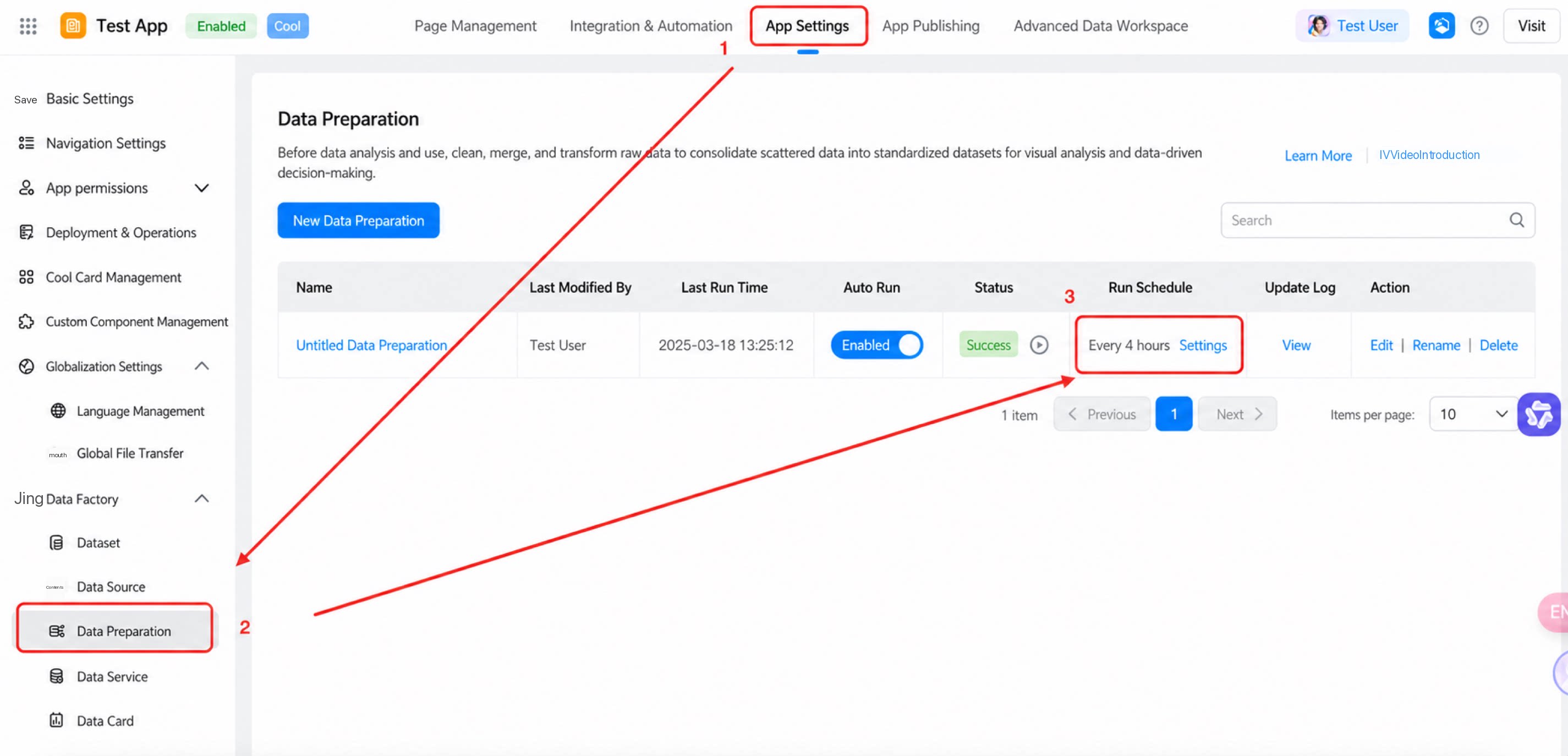
- Go to App settings > Data Factory > Data Preparation > Run rules.
- Automatic downgrade: The system detects auto-run tasks that have not been used for three days and cancels them automatically.
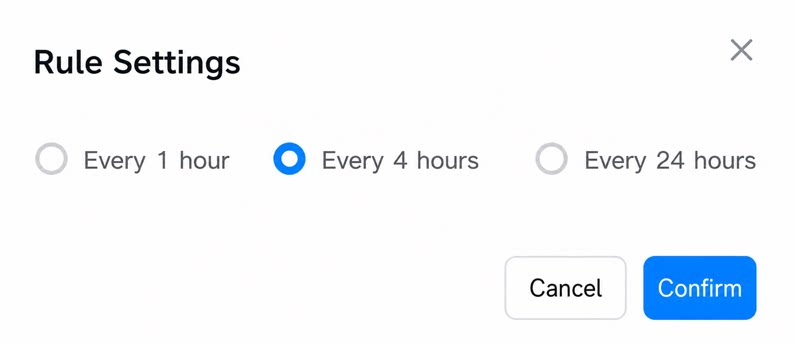
- Click Settings. In the dialog, choose a run frequency: every 1 hour, every 4 hours, or every 24 hours.
Usage Limits and Management
View Data Preparation usage details on the Platform management page in the YiDA workbench.Data Preparation tasks do not run automatically between 22:00 and 07:00 the next day. To run tasks during this window, trigger them manually.