Chats
Chats Calendar
 Meetings
 Contacts
 Mail
Mail Docs
Docs Drive
Drive AI Table
 AI Minutes
 Attendance
 Approval
 YiDA
YiDA Admin Console
Use in Portals
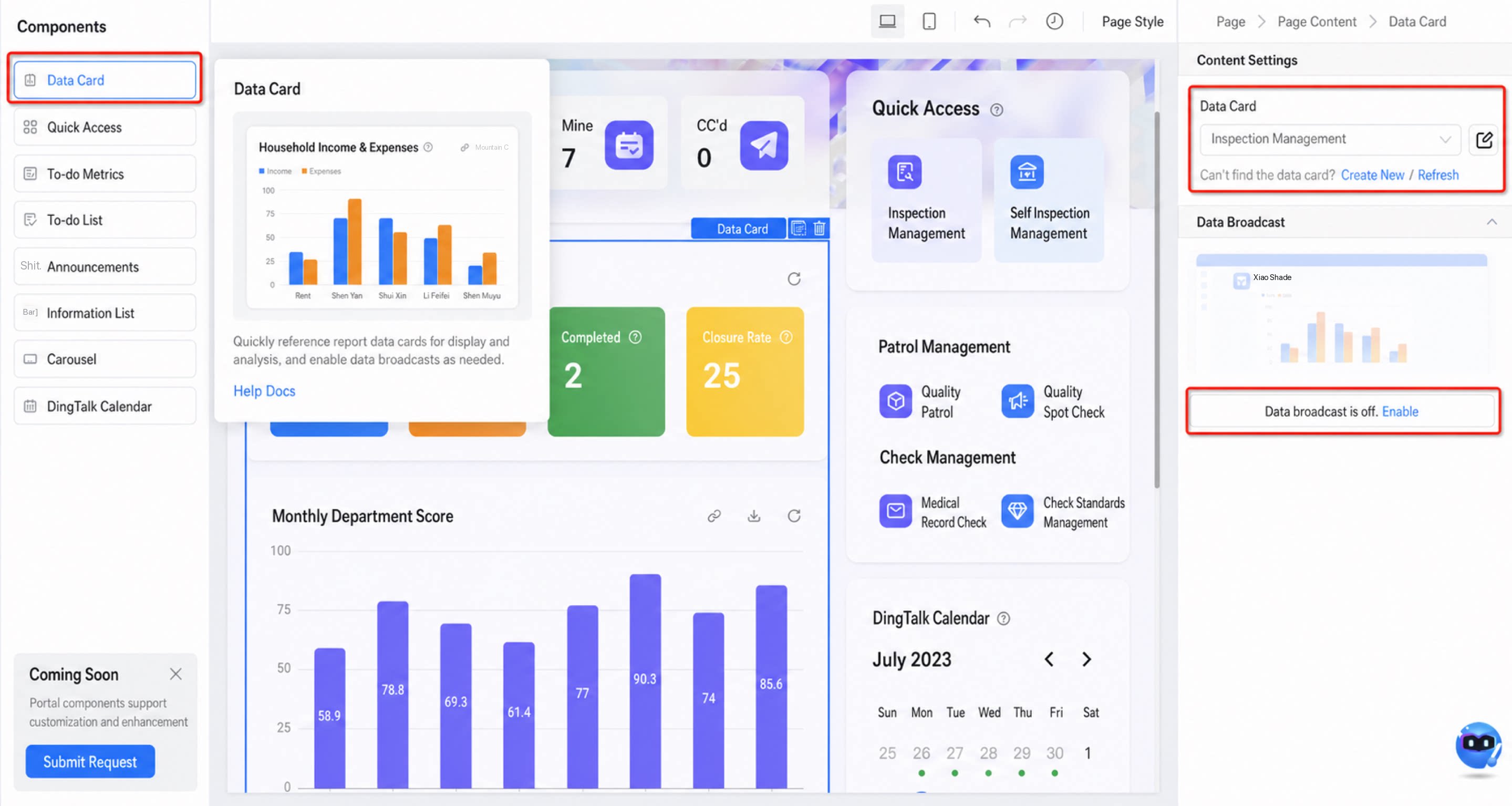
- Content configuration
- Data push
Push to DingTalk
Toggle
Each data card supports one push. When turned off, the push stops.Configure
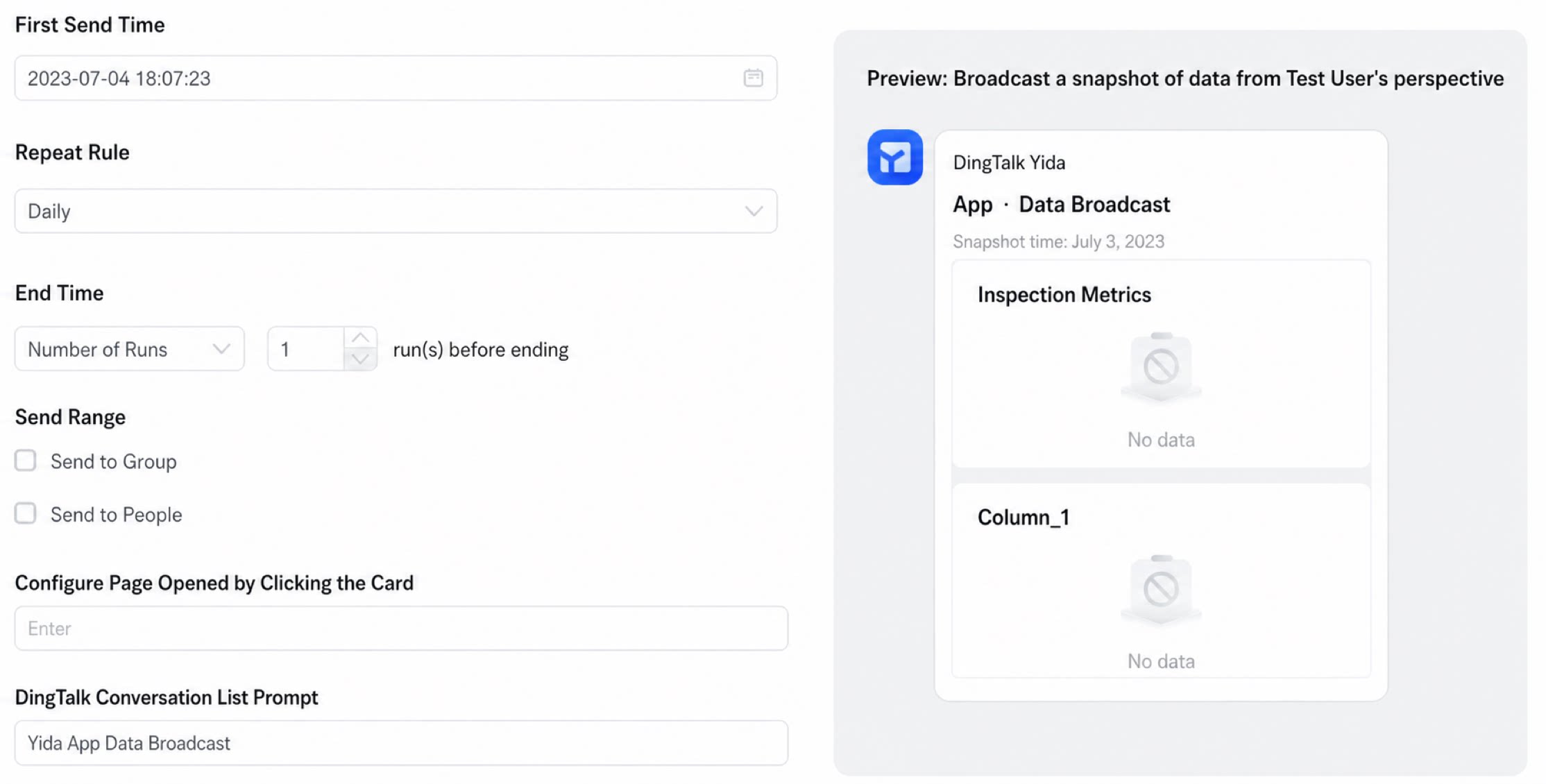
- First send time: the time the card is pushed for the first time.
- Repeat rule: send the card repeatedly according to a specified rule.
- End time:
- Send scope:
- Configure card click-through page: set the URL the card links to.
- DingTalk chat list tip: the tip shown when the card is sent to DingTalk. The default is “YiDA app data push”.
Data
Data snapshots follow these rules:
Test
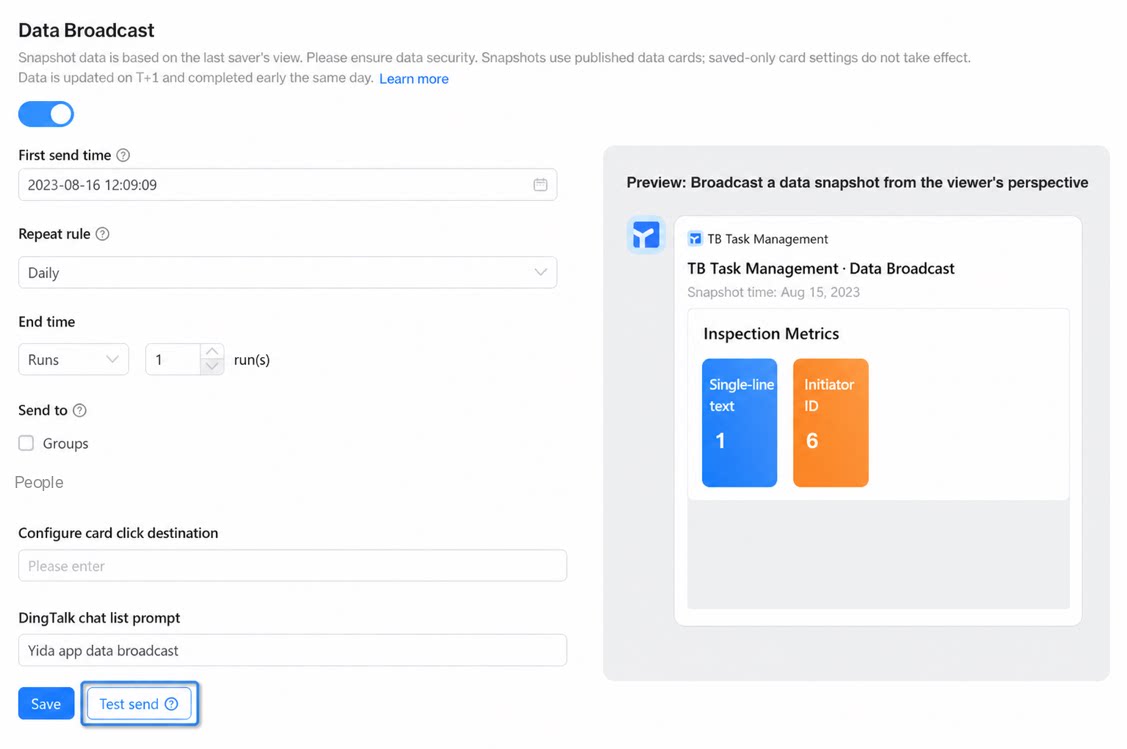
Send a card to the builder via a bot for a push test, similar to the Cool Card test capability. Notes:- The test send target is the operator themselves.
- The test requires a snapshot of a published card page, pushed to the operator via the YiDA bot.
- Wait for one test card to finish sending before starting the next test. Do not click the test button repeatedly at a high frequency.