

 Chats
Chats Calendar
 Meetings
 Contacts
 Mail
Mail Docs
Docs Drive
Drive AI Table
 AI Minutes
 Attendance
 Approval
 YiDA
YiDA Admin Console
For some apps that have not been upgraded to multi-table association, the limits are not raised automatically because existing formulas or data cannot be automatically upgraded to the high-performance version. Refer to the documentation to upgrade manually.
Overview of View Tables
A view table preprocesses existing form data through single-table or multi-table associations. It also supports the intermediate table mode to enhance data processing capabilities. Currently, view table data can be used directly in scenarios such as report data visualization and form linkage.Procedure
You can create a dataset from a view table in either single-table or multi-table mode. Refer to the following sections to create a table.Single-Table Dataset
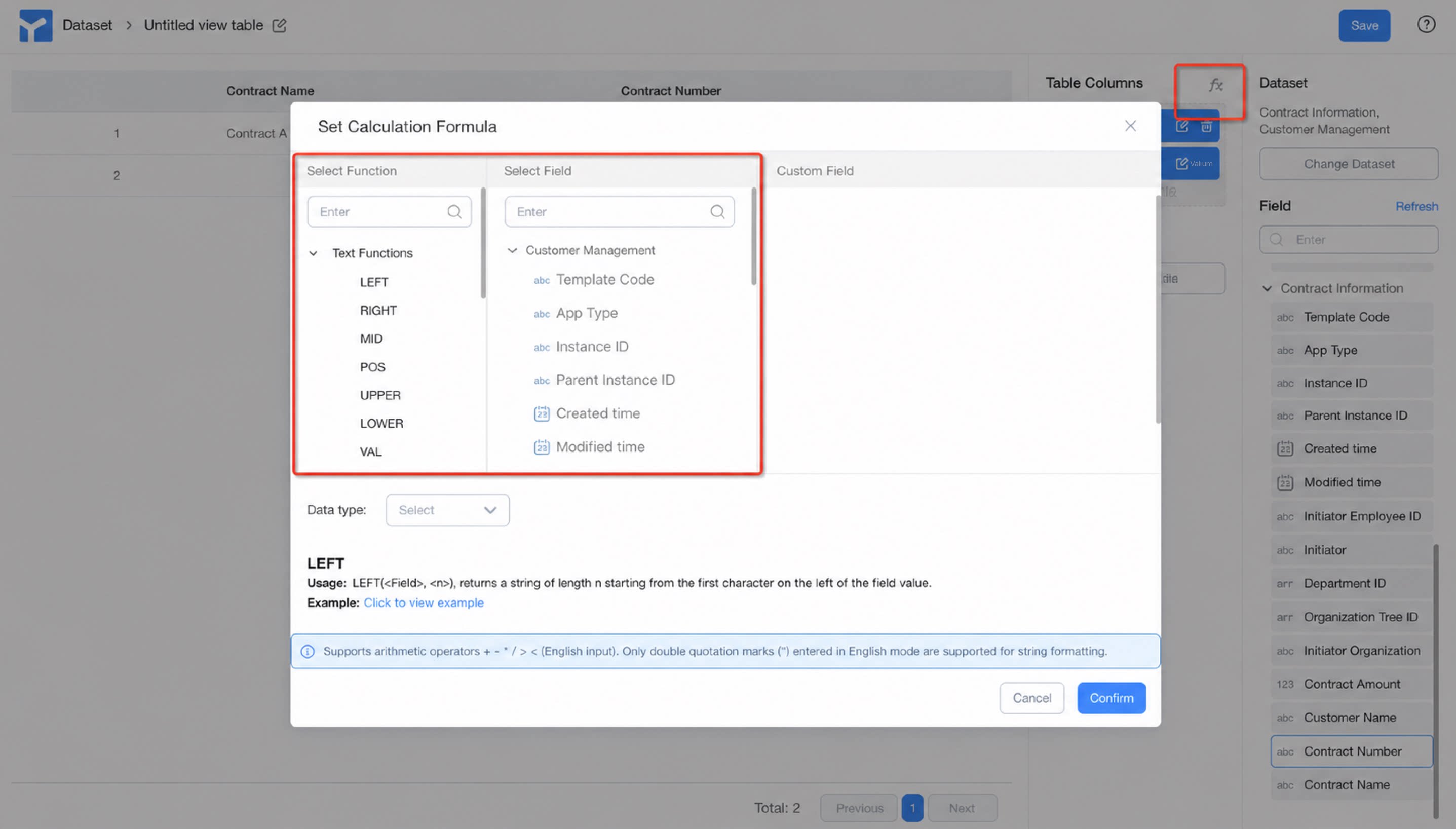
A single-table dataset lets you select any field within a single table. To add a calculated field, go to fx to define the formula.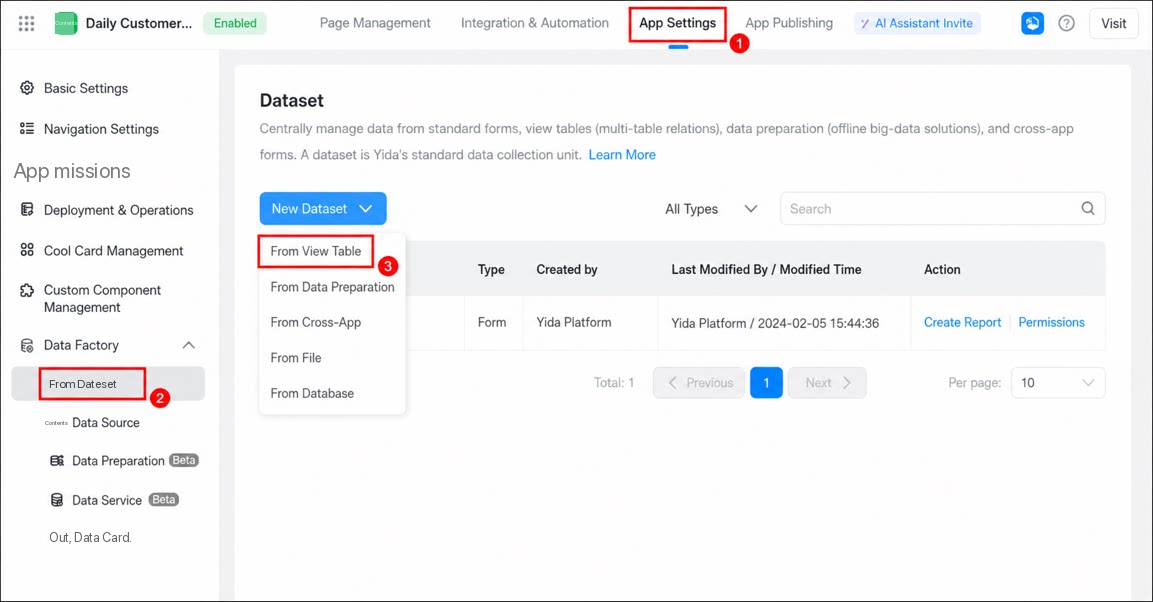
- Sign in to the YiDA workbench and go to the app settings page.
- Click Data Factory > Datasets.
-
Click Create dataset > From view table to open the view table designer.
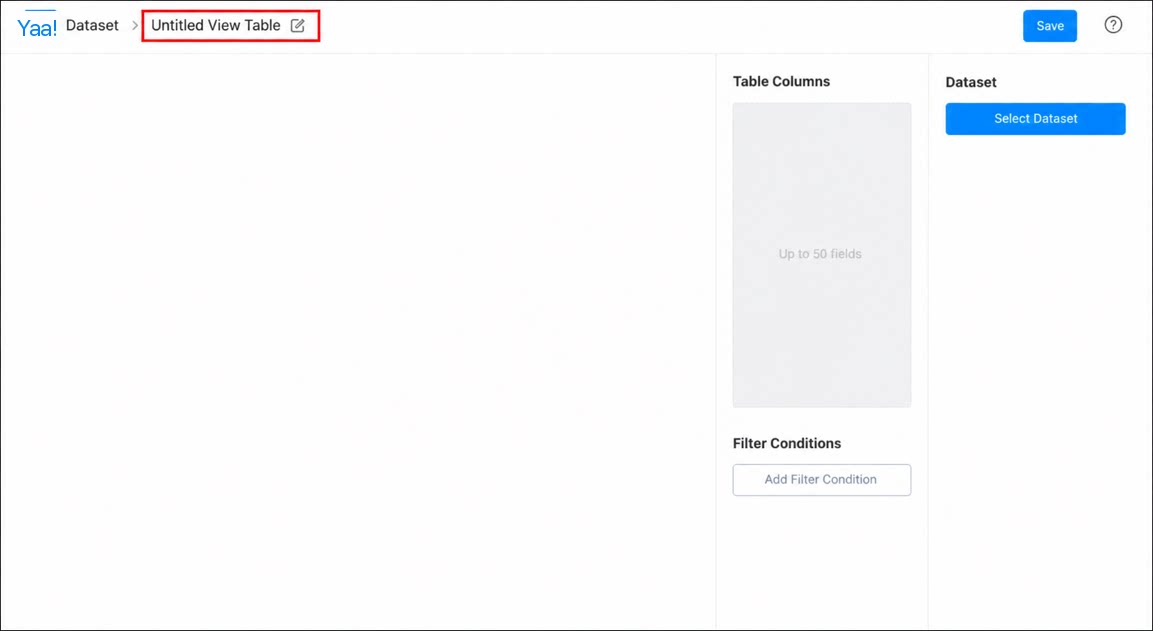
1
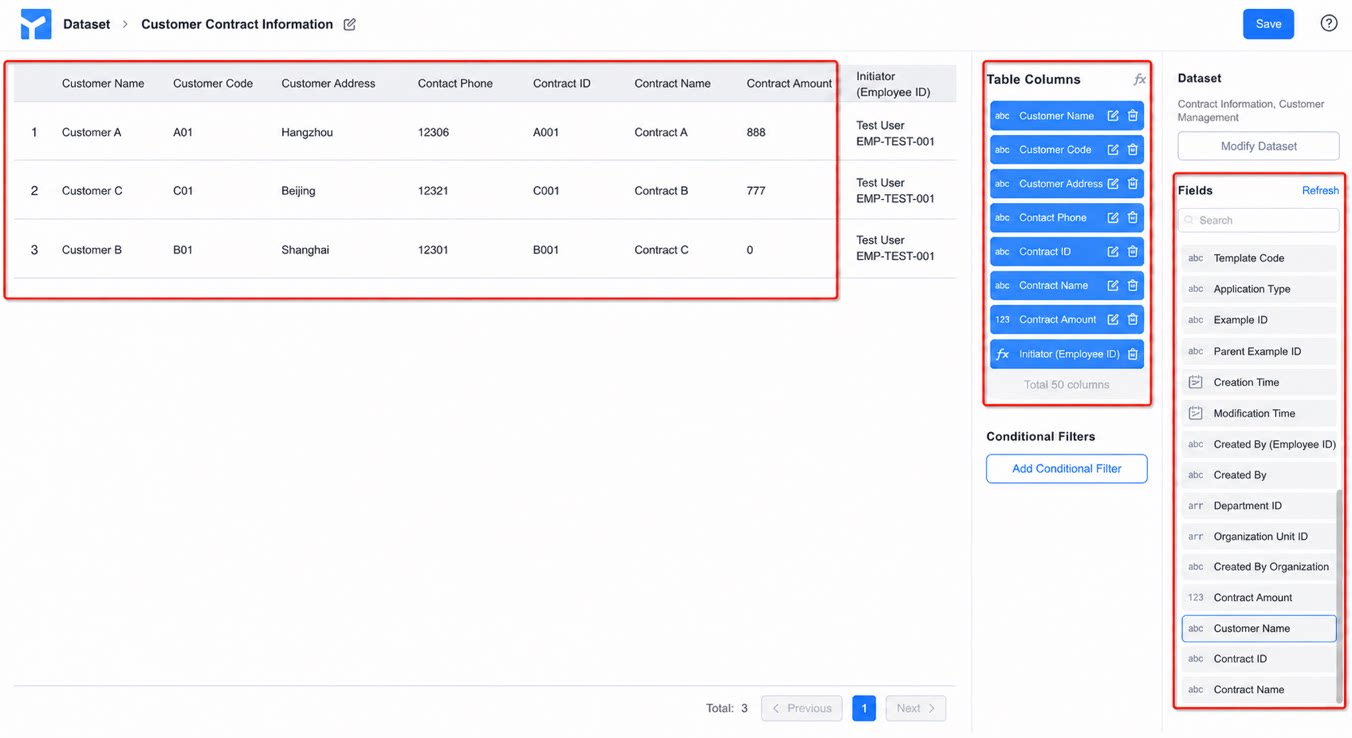
In the view table designer, follow the steps below to configure the view table
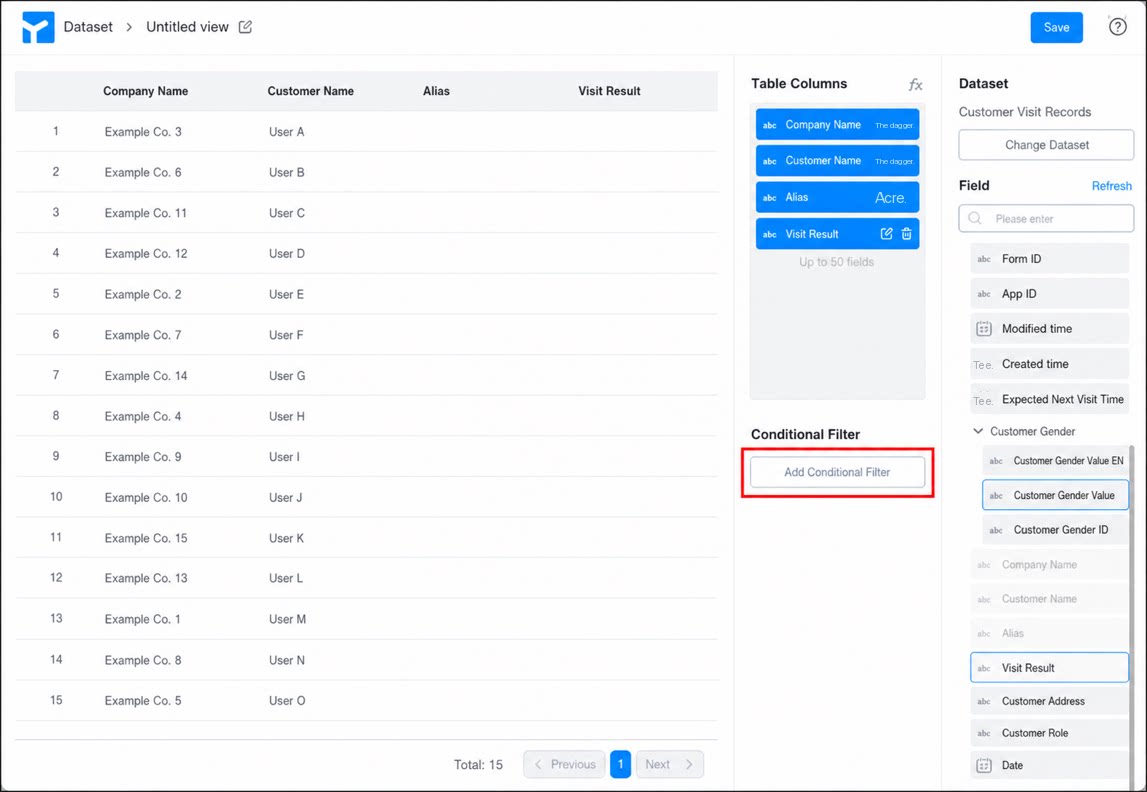
2
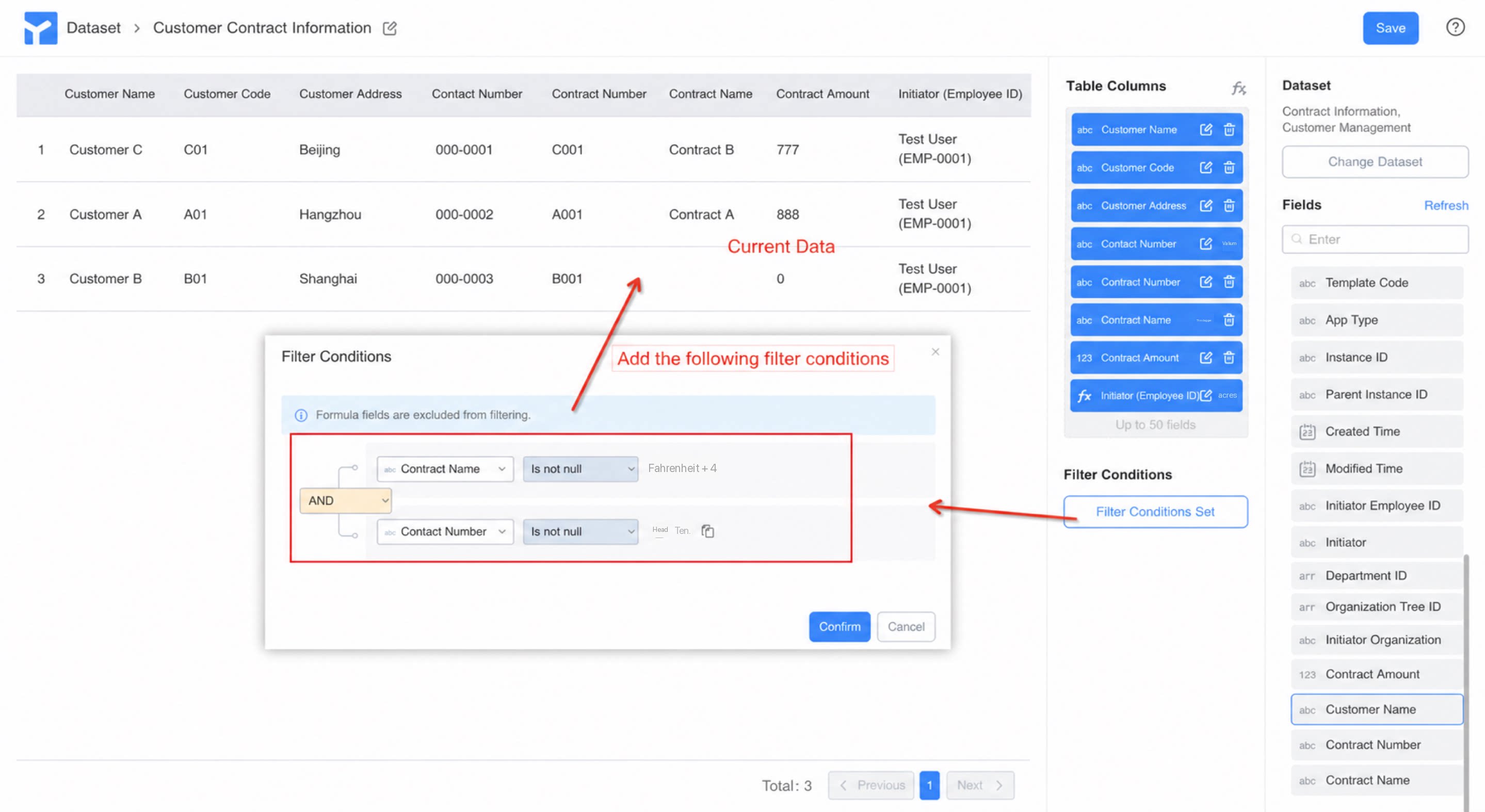
Click Add filter to set filter conditions
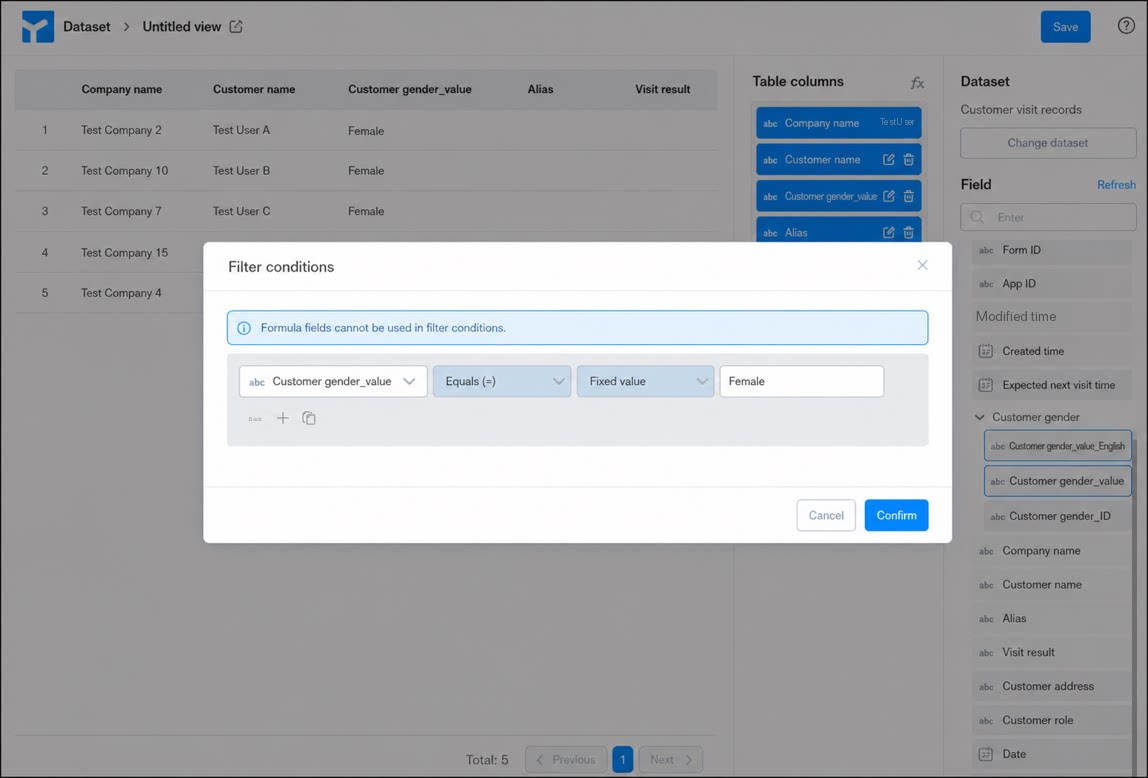
3
In the filter dialog box, select the data you want to filter, and click Confirm
Multi-Table Dataset
Multi-table dataset: A multi-table dataset lets you select any field across multiple tables. To add a calculated field, go to fx to define the formula. You can configure the associated table, association type, and linked field to enable multi-table associations.- Supports creating custom calculated fields.
- Real-time visual preview of the dataset.
- Supports row-level data filtering.
Manage Permissions
By default, a view table uses all row and column data from every selected field in the source form, ignoring the form’s view permission control.- However, view tables support independent row-level permission filtering.
- In the future, view tables will support an independent permission system based on datasets oriented toward data modeling.
- Customers with strict data permission requirements should use this feature with caution at this stage.
| Configuration step | Configuration interface | Result |
|---|---|---|
| 1. Create customer/contract forms | Customer management: Contract information: 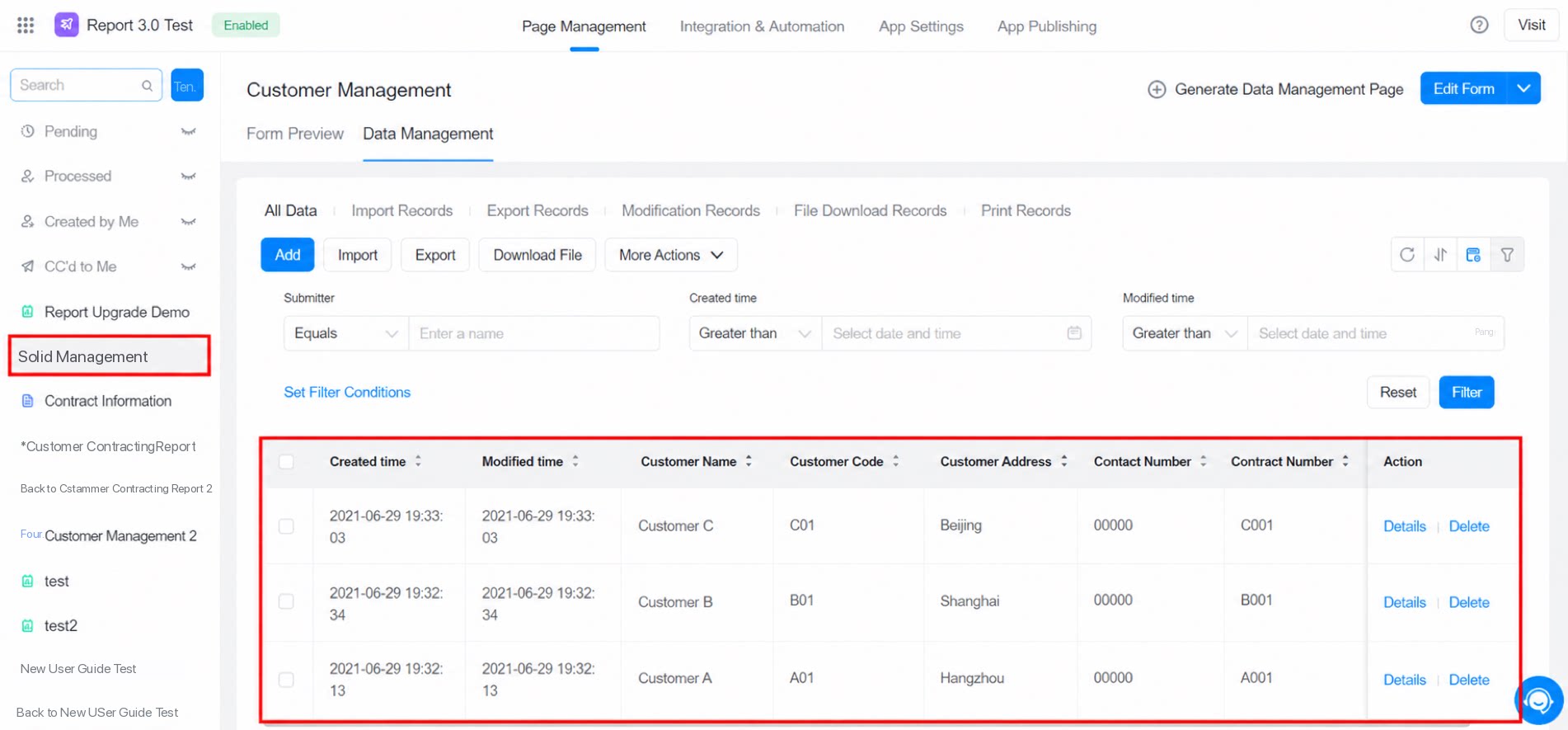 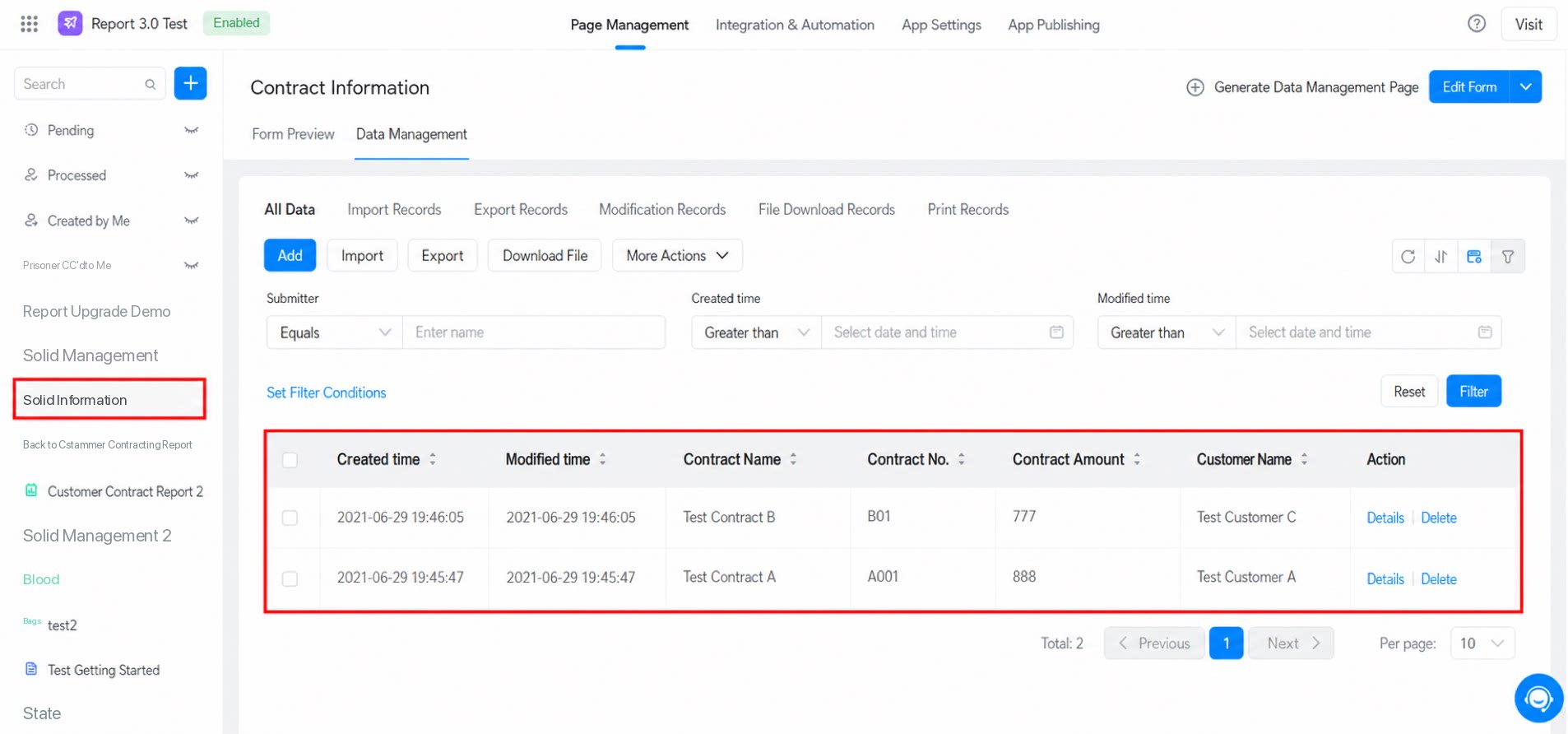 | 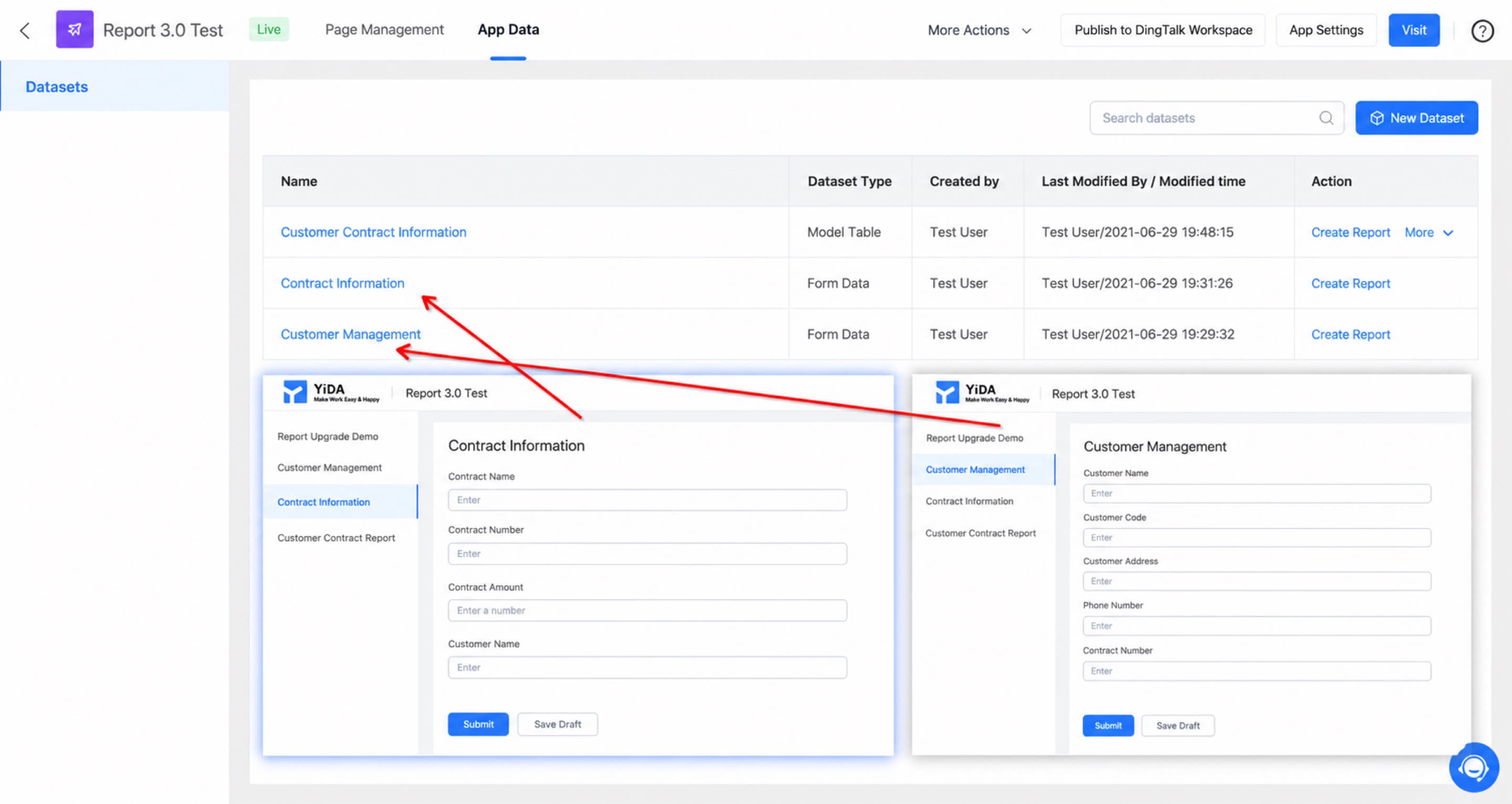 |
| 2. Create a view table, configure multi-table data, and support multi-select field mode | 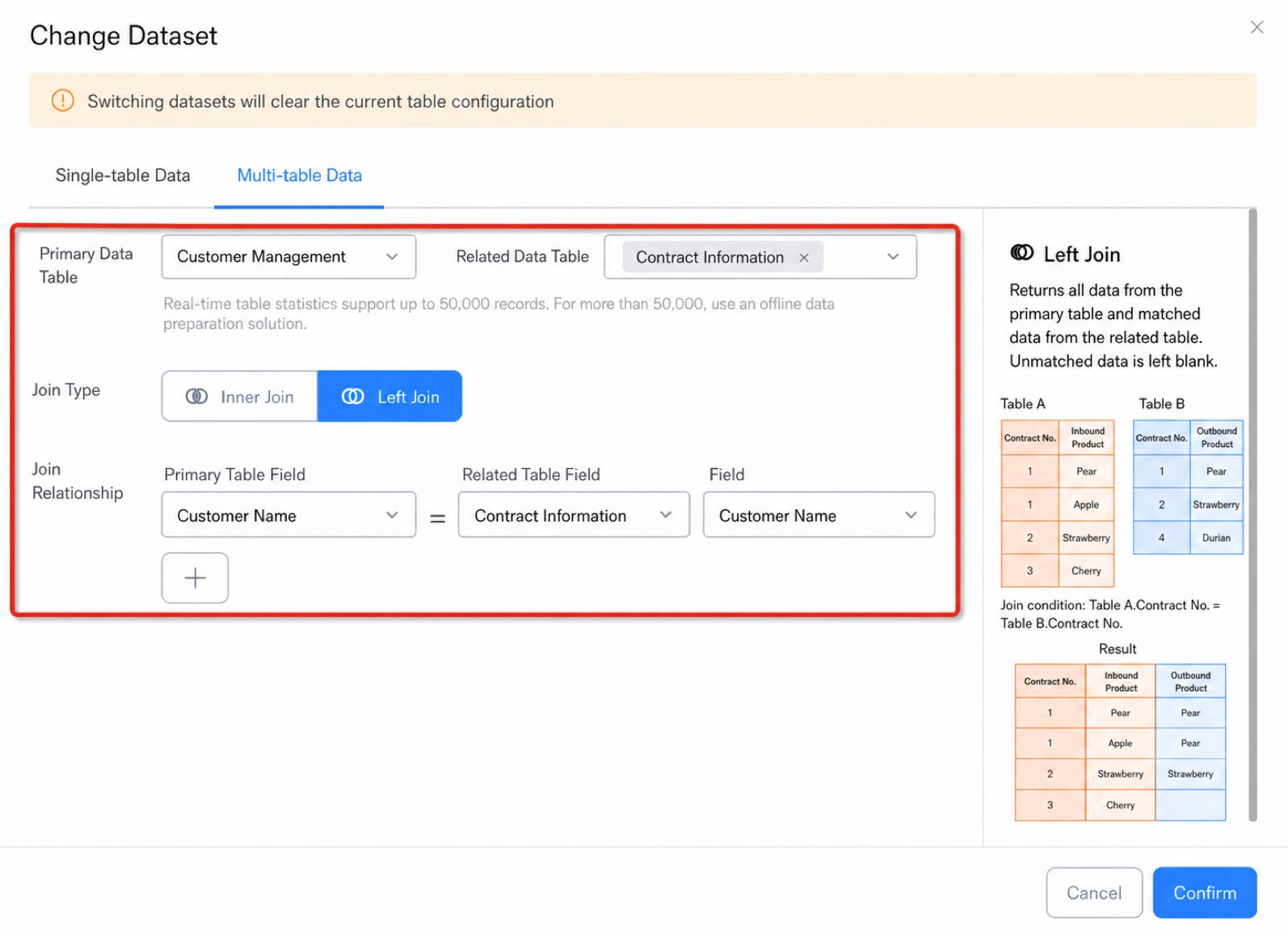 | 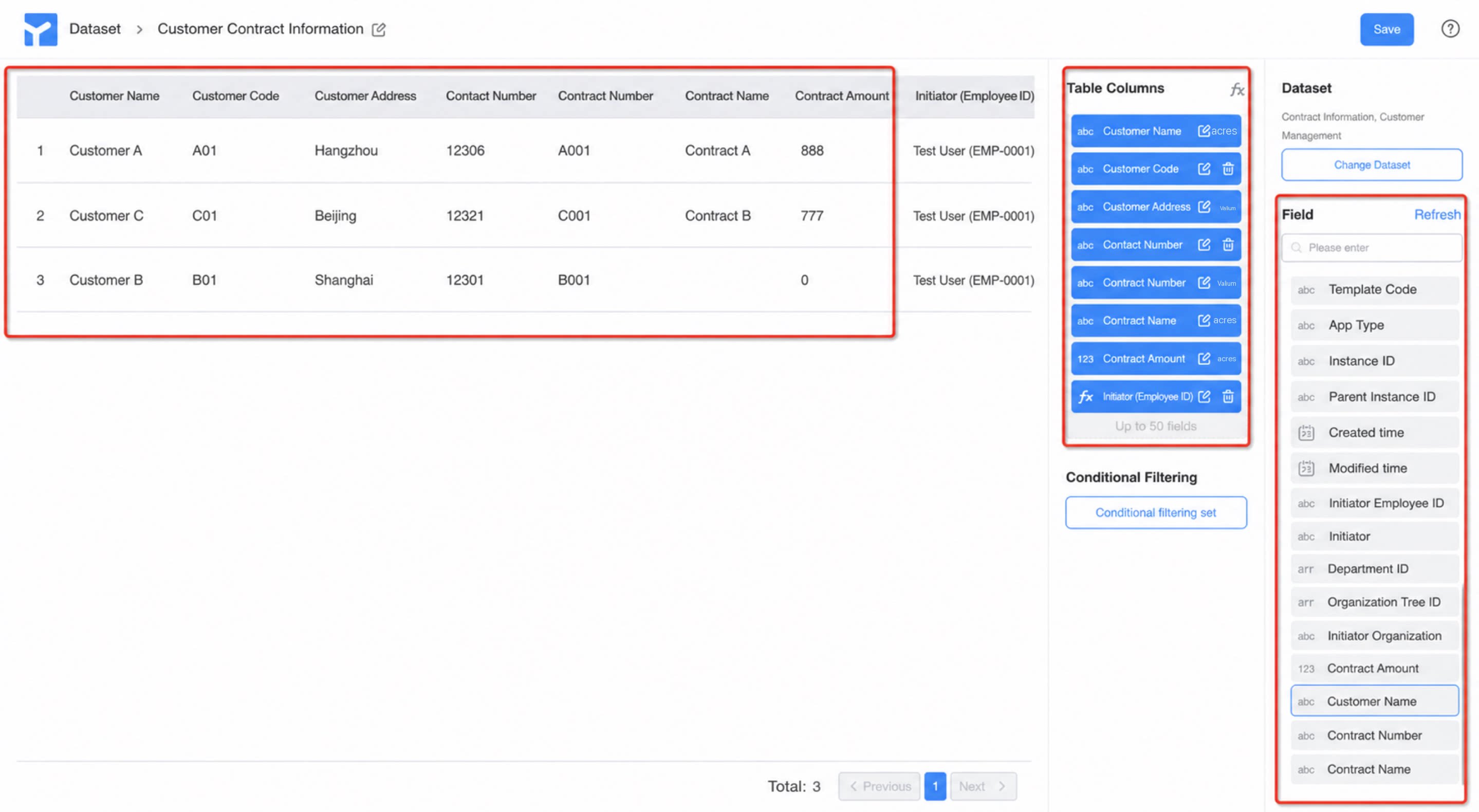 |
| 3. Add calculated fields | 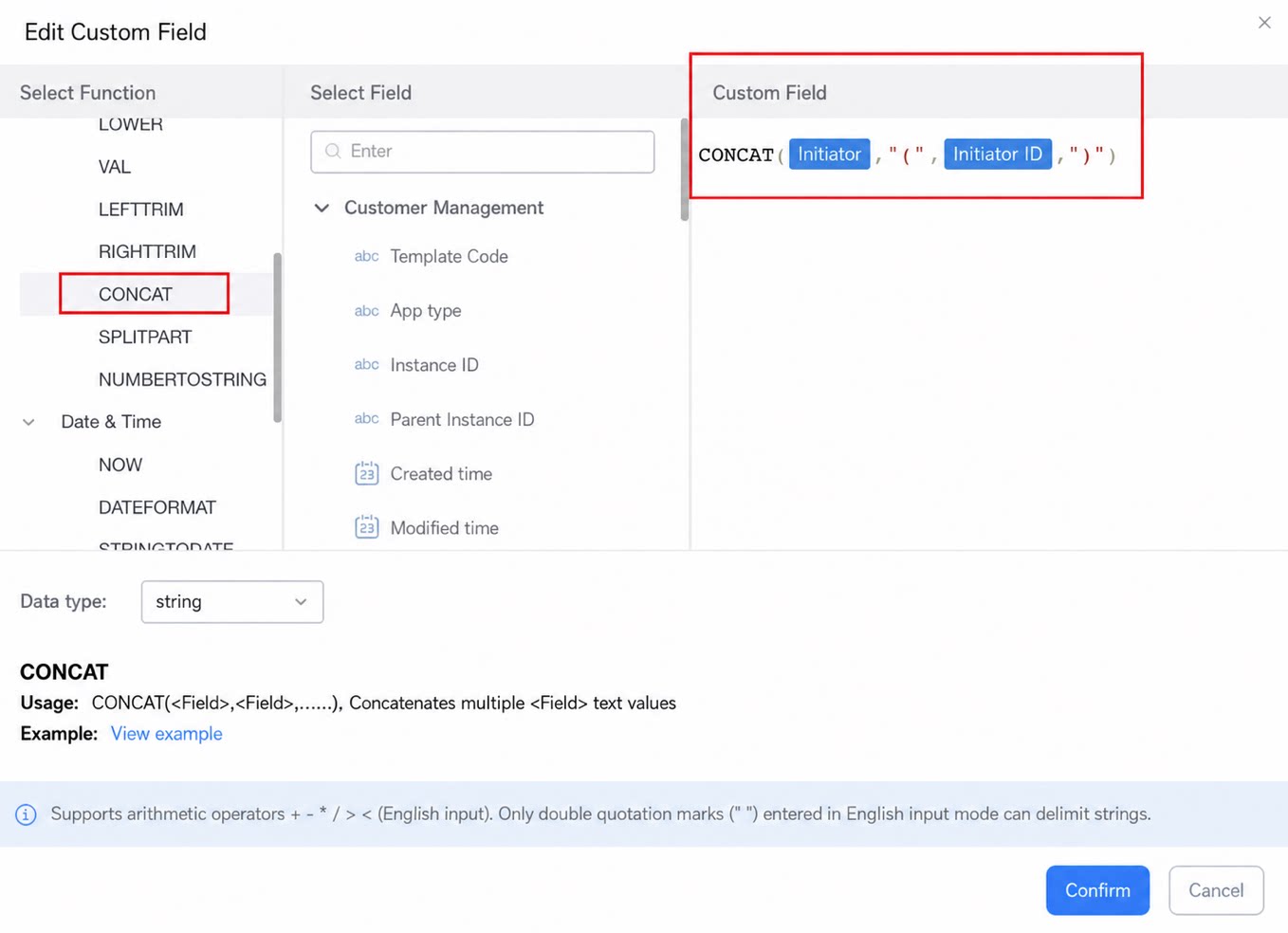 | 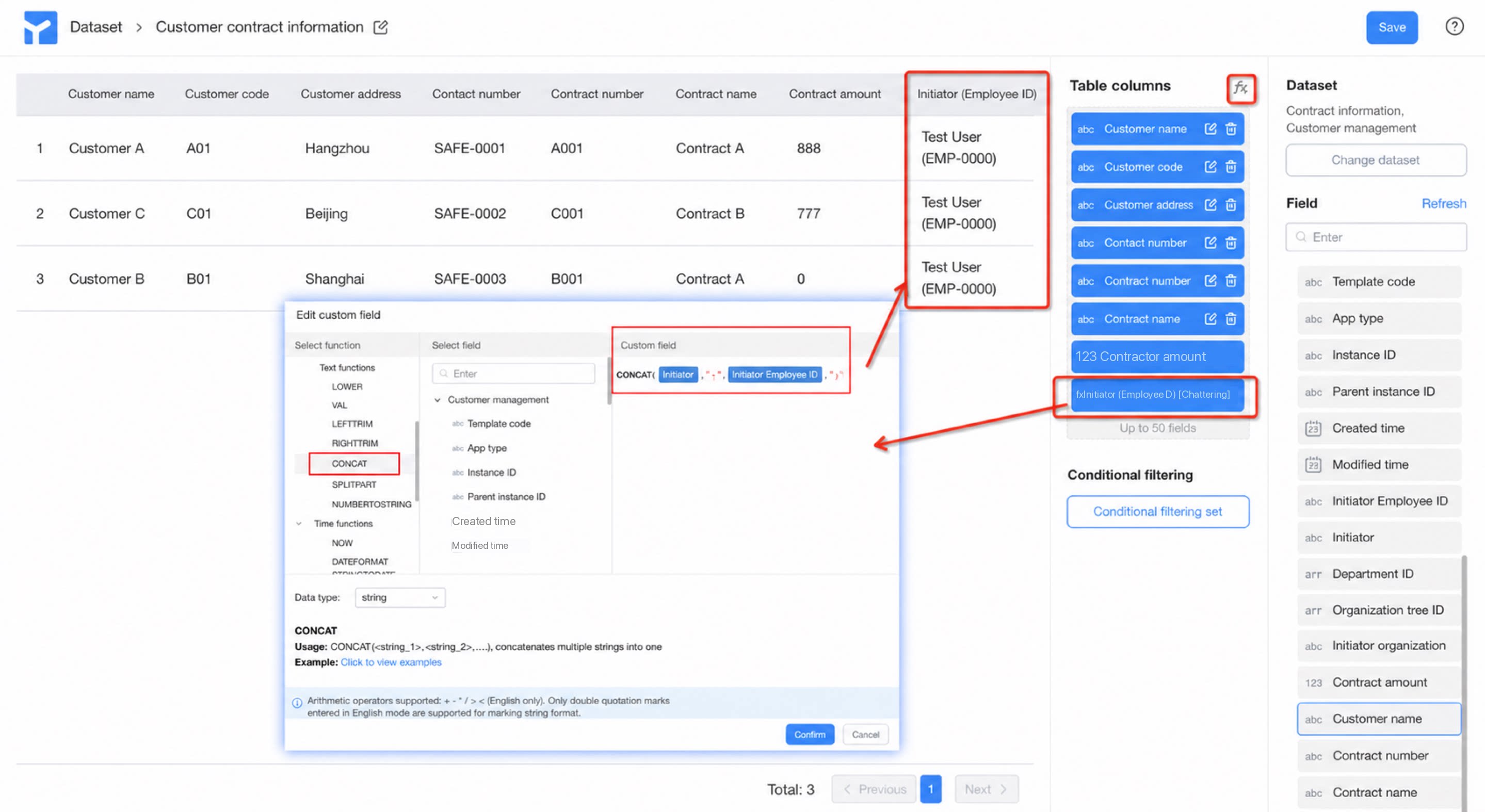 |
| 4. Add filter conditions | 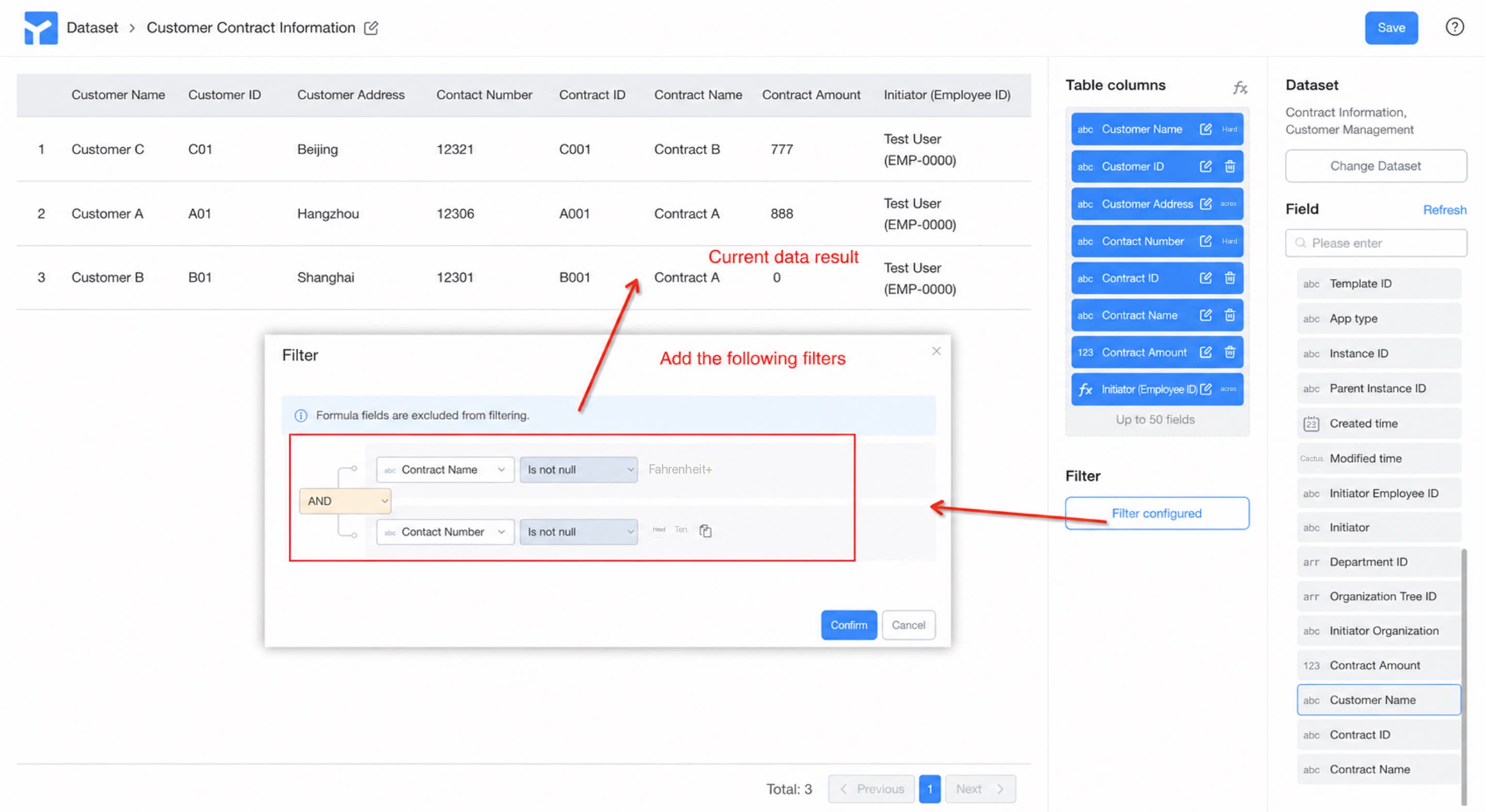 | 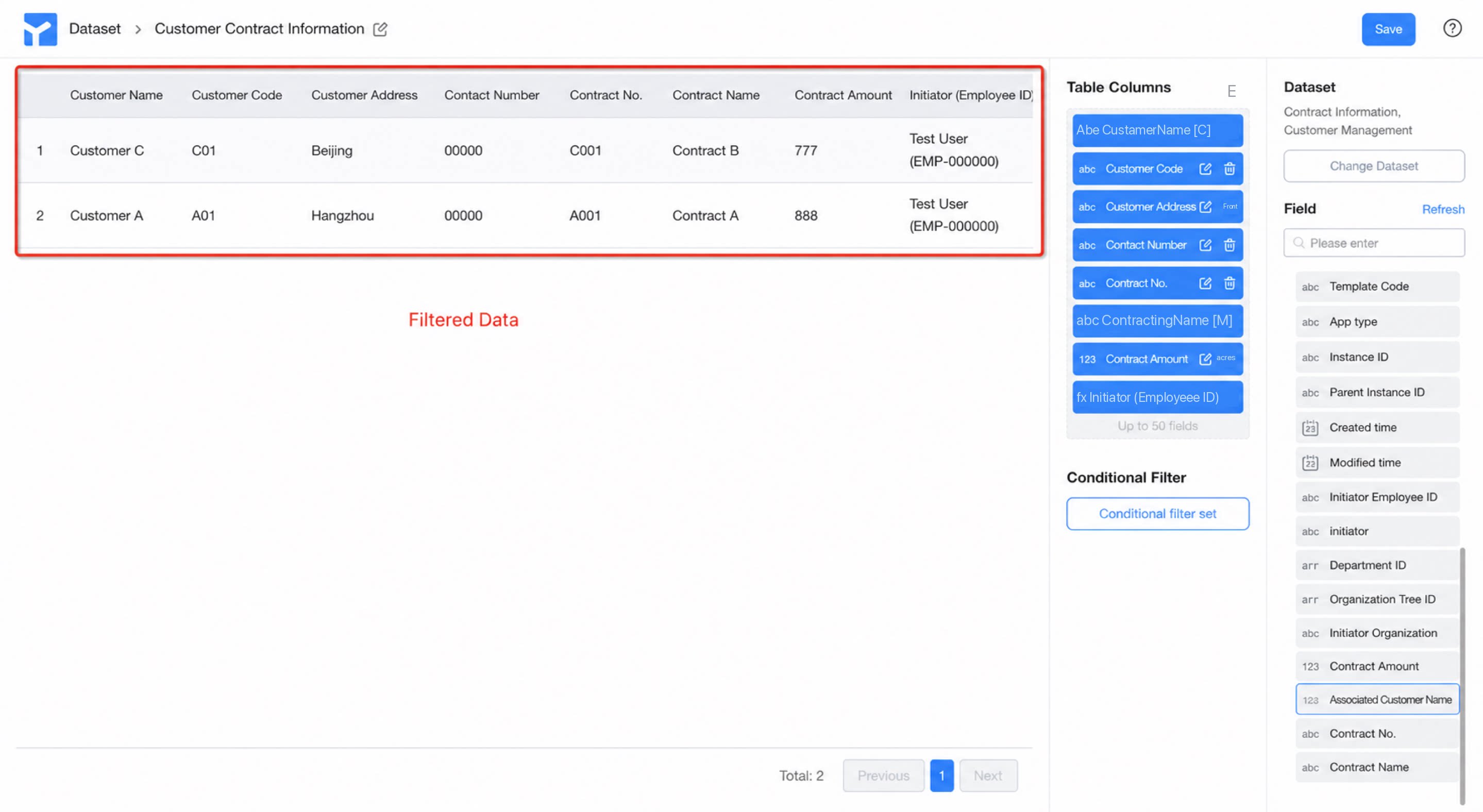 |
| 5. Create a report with one click | 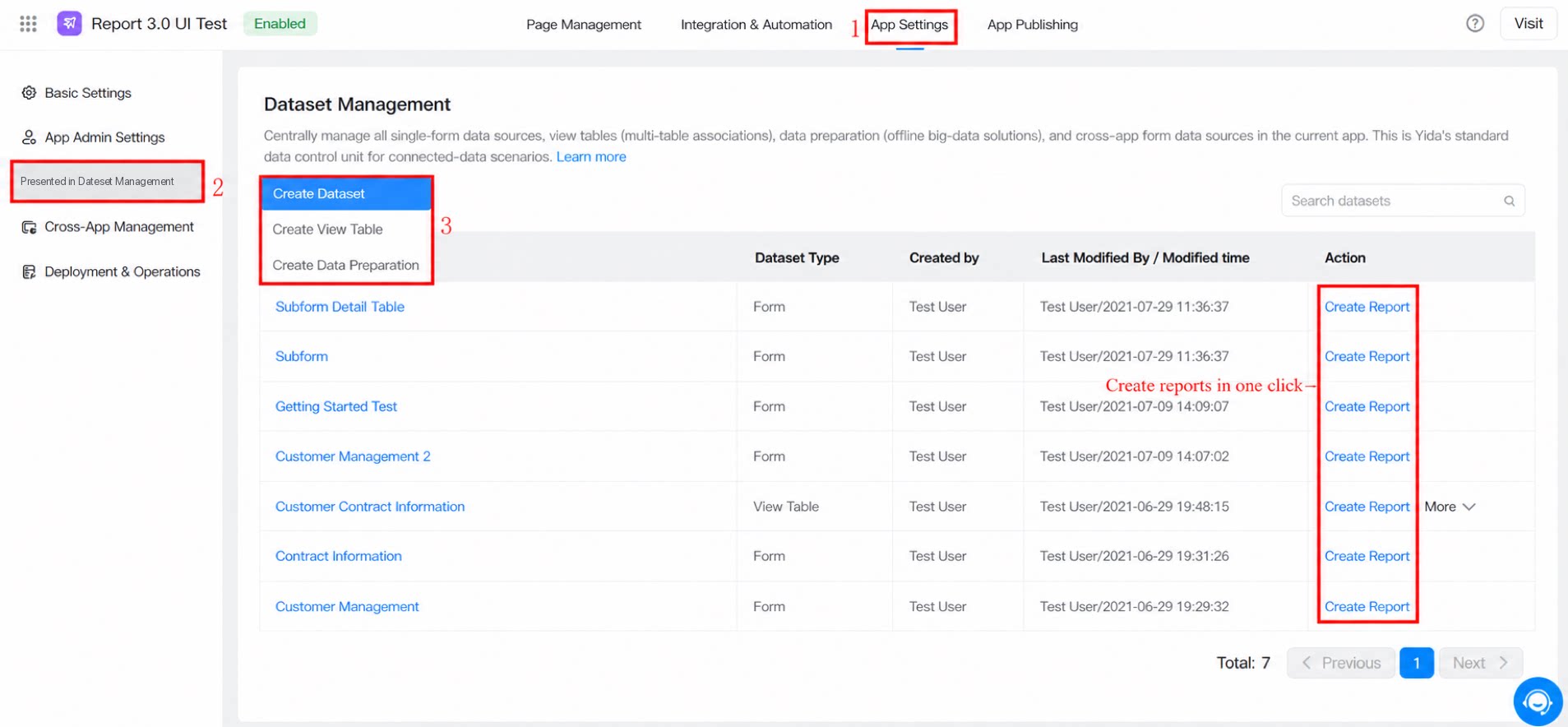 | 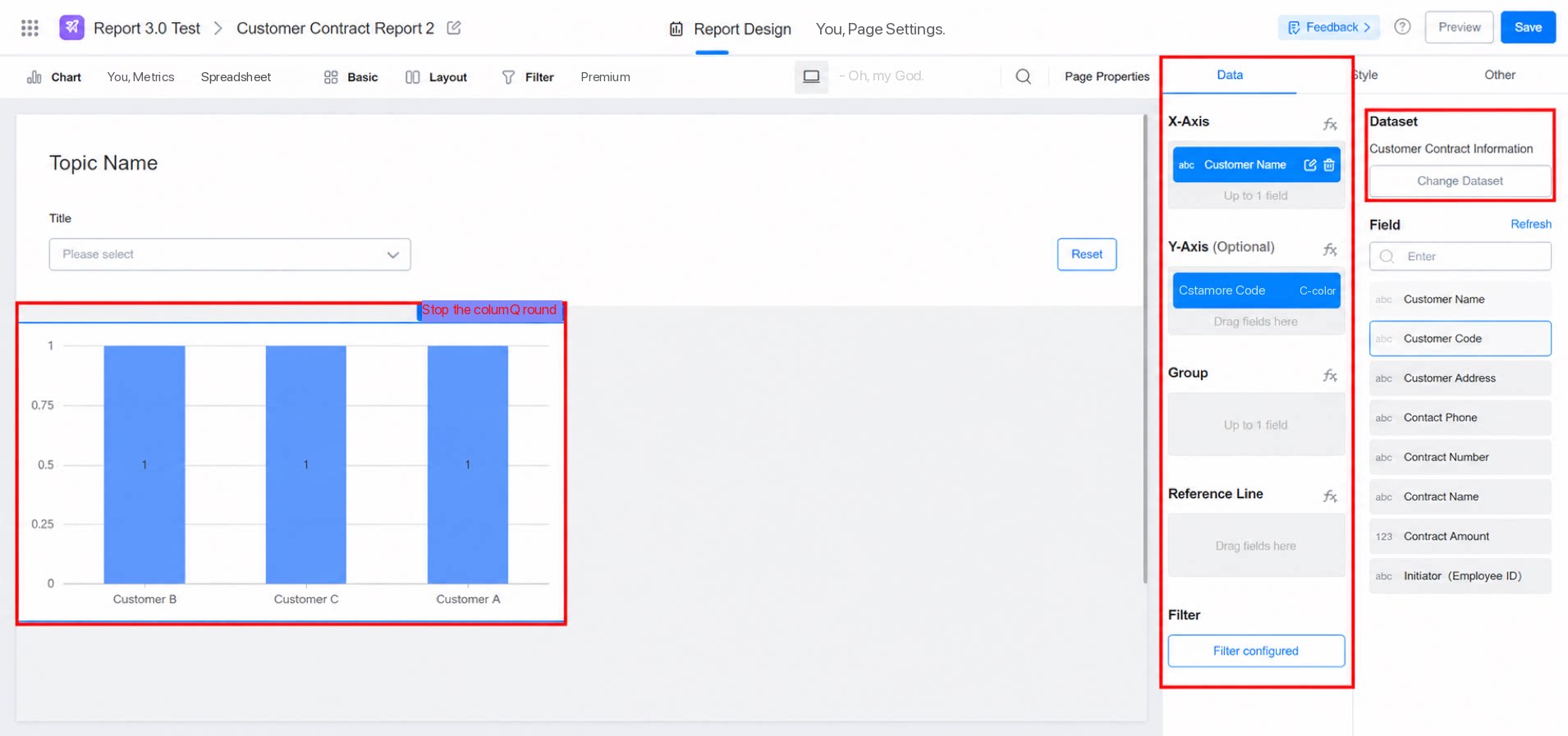 |