Chats
Chats Calendar
 Meetings
 Contacts
 Mail
Mail Docs
Docs Drive
Drive AI Table
 AI Minutes
 Attendance
 Approval
 YiDA
YiDA Admin Console
Usage Limits
The data volume per node is capped at 2 million records. Exceeding this limit causes ETL processing to fail.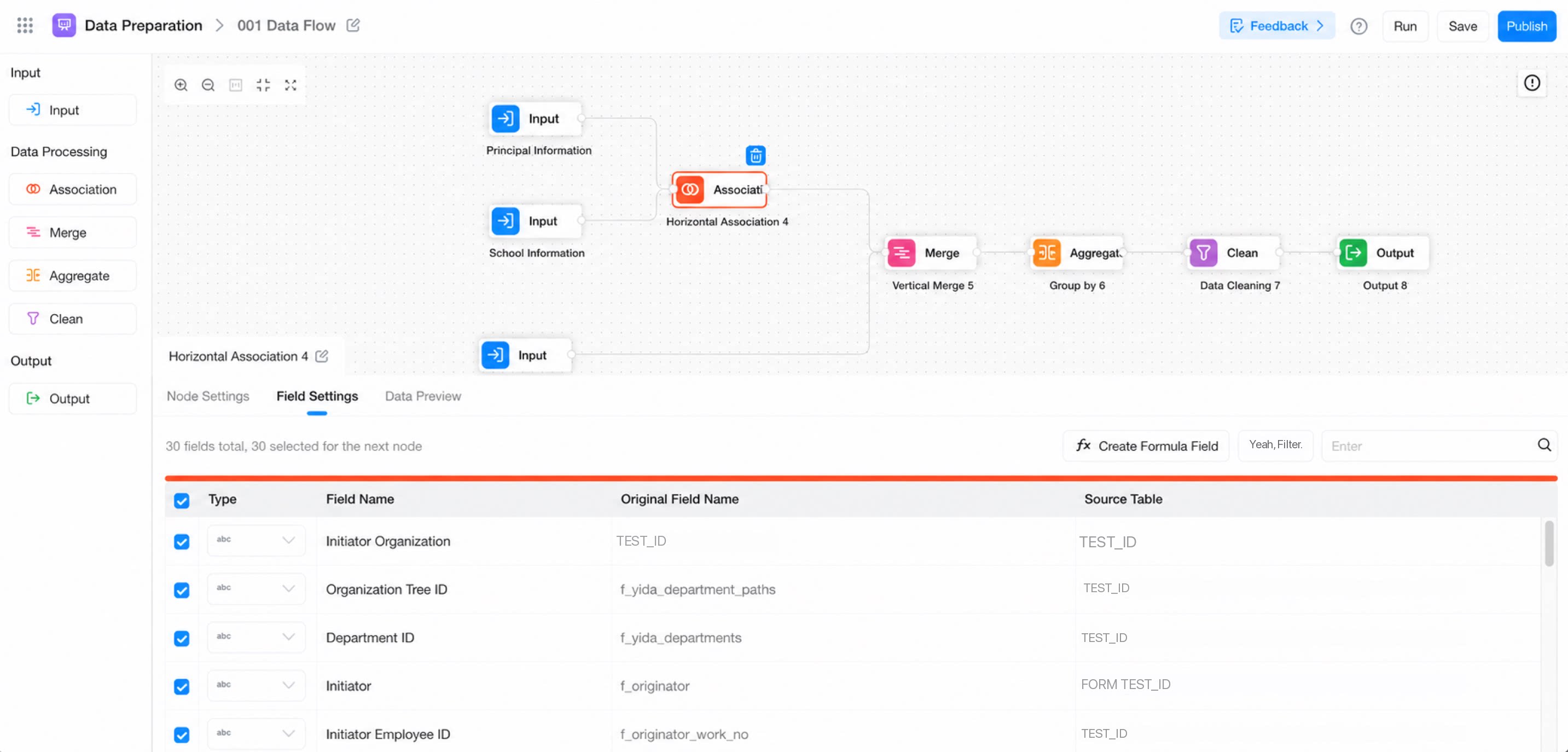
Input Node
Input nodes can be created from existing YiDA datasets or data sources, covering forms, cross-app forms, MySQL, SQL Server, Oracle, Excel files, and other existing datasets. You can also quickly create input data based on tables in a database data source. Drag the Input node from the node panel on the left to the canvas in the center. Select a data input source to start building the data flow.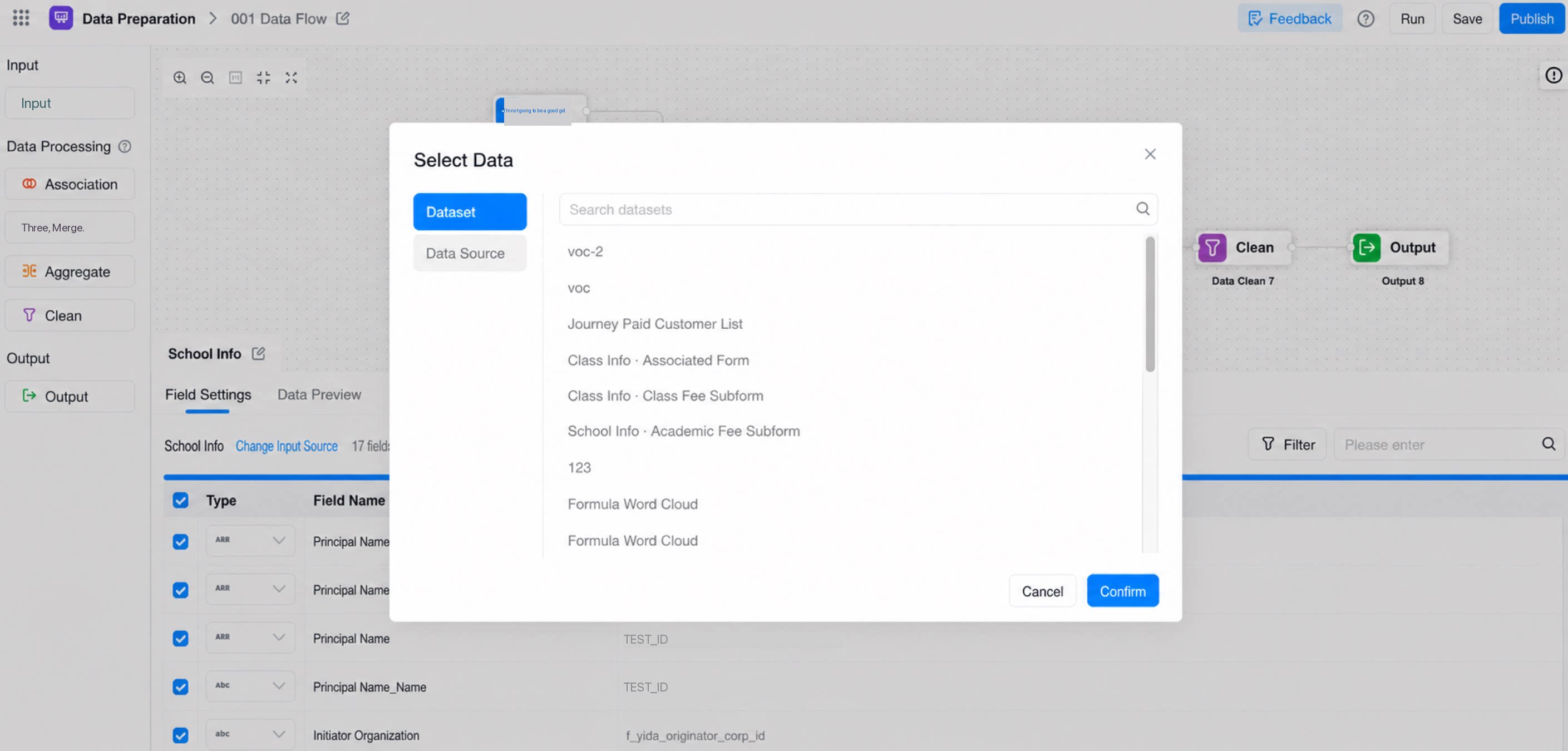
Output Node
Output nodes support writing data to an existing target database table (each write deletes the original data in the table and inserts the new data) or to a newly created database table.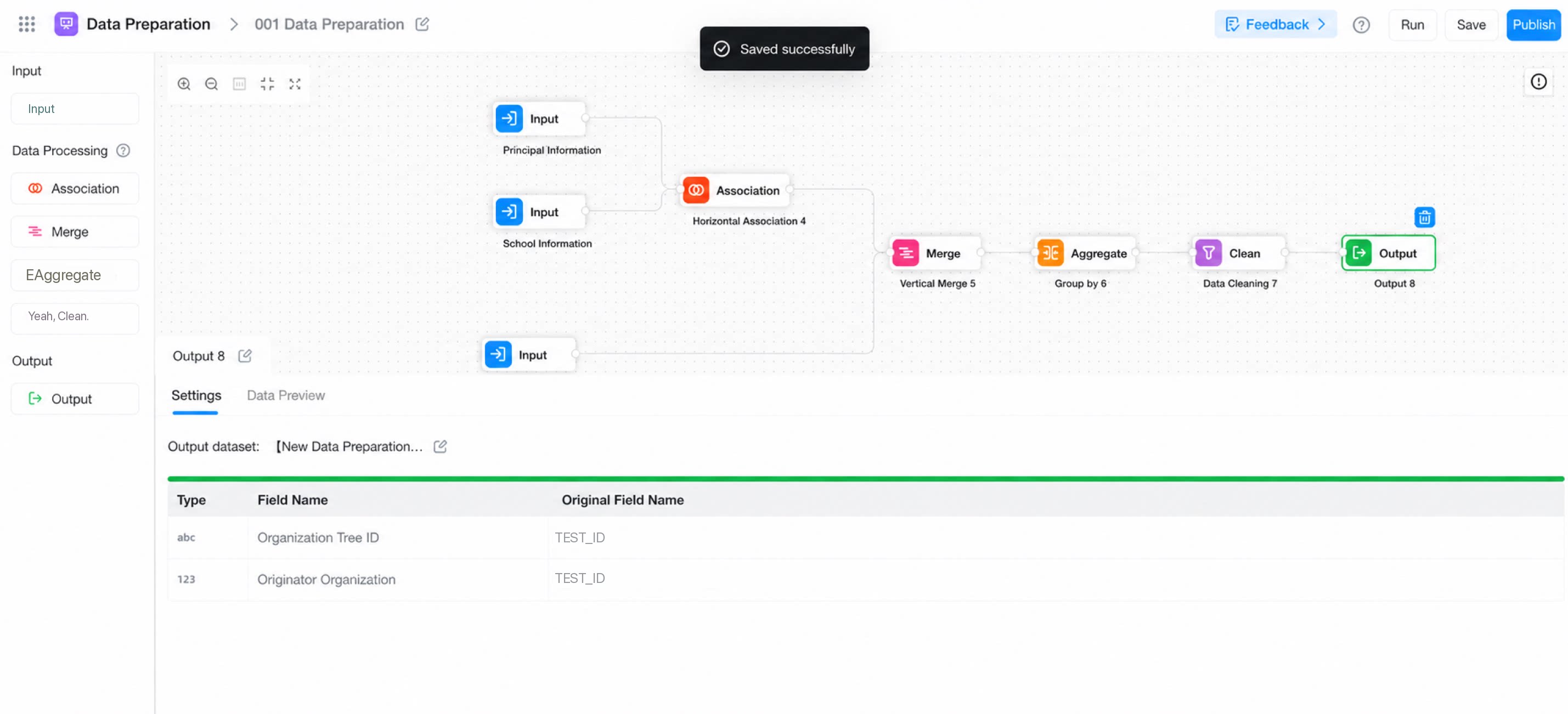
Association Node
Similar to YiDA’s multi-table Association feature, this node performs a horizontal join of two or more datasets based on specified conditions. It corresponds to the join operation in SQL and supports left join, inner join, and right join.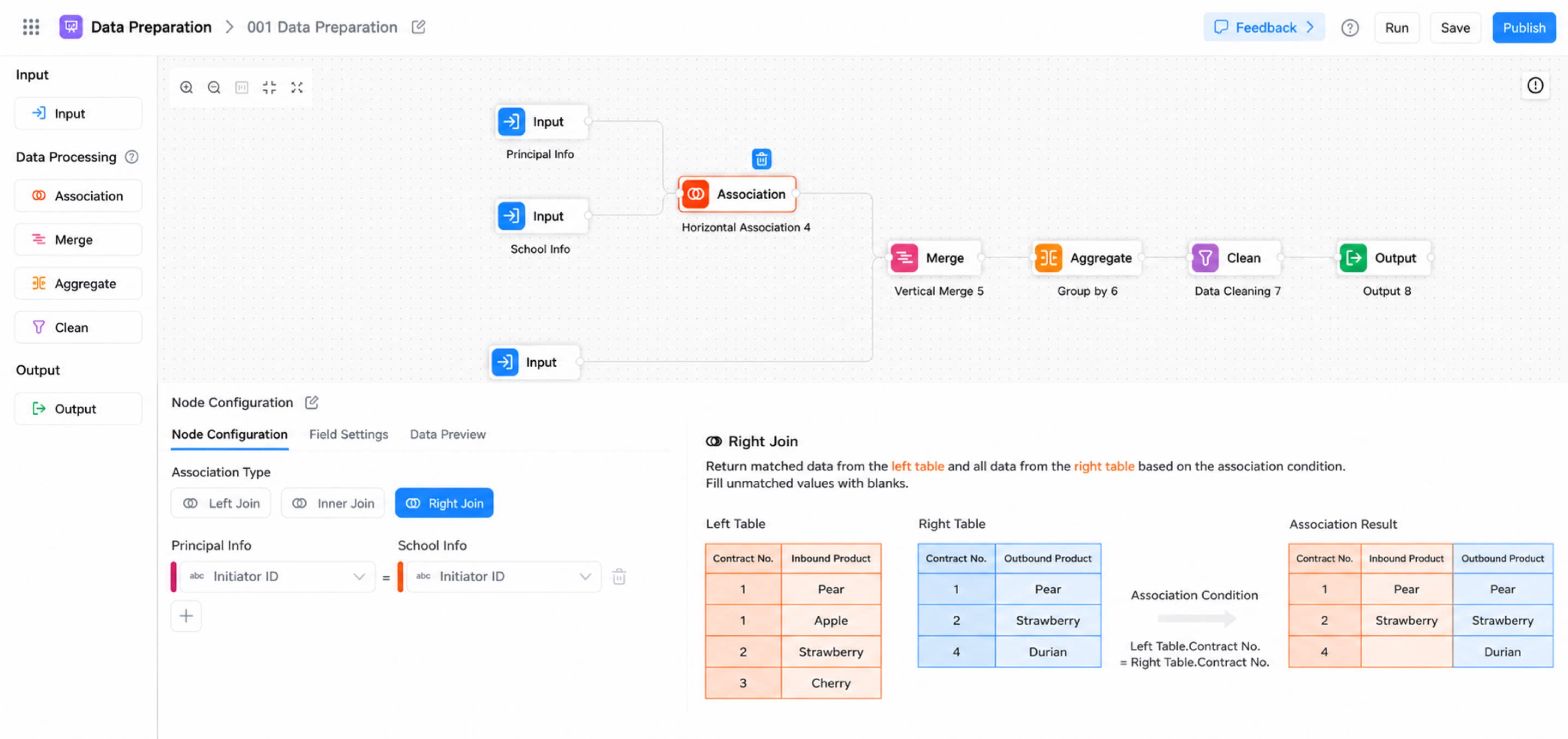
A Join is a common database query operation that combines data from two or more tables based on specified conditions.There are four main join types: inner join, left join, right join, and outer join. Each type is explained below with example use cases.
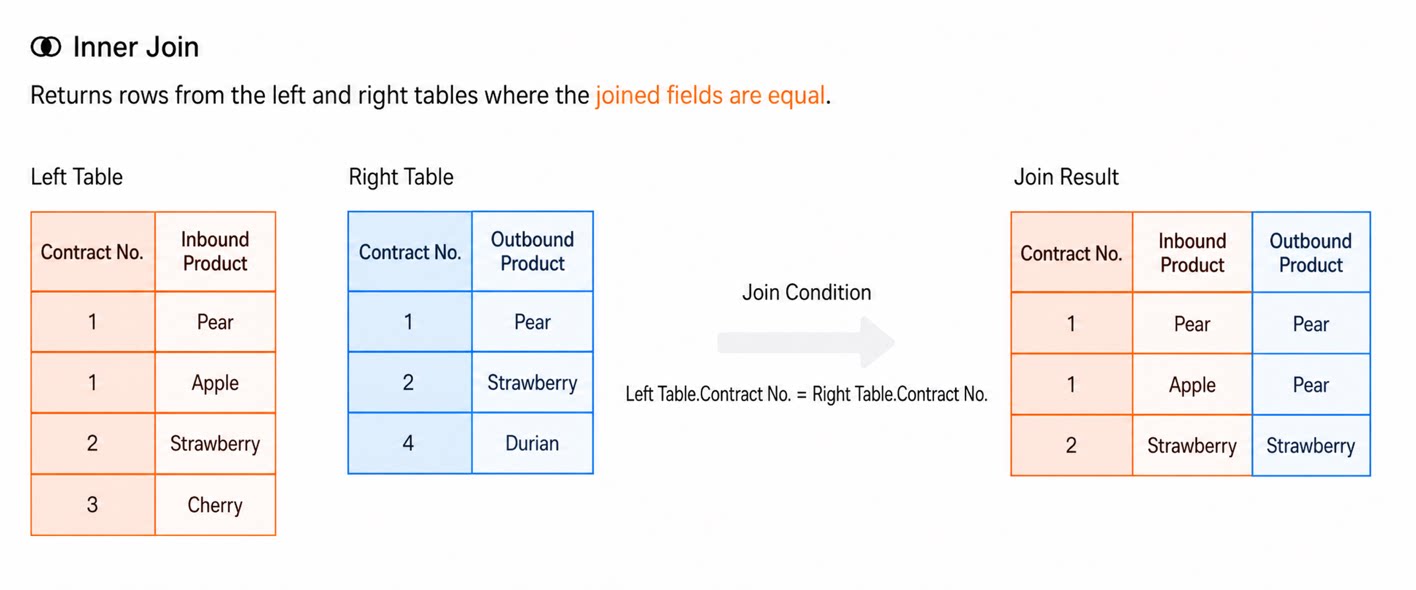
Inner Join
- Definition: An inner join returns only the records that match the join condition in both tables.
- Use case: Use an inner join when you want records that exist in both tables. For example, given a customers table and an orders table, you may want only records that appear in both.
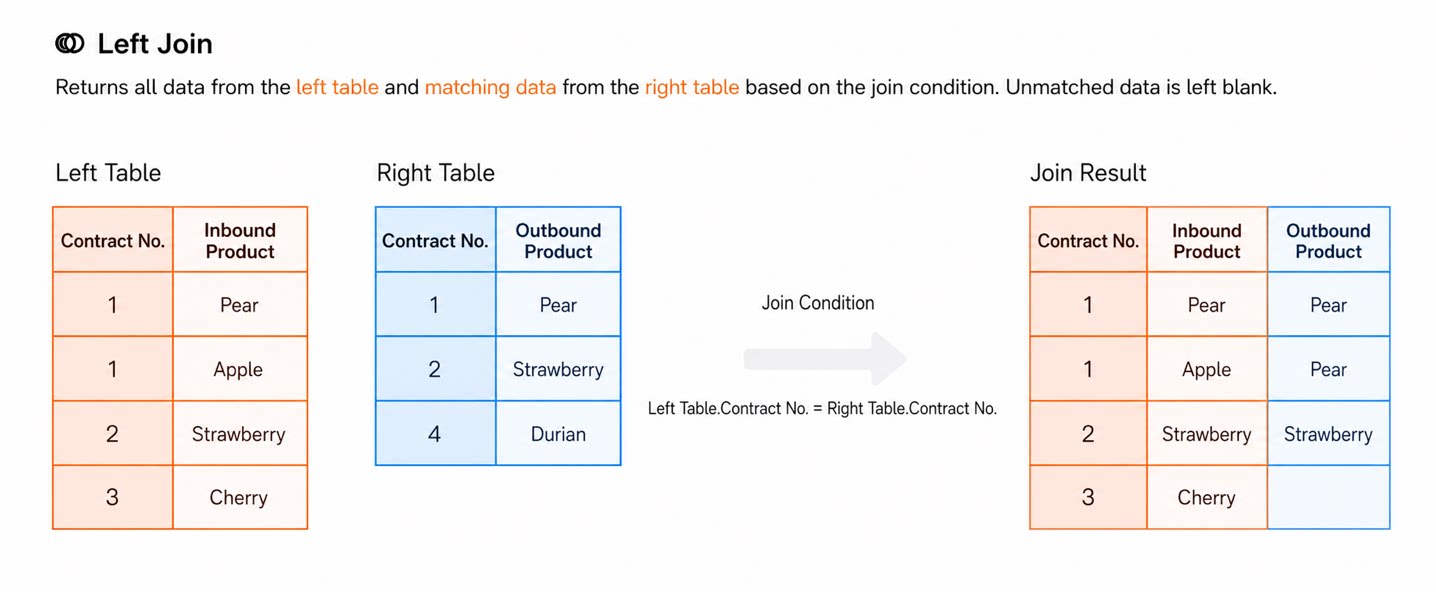
Left Join
- Definition: A left join returns all records from the left table plus the matching records from the right table. If there is no match in the right table, the corresponding columns in the result set are null.
- Use case: Use a left join when you want to include all records from the left table, even when there is no match in the right table. For example, list all customers together with their orders, including customers who have not placed any orders.
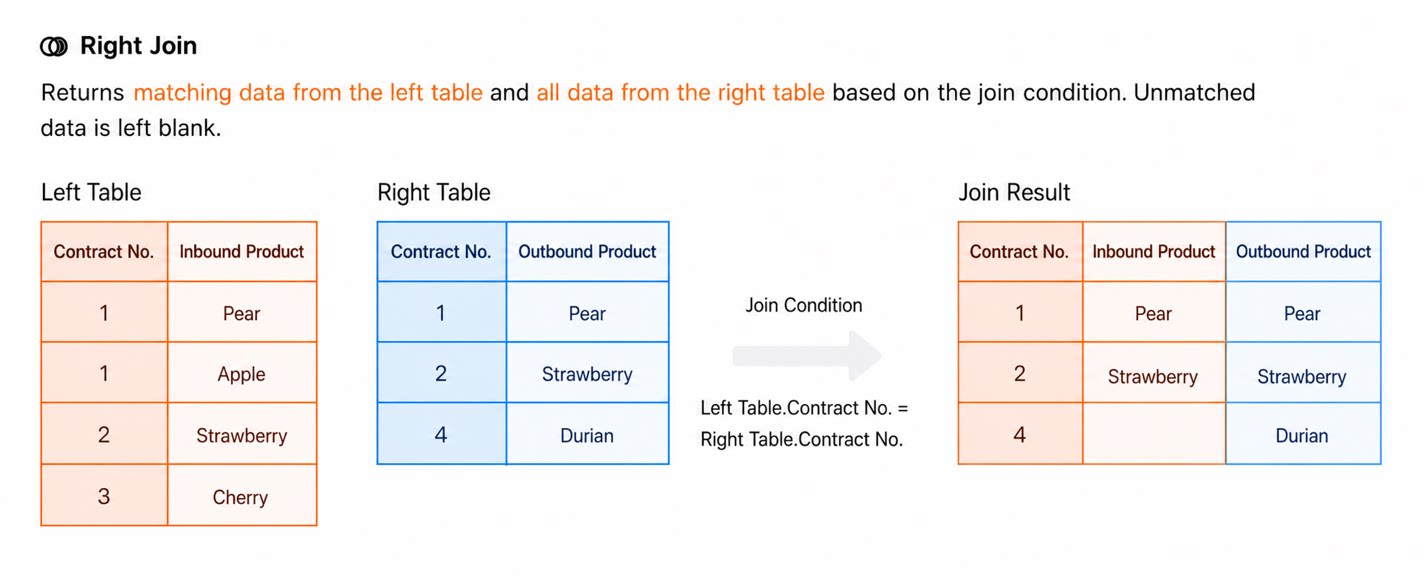
Right Join
- Definition: A right join returns all records from the right table plus the matching records from the left table. If there is no match in the left table, the corresponding columns in the result set are null.
- Use case: Similar to a left join but in the opposite direction. For example, list all orders together with the corresponding customer information, including orders whose customer information is missing.
Full Outer Join
- Definition: A full outer join returns all records that satisfy the join condition from either the left or right table. If there is no match in one of the tables, the corresponding columns in the result set are null.
- Use case: Use a full outer join when you want all records from both tables, regardless of whether a match exists in the other table. For example, list all customers and all orders, including customers with no orders and orders with no customer information.
Merge Node
Vertically appends and merges field data of the same type. This node supports row-level appending across multiple datasets. As a new data stacking feature in YiDA, it corresponds to the union operation in SQL and enables vertical, row-level data concatenation.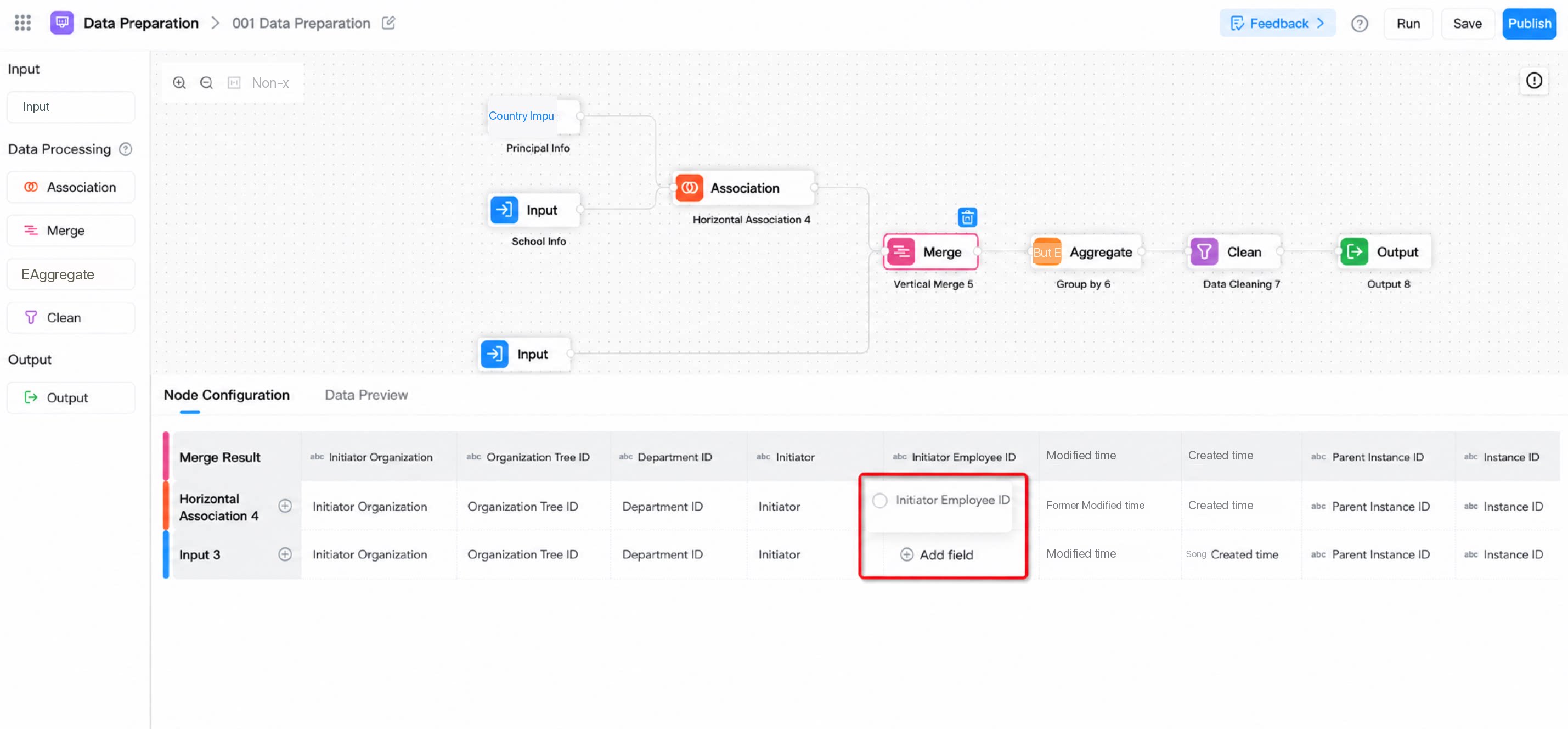
Aggregation Node
Groups data by specified types, then calculates values for each group. Calculation methods include count, sum, max, min, and other summary operations. By combining an aggregation node with other nodes, you can build statistical metric fields, making it easier for downstream processing to generate fields and data.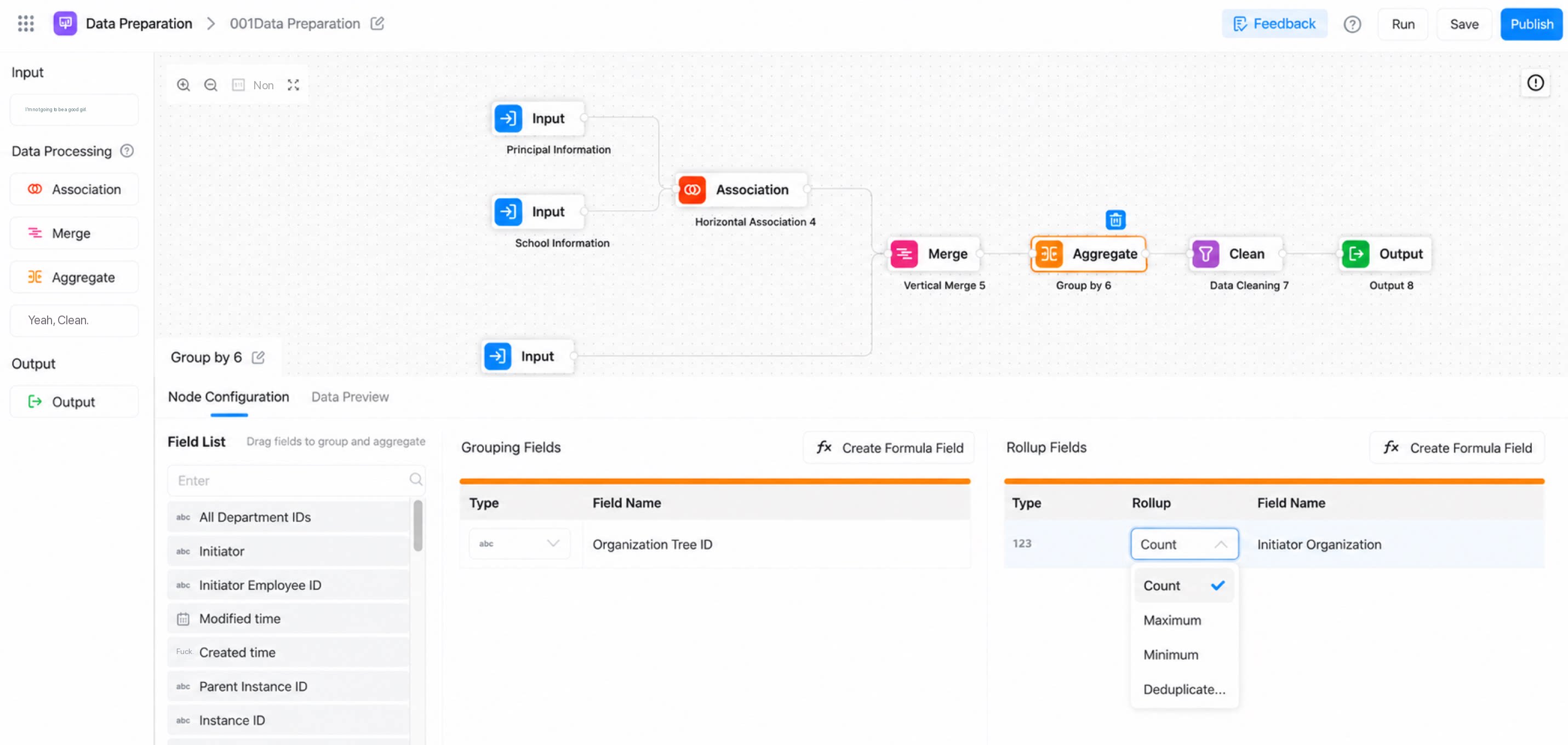
Cleansing Node
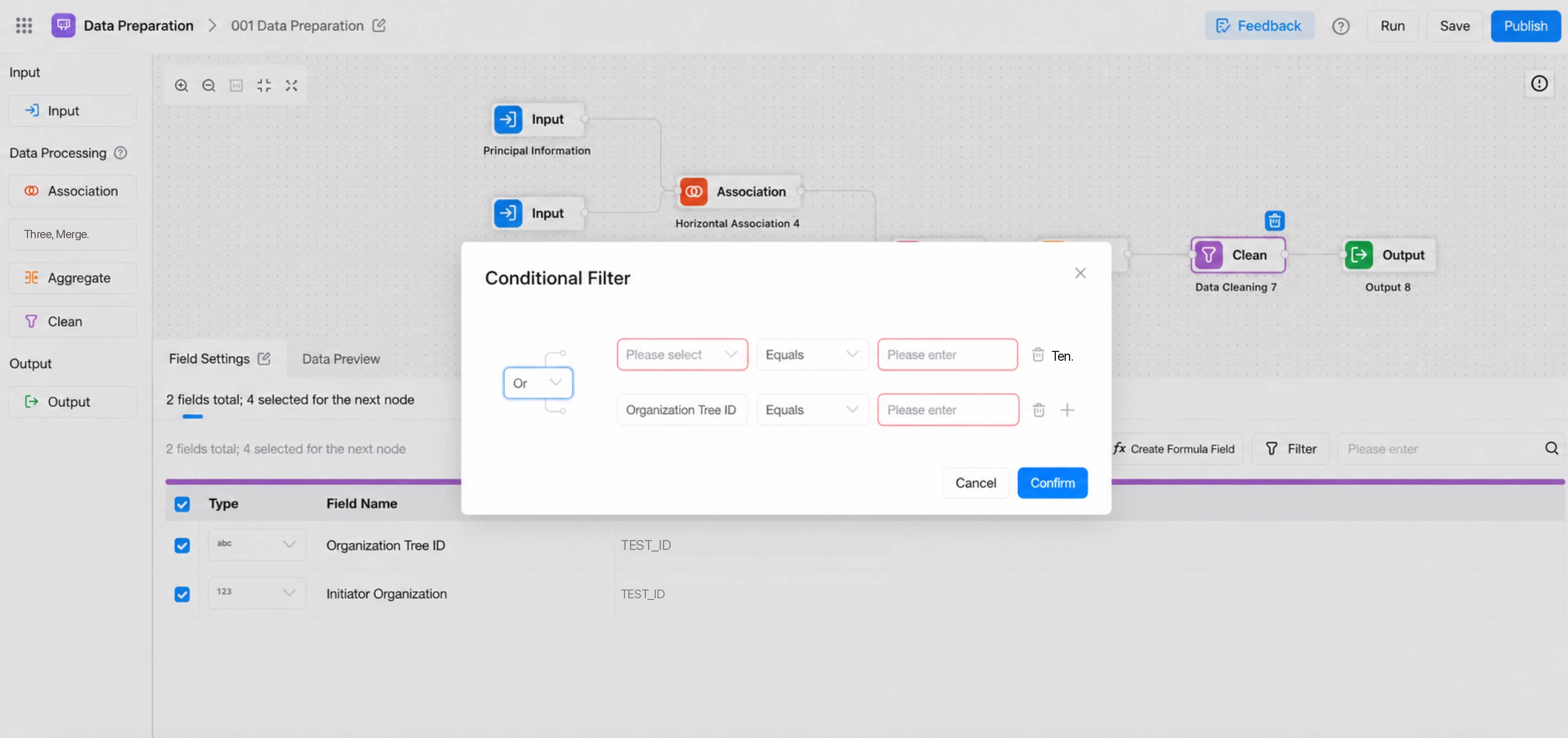
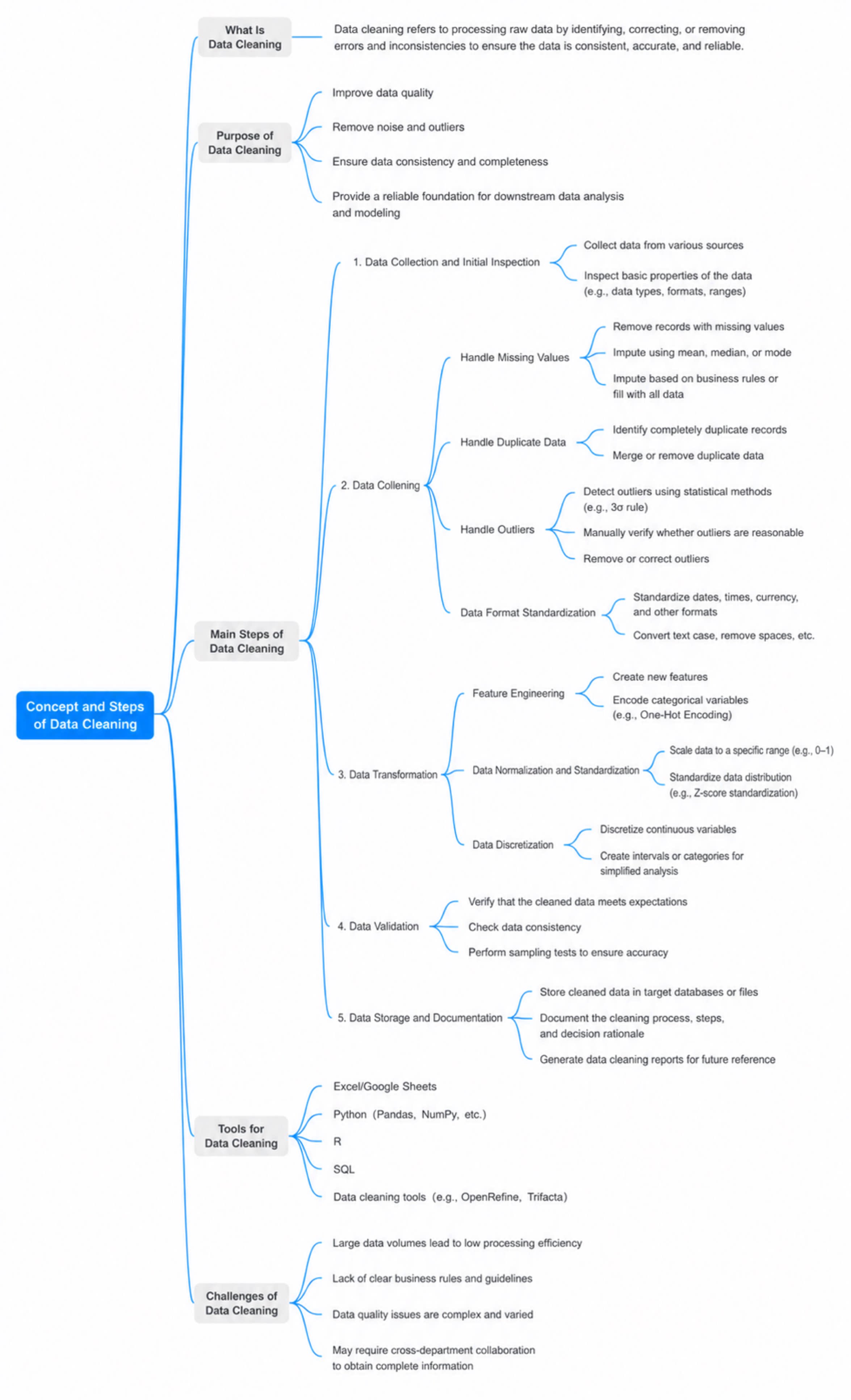
Performs more granular edits on data received from upstream nodes. As a utility processing node, it lets you rename fields, change field types, create new dynamic fields with formulas (Fx), configure data filter conditions, and more.