Chats
Chats Calendar
 Meetings
 Contacts
 Mail
Mail Docs
Docs Drive
Drive AI Table
 AI Minutes
 Attendance
 Approval
 YiDA
YiDA Admin Console
Overview
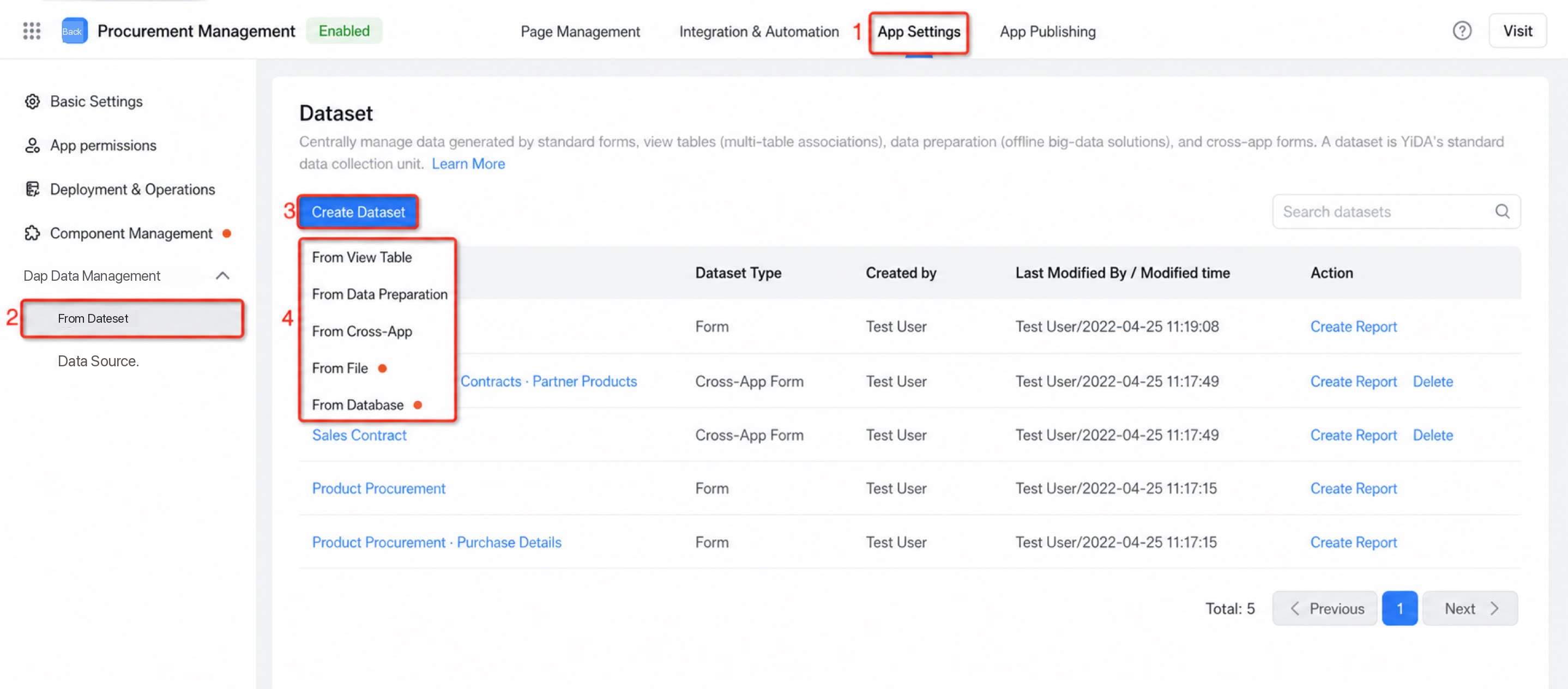
A data set is YiDA’s unified management unit for data from forms, view tables, data preparation, and cross-app sources. It is the standard data collection unit in YiDA.Single Table as a Data Set
Use data collected by a form built in an app as input to build reports.You do not need to create a single-table data set manually. After you create a form, its data automatically syncs to the data set list.
Create a Data Set from a View Table
YiDA processes existing form data into a consolidated data table (wide table) that you can use directly in downstream reports. For details about view tables, see View table.Create a Data Set from Data Preparation
Data preparation is an offline big data solution. It supports uploading Excel and CSV data and connecting to online databases such as MySQL. After acceleration by data preparation, the data is merged and processed for report creation. For details about data preparation, see Feature overview.Create a Data Set from a Cross-App Source
Cross-app data retrieval lets you fetch form data from other specified apps as a data set. Once you add a cross-app data retrieval form, you can use it in scenarios such as report creation. Currently, only report scenarios are supported; in the future, cross-app forms will be available as standard data sets in more scenarios. For details, see Cross-app.Create a Data Set from a File
Purpose: Connect existing text-based information sources to quickly extract and process data from text and file assets. Files are a simple type and do not require a separate Data Source. You can create a file-backed data set directly in the data set module. Supported types: Excel .xls and .xlsx files commonly used in enterprise information systems, and CSV (Comma-Separated Values) files that support large-scale text data processing. Scenario optimization: Uploaded fields are treated as string type by default. You can adjust the field type (Numerical, Date, and so on) so the data uses the most appropriate type in each scenario.Create a Data Set from a Database
Purpose: Connect existing cloud databases to extract and process data. Supported types: MySQL, SQLServer, Oracle, PostgreSQL, HologreSQL. Security: Except for the database password entered when creating the Data Source, all subsequent password transmissions are encrypted to protect database information end to end. Scenario optimization: Database drivers for different MySQL and SQLServer versions are parsed and identified automatically in the cloud, and the matching driver is applied intelligently.Data Set Permission Configuration
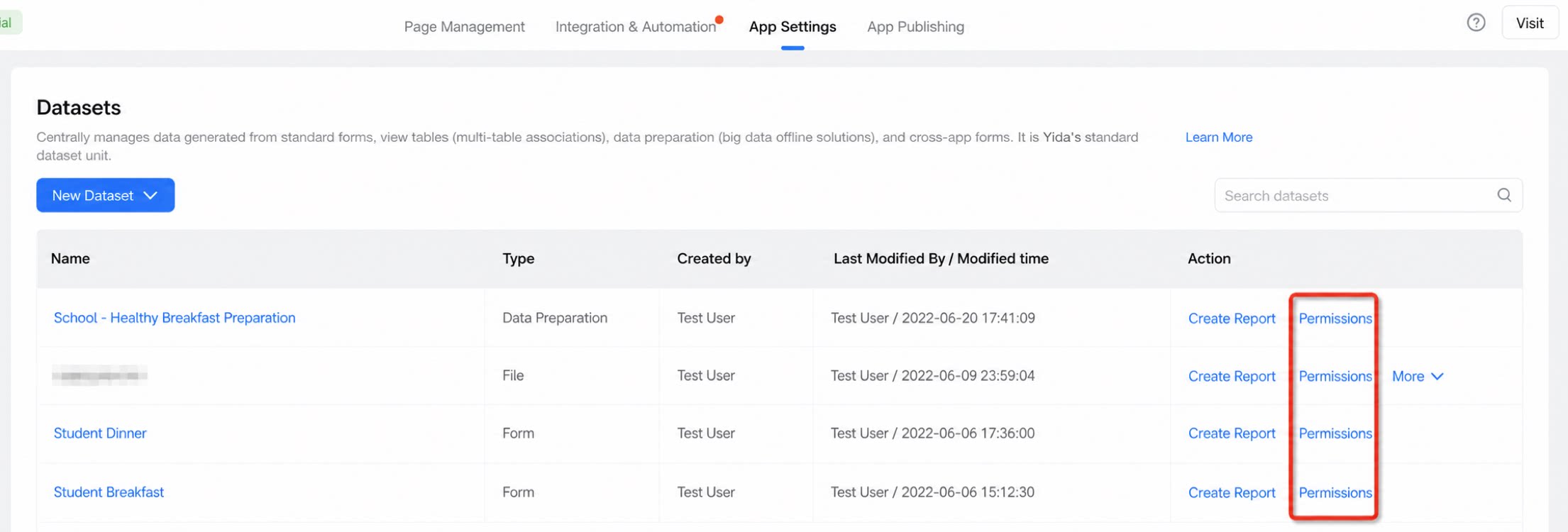
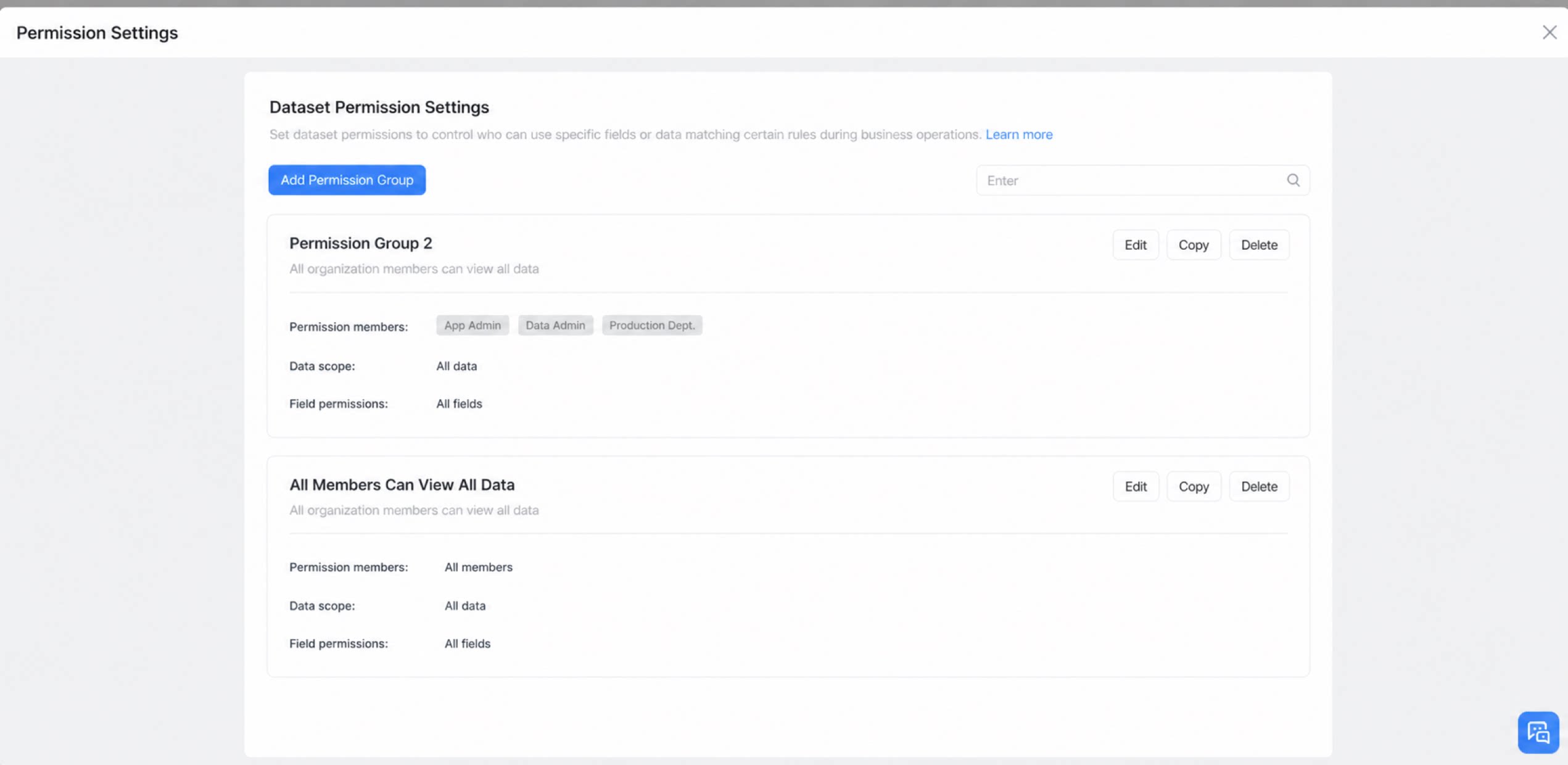
In the YiDA data set list, configure permissions to define which users can access which fields (or data matching specific rules), enabling data-level permission control at runtime.- Form-type data sets inherit form permissions directly.
- For other data set types, go to Permissions and create a permission group to set an independent permission scope. The default rule is: everyone can view data in all fields.