

 Chats
Chats Calendar
 Meetings
 Contacts
 Mail
Mail Docs
Docs Drive
Drive AI Table
 AI Minutes
 Attendance
 Approval
 YiDA
YiDA Admin Console
Procedure
- Sign in to the YiDA workbench and open the app settings page.
- Click Data Factory > Data Preparation.
- Click Create Data Preparation to open the data preparation designer.
- Drag an Input node onto the canvas and configure the input source.
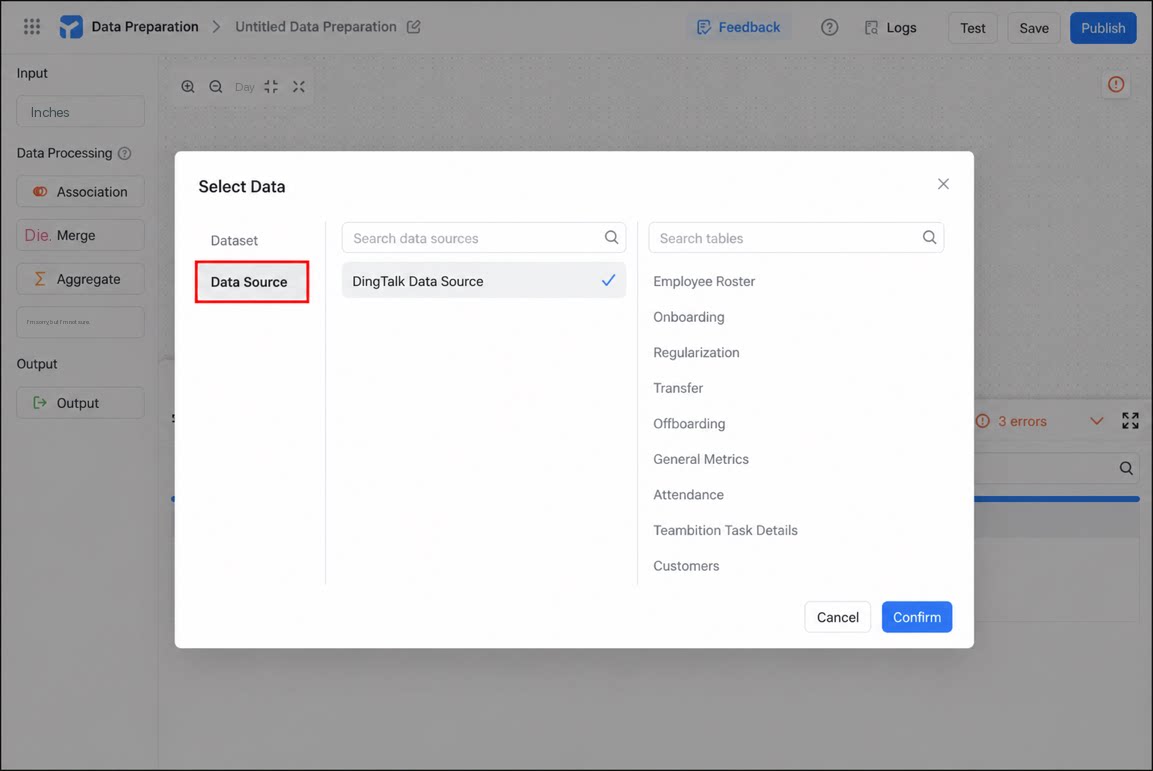
- At the bottom of the page, configure the field types.
1
Drag a data processing node onto the canvas and connect it to the input node
For details about configuring data processing nodes, see Node overview.
2
Drag an Output node onto the canvas and connect it to the preceding data processing node
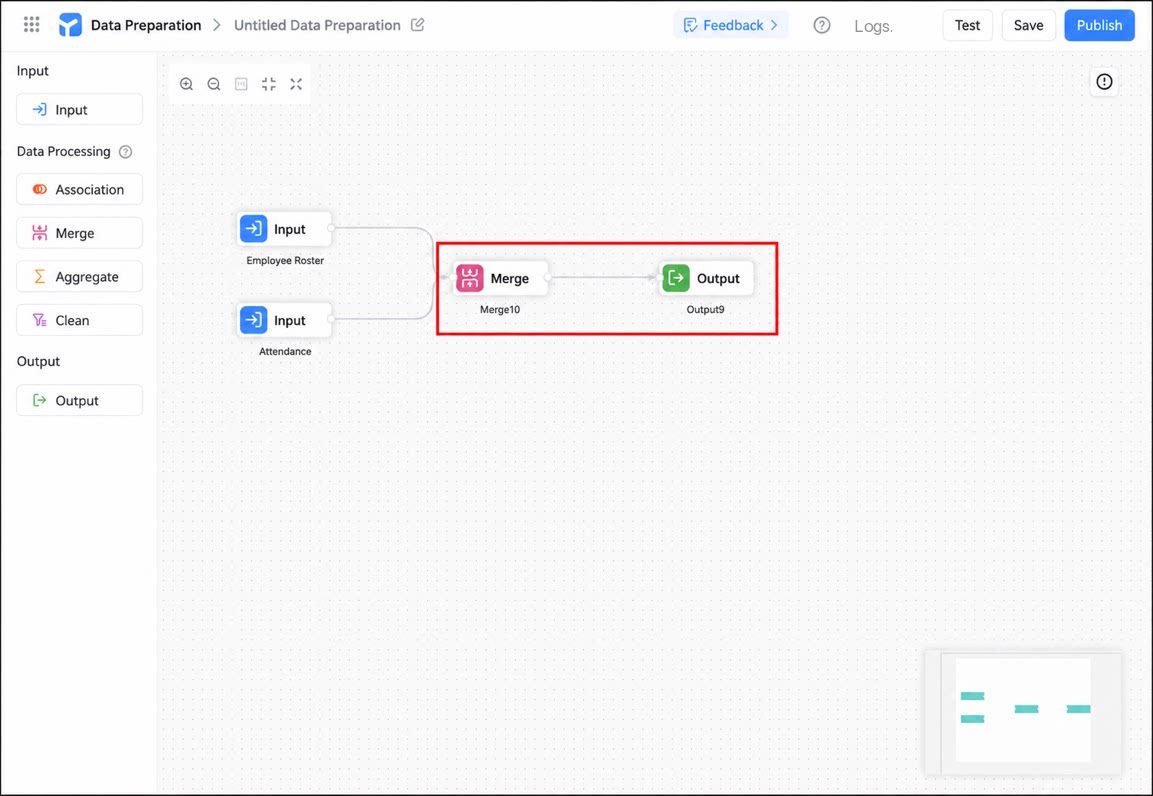
- After configuration is complete, click Test in the upper-right corner.
- Once the test passes, click Publish to finish the configuration.