Chats
Chats Calendar
 Meetings
 Contacts
 Mail
Mail Docs
Docs Drive
Drive AI Table
 AI Minutes
 Attendance
 Approval
 YiDA
YiDA Admin Console
Overview
As a low-code app building platform, YiDA integrates seamlessly with dPaaS data assets and turns complex data into clear, visual information. Connect YiDA directly to dPaaS datasets and apply the data to business scenarios such as report building, data analysis, and decision support. This improves work efficiency and decision accuracy, and further strengthens organizational competitiveness and innovation.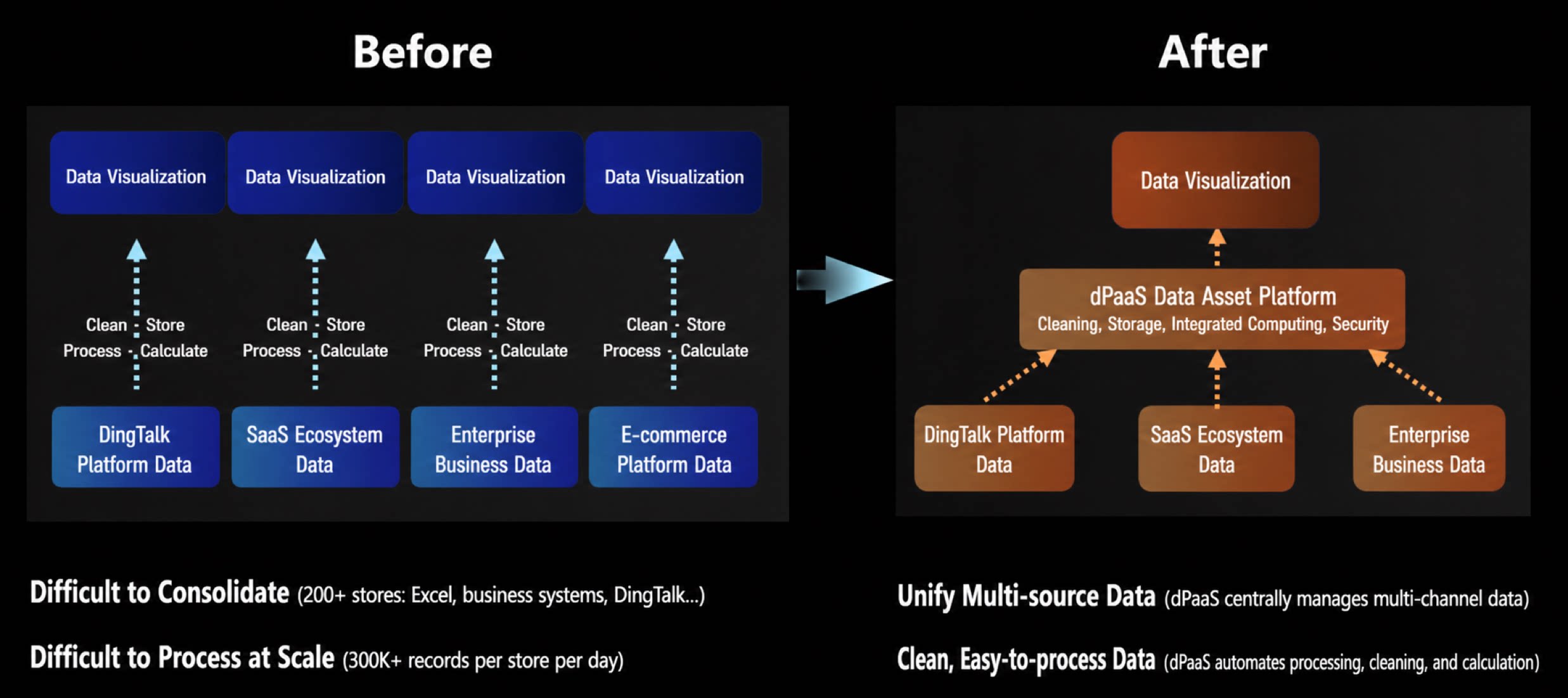
- Low cost: Optimized data processing and storage technologies reduce the cost of building and maintaining data assets.
- Scalable: The flexible platform design scales with data volume growth and changing business requirements.
- Easy to maintain: User-friendly interfaces and tools simplify data asset management and streamline daily data operations.
- Data inclusion: Promotes data sharing and utilization, and drives internal data circulation and value discovery within your organization.
- Unified data capabilities: Provides one-stop data integration, management, and consumption services that help organizations centralize data management and use data efficiently.
- Data-driven decisions: Delivers data support for organizational governance and business operations through data analysis and mining, enabling a data-driven decision-making model.
- New ways of consuming data: Encourages innovative data consumption scenarios and applications to improve the value conversion of data.
Entitlements
The Data Asset service is currently available only in YiDA Professional edition and above.- Data freshness note: The data in DingTalk Data Asset Platform currently covers the most recent year.
Steps
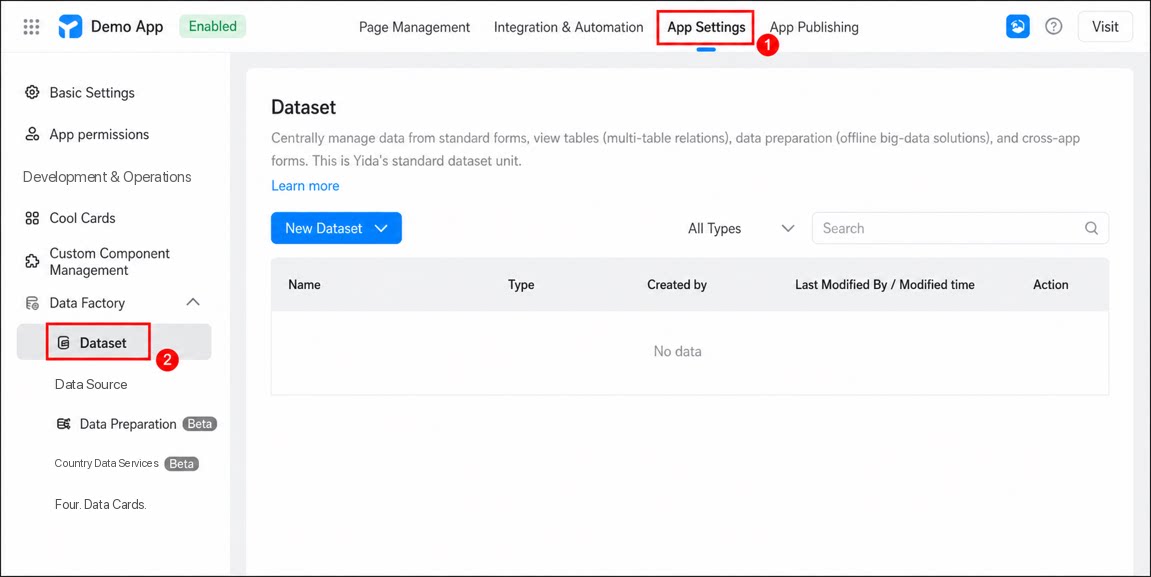
- Sign in to the YiDA workbench, select the app for which you want to enable the dataset, and click to open the app details page.
- Click App Settings, and then choose Data Factory > Dataset.
1
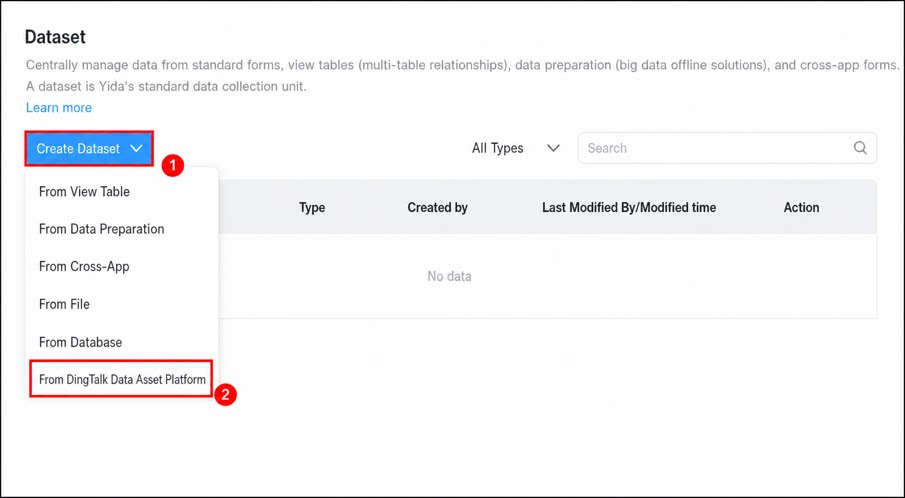
Click Create Dataset, and choose Create dataset from DingTalk Data Asset Platform.
2
In the Create Dataset dialog, configure the data source, and then click Confirm.
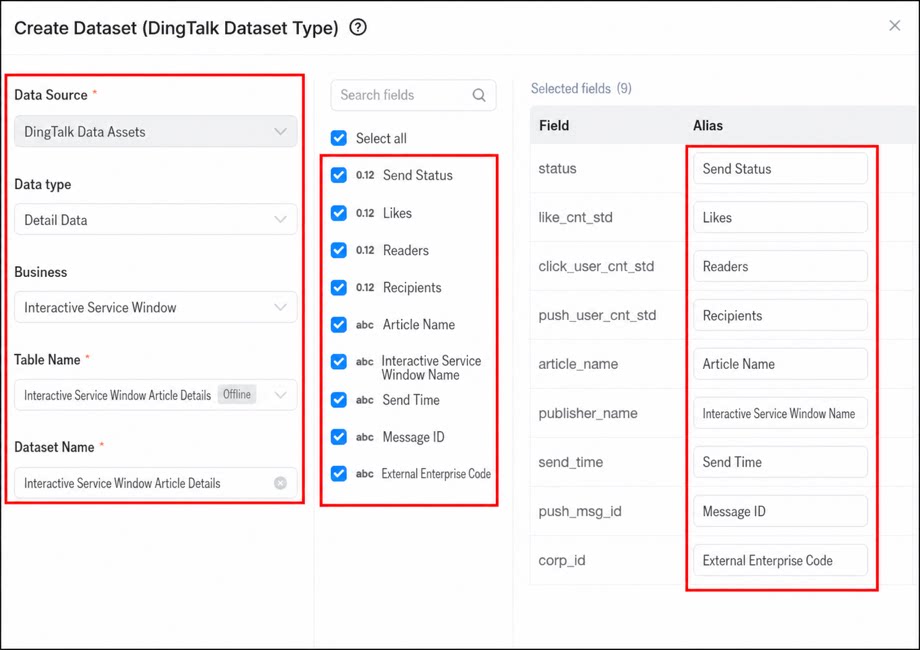
| Section | Configuration item | How to configure |
| Data Source configuration | Data Source | Default: DingTalk Data Asset |
| Data type | Select Detail data or Statistical data.
| |
| Business | Select the data source business type to analyze. Only official DingTalk businesses are currently supported, such as Contacts, Attendance, and Instant Messaging. | |
| Table name | Tables supported under the current business. | |
| Dataset name | A custom dataset name, up to 20 characters. | |
| Data field configuration | Field selection | The field column displays all available data fields in the current dataset. Select the fields you want to use. Selecting fields across tables is not supported. |
| Alias configuration | Fields selected in the field column are automatically added to the selected fields table, where you can define a custom alias for each field. |
- First-time use requires 24 hours to complete provisioning. During this period, you can review data fields and create datasets, but no data is available in the dataset yet.
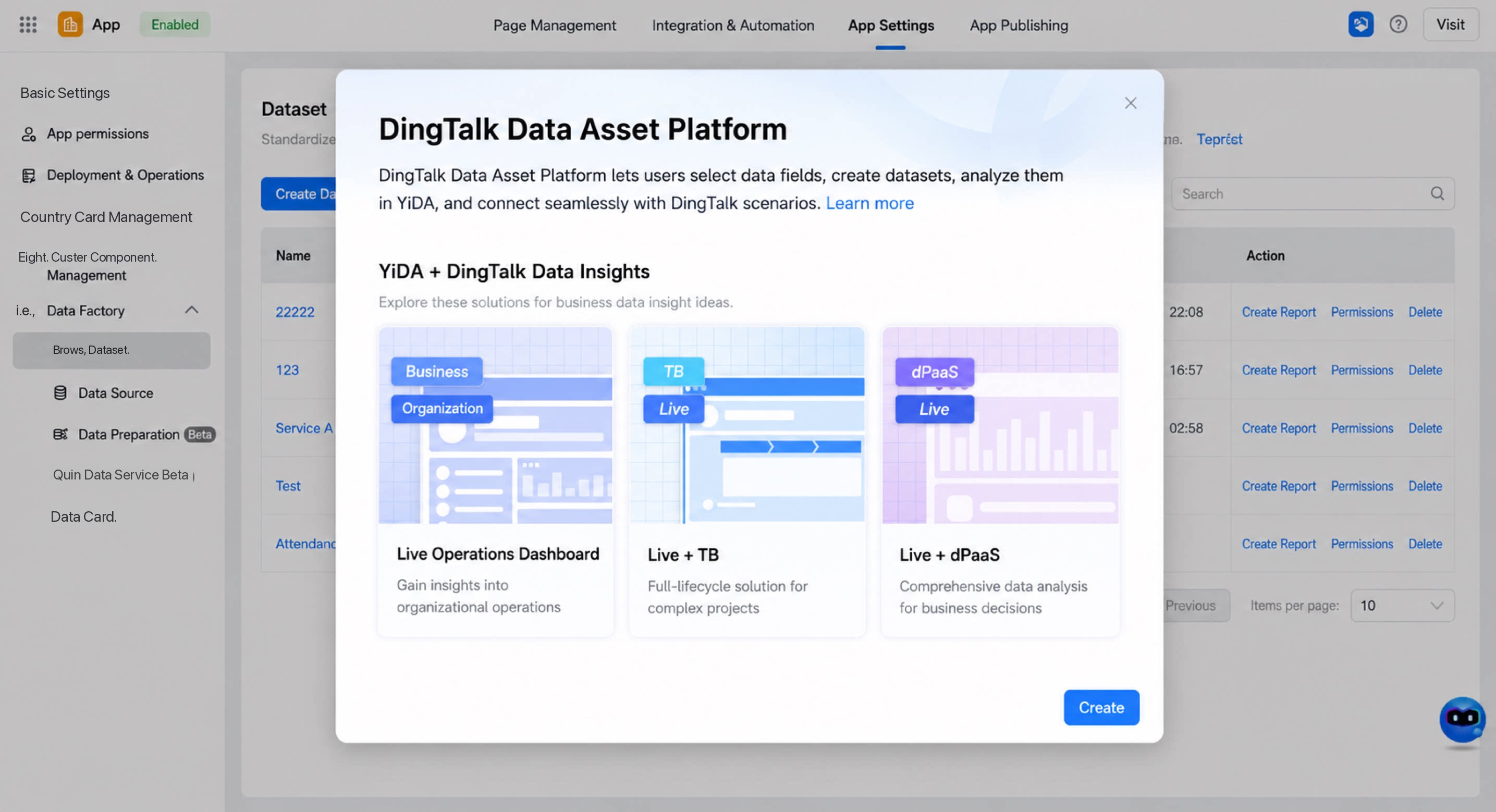
- On first activation, an introduction to the Data Asset Platform solution is displayed.
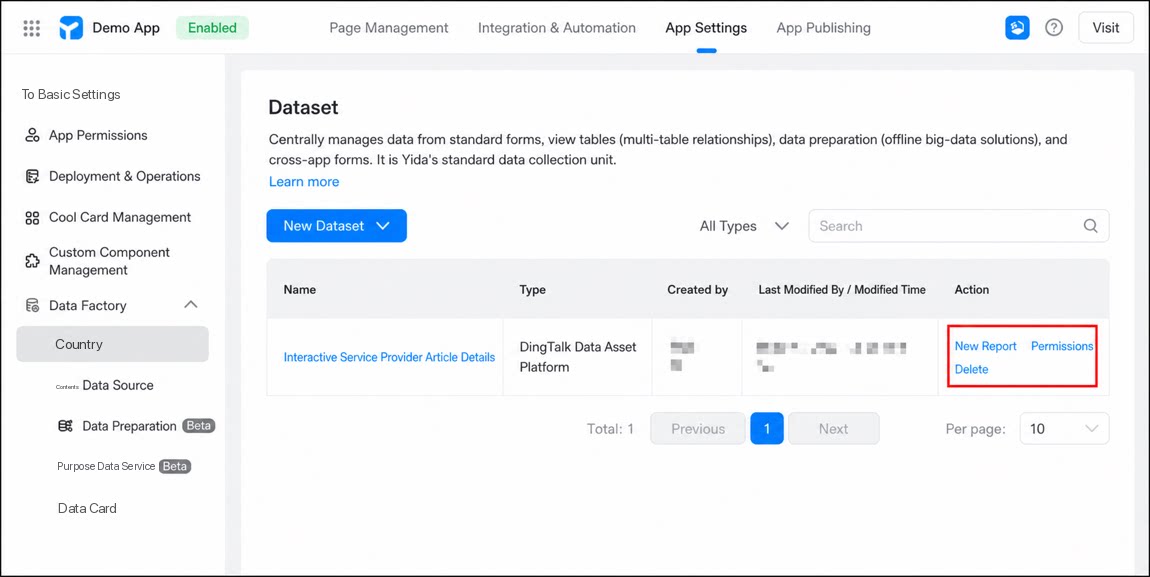
- After configuration, the dataset supports quick report creation and permission settings. For details, see Dataset overview.
Use the Generated Dataset
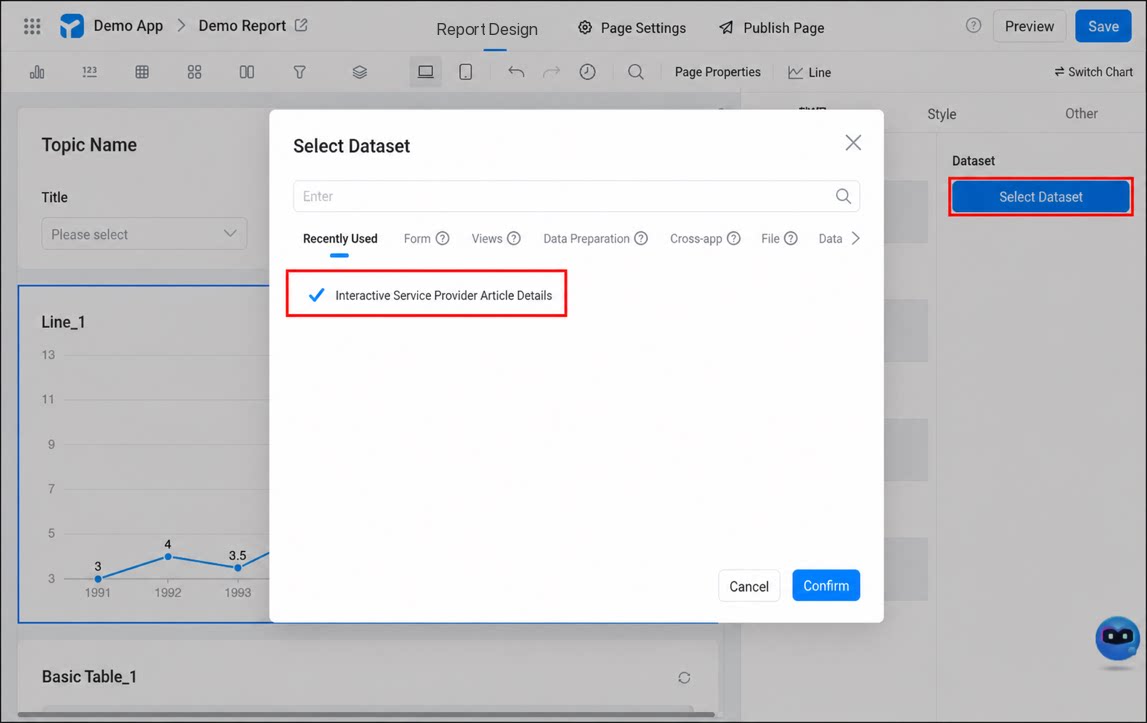
The dataset can be used in reports, data cards, DataV, and data services. Use the dataset in reports as shown below.