Chats
Chats Calendar
 Meetings
 Contacts
 Mail
Mail Docs
Docs Drive
Drive AI Table
 AI Minutes
 Attendance
 Approval
 YiDA
YiDA Admin Console
1. Introduction
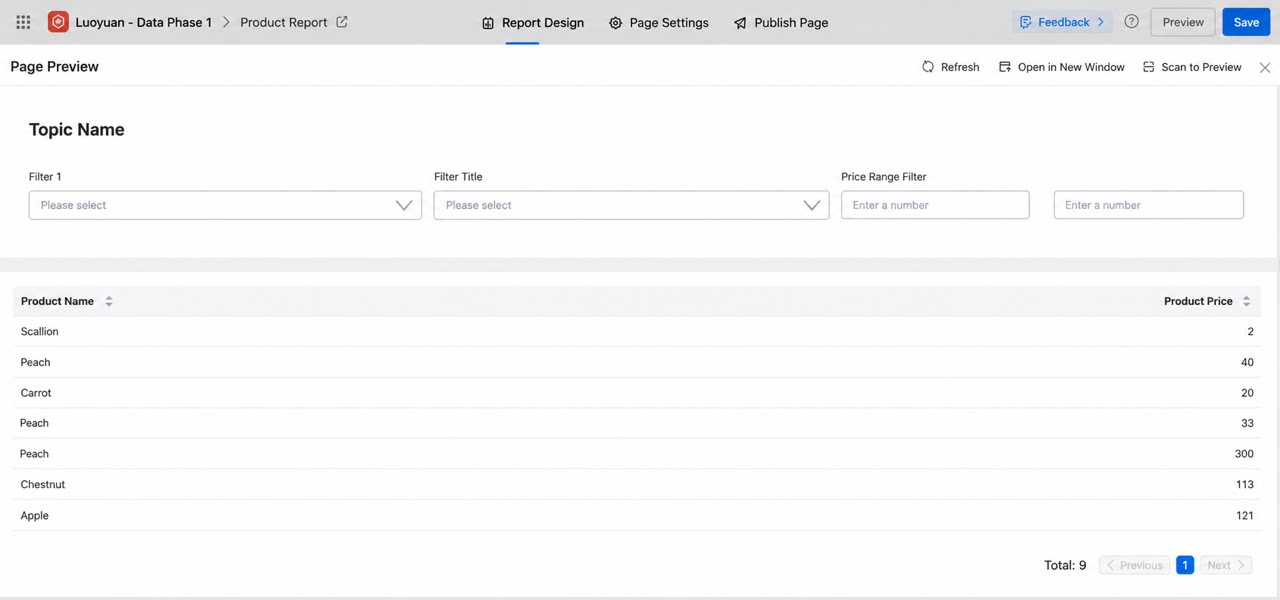
Use the range filter to let report viewers narrow down data by specifying a minimum and maximum value for a Number type field, such as filtering orders within a certain price range.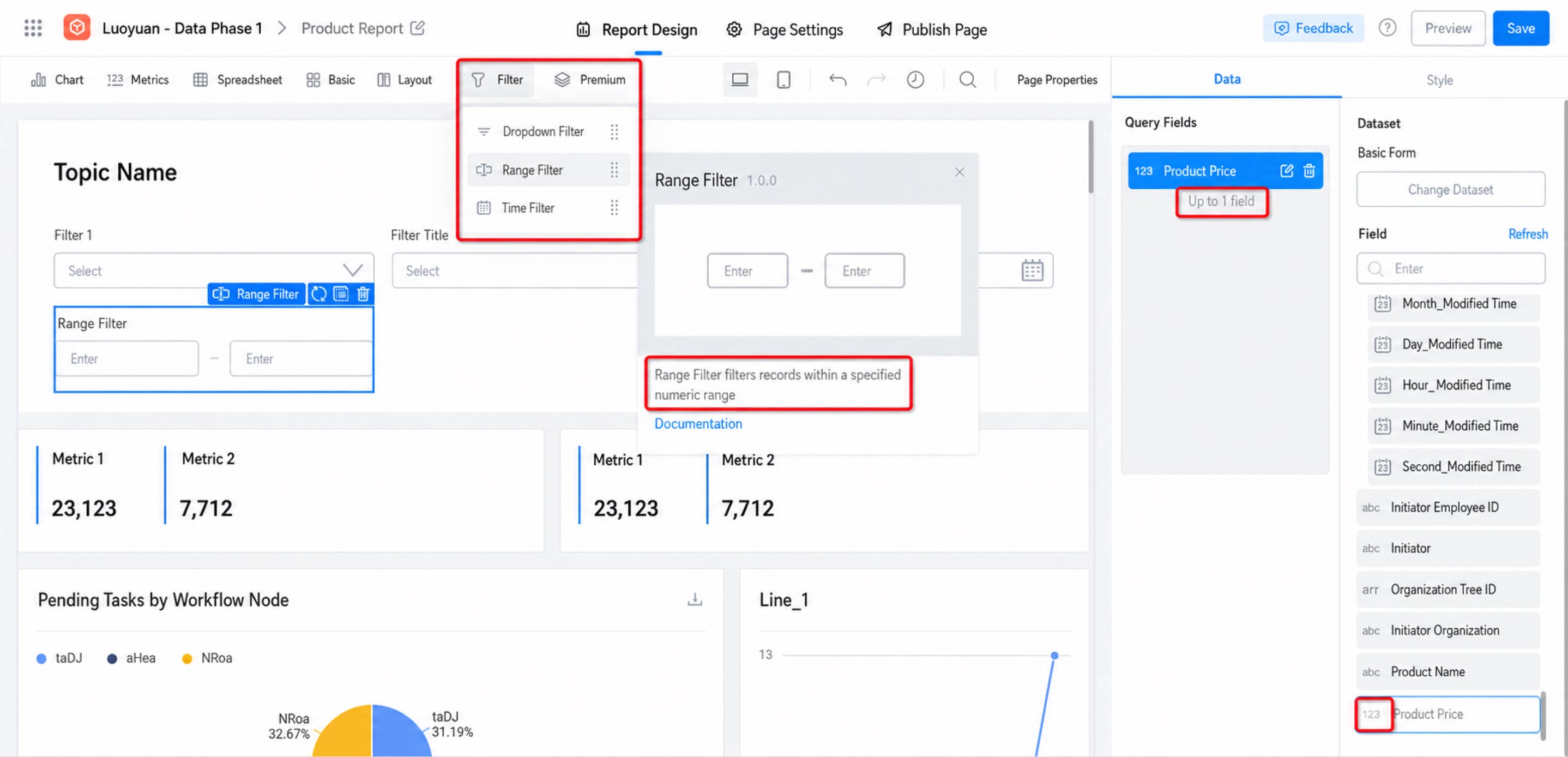
2. Usage
2.1 Configure Data
In a report dataset, select a Number type field. Fields prefixed with a gray “123” icon are Number type.2.2 Configure Style
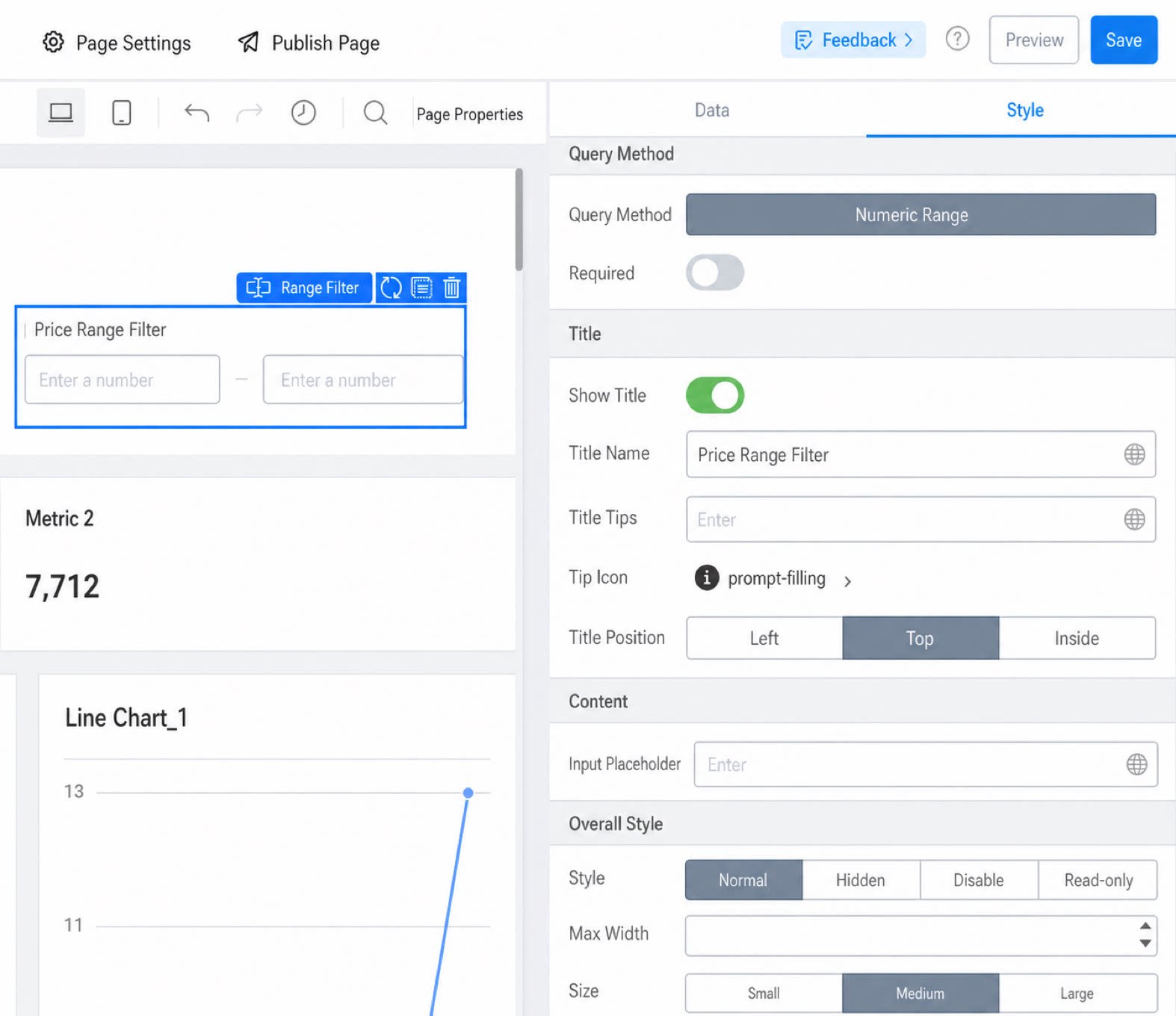
Configure the style rules for the range filter, such as the title and style size.