

 Chats
Chats Calendar
 Meetings
 Contacts
 Mail
Mail Docs
Docs Drive
Drive AI Table
 AI Minutes
 Attendance
 Approval
 YiDA
YiDA Admin Console
Prerequisites
Before you start an approval through integration & automation, create a workflow form and complete the approval process configuration. For more information, see workflow design.Procedure
- Sign in to the YiDA console and click My apps.
- Select the target app to open the App settings page.
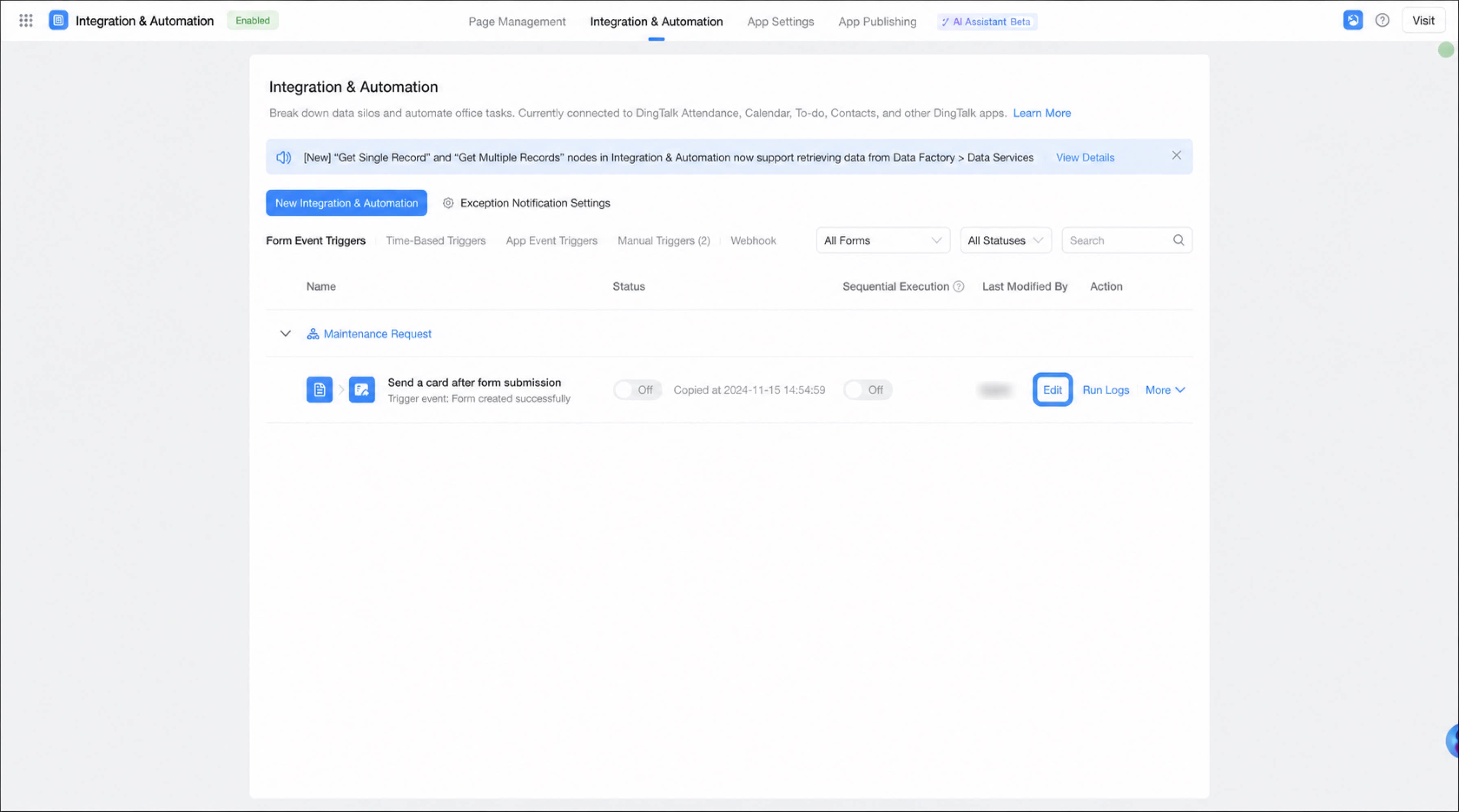
- Click Integration & Automation, select the integration & automation flow you created, and click Edit.
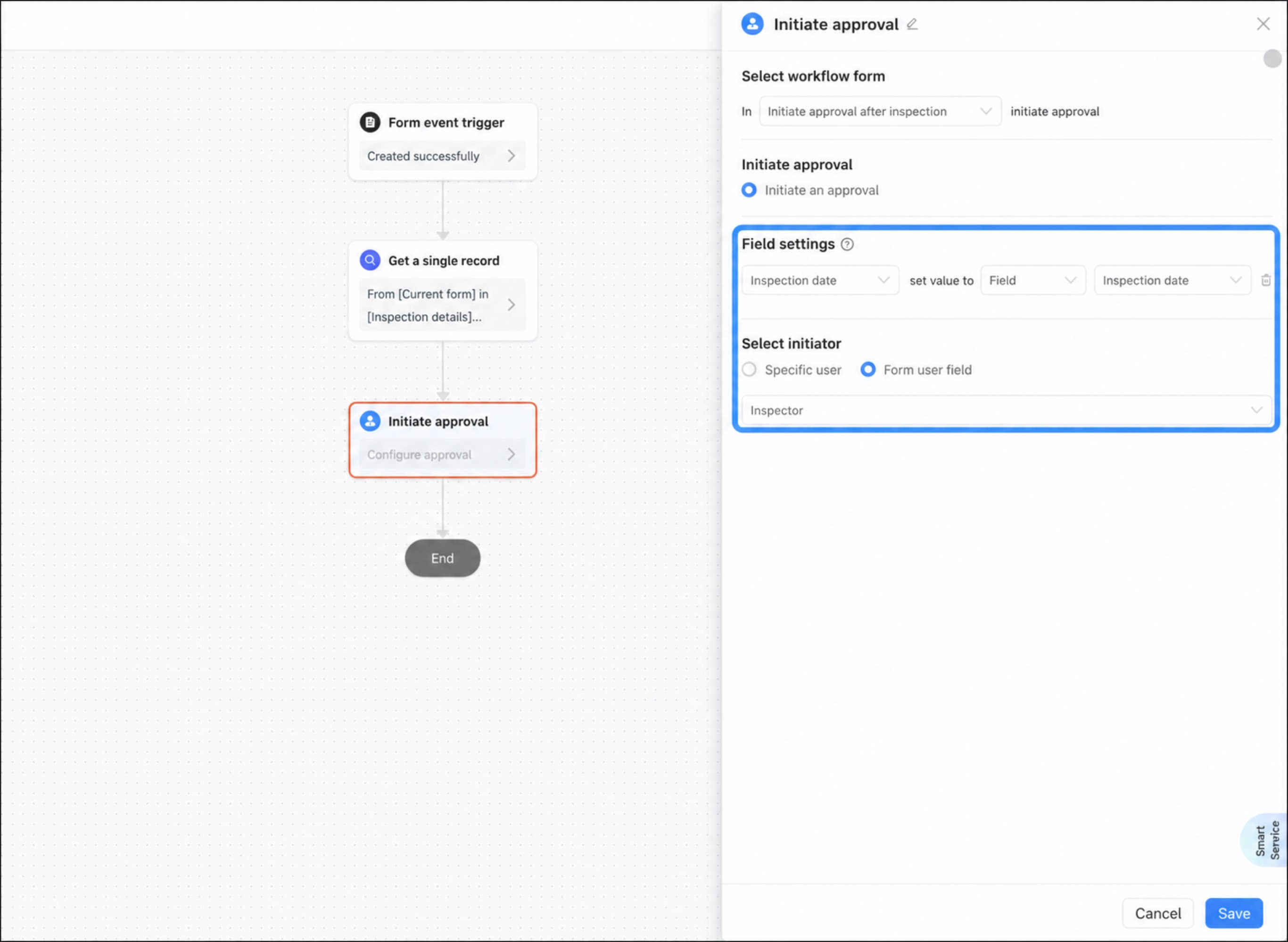
- Move the cursor to the connection line at the approval node. When the + button appears, click it and select the Start approval node.
- Set the values of the fields to be filled in the workflow form, and specify the Process initiator.
- When the configuration is complete, click Save.