Chats
Chats Calendar
 Meetings
 Contacts
 Mail
Mail Docs
Docs Drive
Drive AI Table
 AI Minutes
 Attendance
 Approval
 YiDA
YiDA Admin Console
YiDA provides a free call quota to every YiDA organization. If your quota is exhausted, purchase additional calls on the YiDA platform management page. For detailed pricing, see Value-added service packages.
Step 1: Create a Connector
1
Step 1
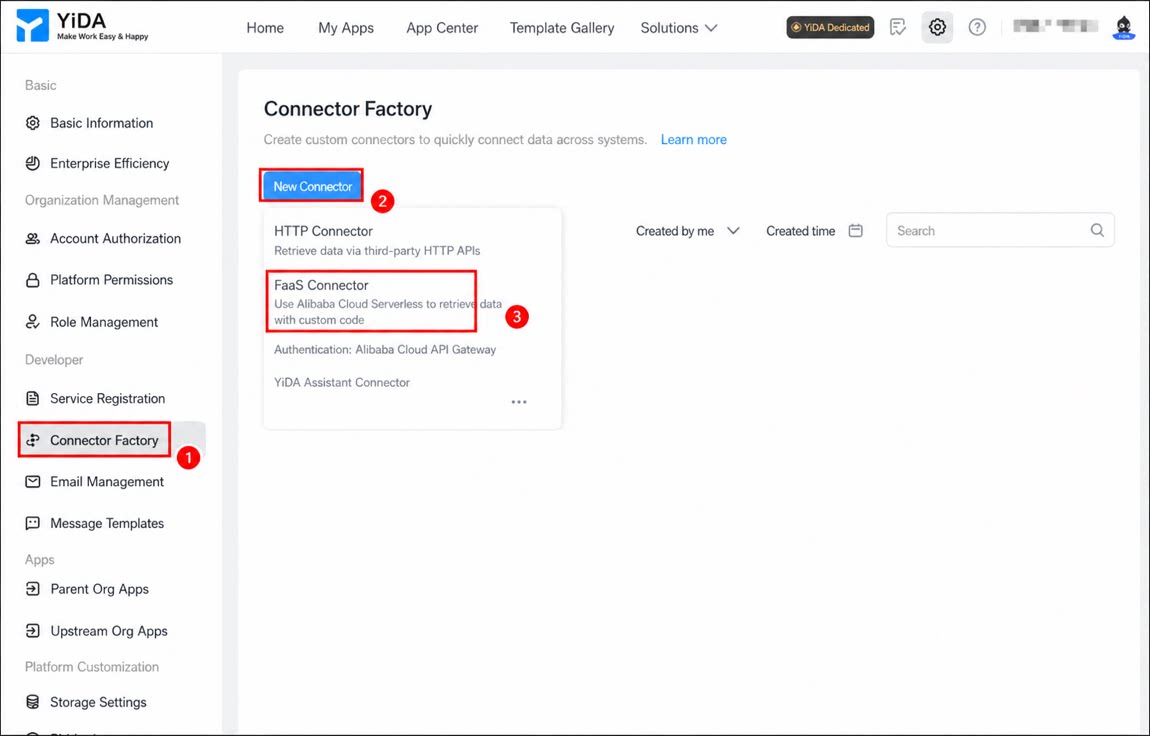
Sign in to the YiDA workbench as an admin.
2
Step 2
Click platform management in the upper-right corner to open the platform management page. 
3
Step 3
In the left-hand menu, click Connector Factory, click Create Connector, and select FaaS Connector.
1
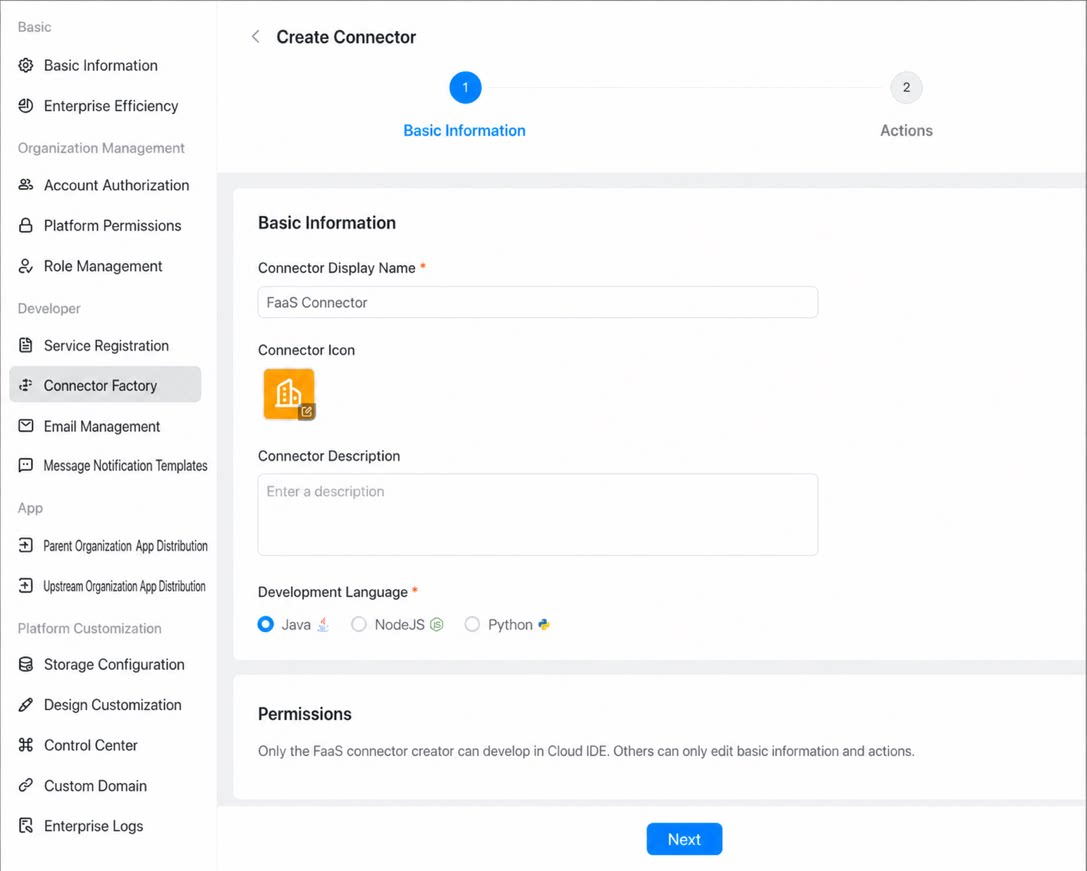
Set the Connector name, Connector icon, and development language, then click Next.
2
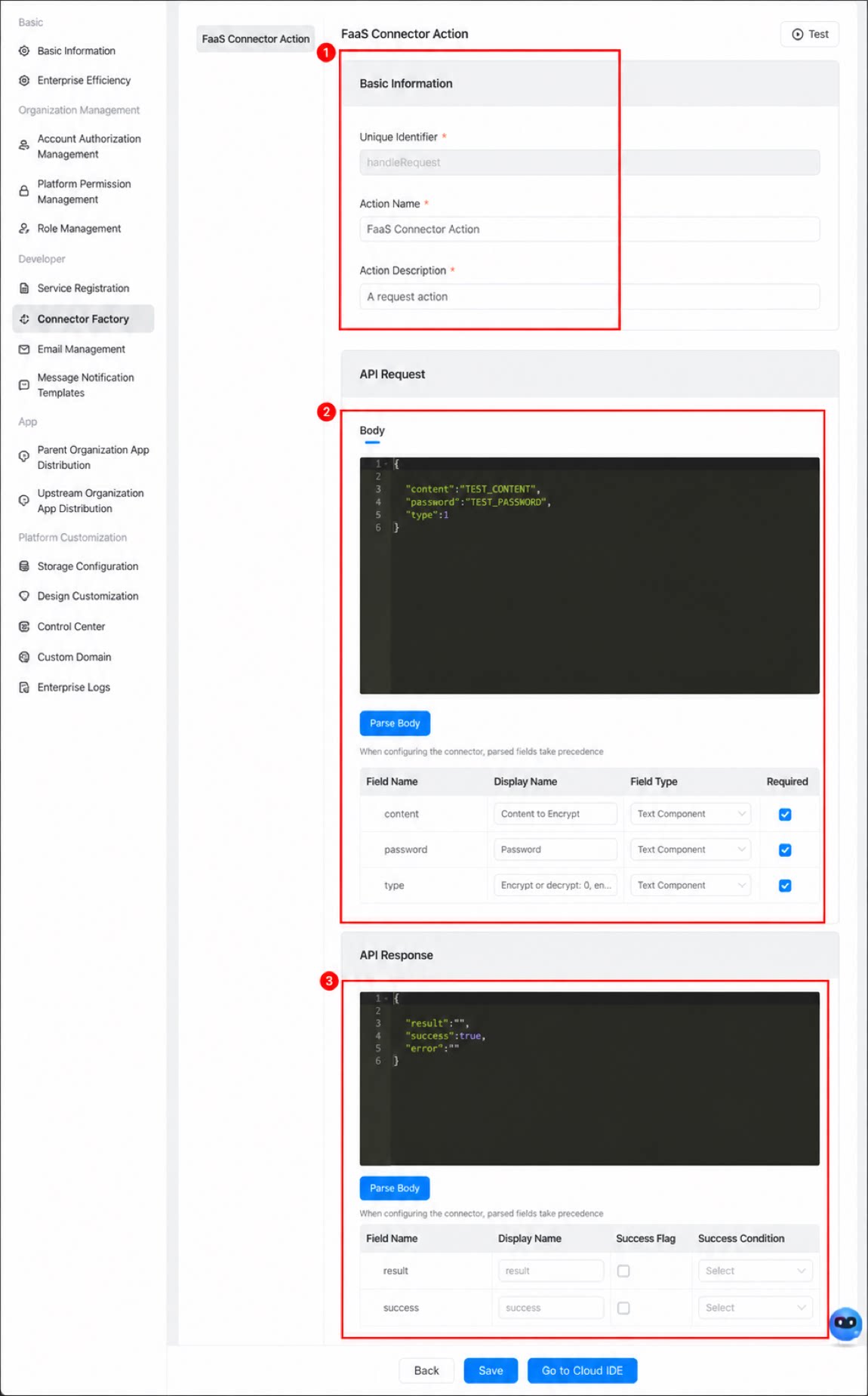
On the Execute Action page, configure the Basic information, Request, and Response for the action, then click Save.
Both Request and Response support JSON parsing. Enter the data structure of the Body first, then click the Parse Body button to parse it.