

 Chats
Chats Calendar
 Meetings
 Contacts
 Mail
Mail Docs
Docs Drive
Drive AI Table
 AI Minutes
 Attendance
 Approval
 YiDA
YiDA Admin Console
- Official connectors
- Custom connectors
FAQ
Q: When using a connector with silent login, can I retrieve images submitted via silent login? Yes. Retrieving silent-login image URLs is built into the connector. Q: Can a leave request submitted through a connector be withdrawn? No. The DingTalk leave-withdrawal API is not yet integrated, so withdrawing leave requests is not supported at this time. Q: Why does testing a connector return “unsafe address!”? Requests to domains on internal networks or containing redirect links are filtered out by security rules.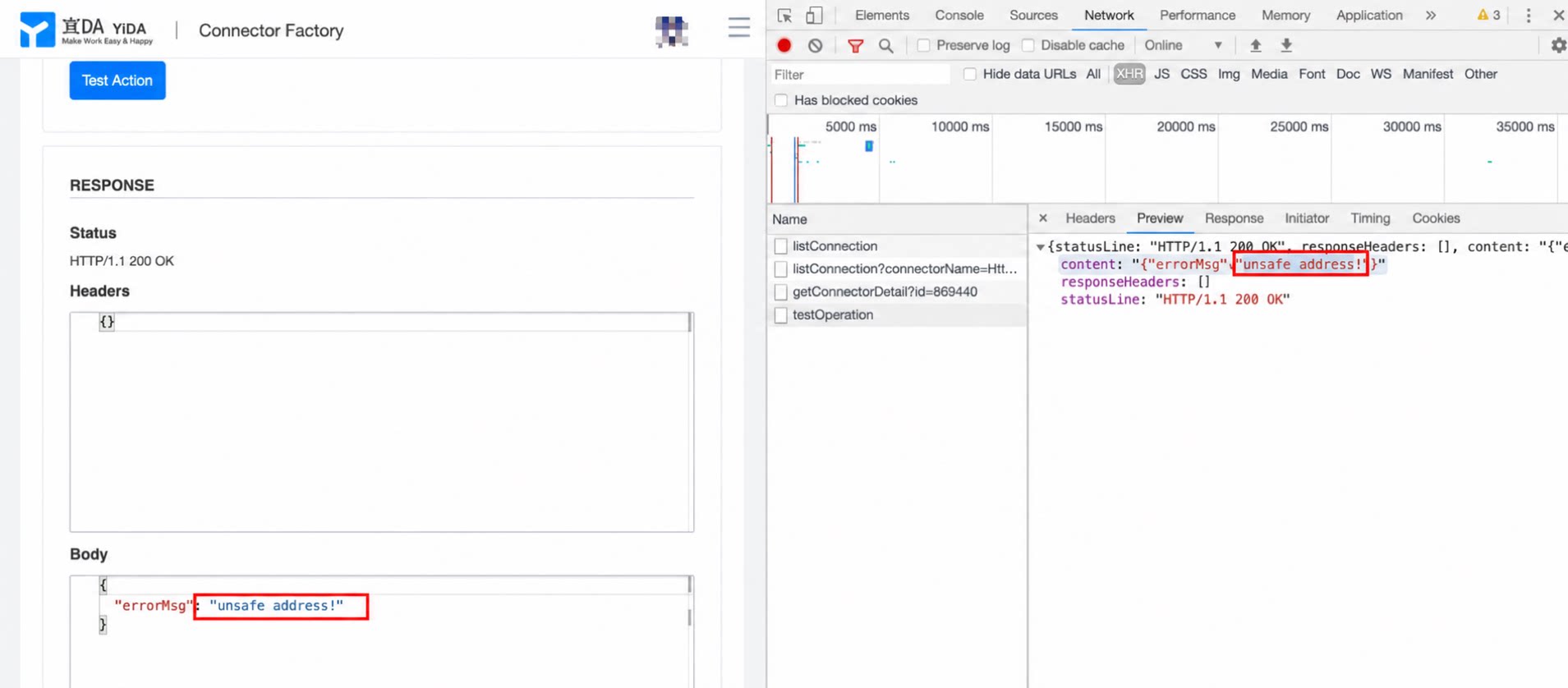
- Security rule triggered: if an employee is already verified in Organization A, adding the same employee to Organization B produces the message above. On the Client-side, search for team invitations or open the corresponding invitation in Contacts and handle it accordingly.
- The invited user has enabled Require verification when a team adds me under DingTalk mobile Client-side > Me > Settings > Privacy > Teams and Members. Once enabled, search for team invitations on the Client-side or open the corresponding invitation in Contacts and handle it accordingly.
After the user accepts and successfully joins the organization, if the organization deletes the user on the same day, calling the API again within 24 hours to invite the same user also returns the error above.
Integration & Automation - Connectors
Q: How do I troubleshoot when an integration & automation run returns an error?
The run log shows whether the current event flow was triggered successfully. You can quickly filter by execution status and date.
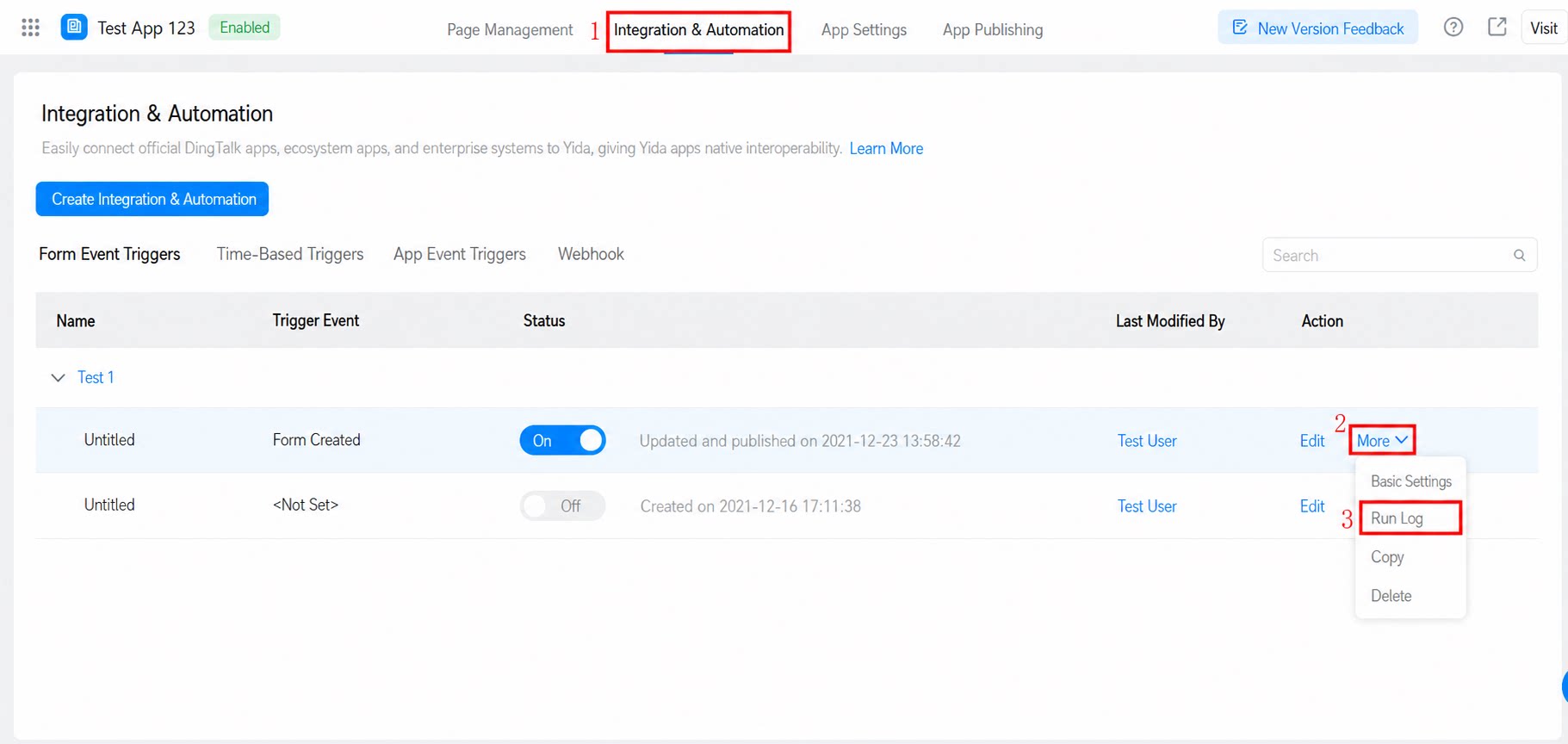
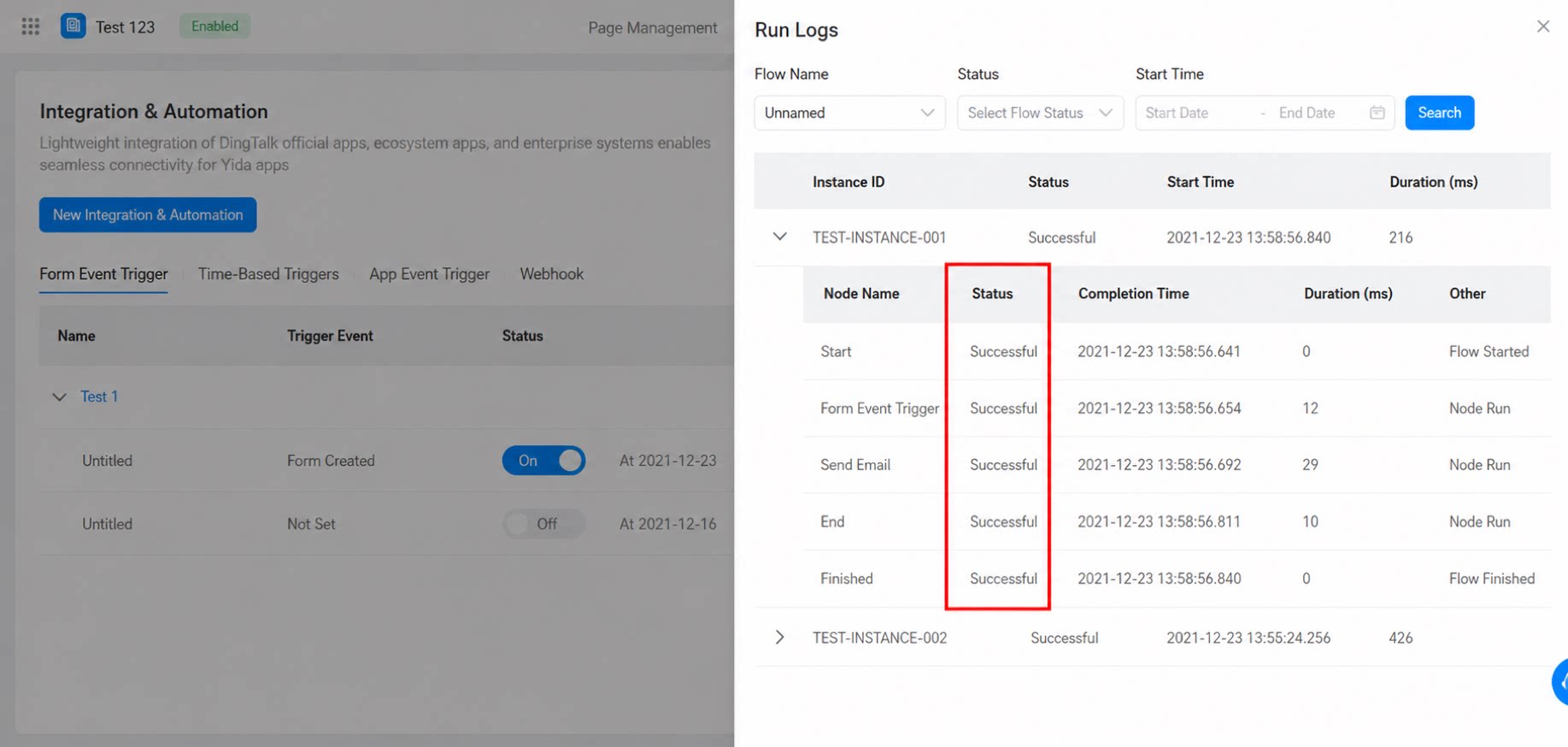
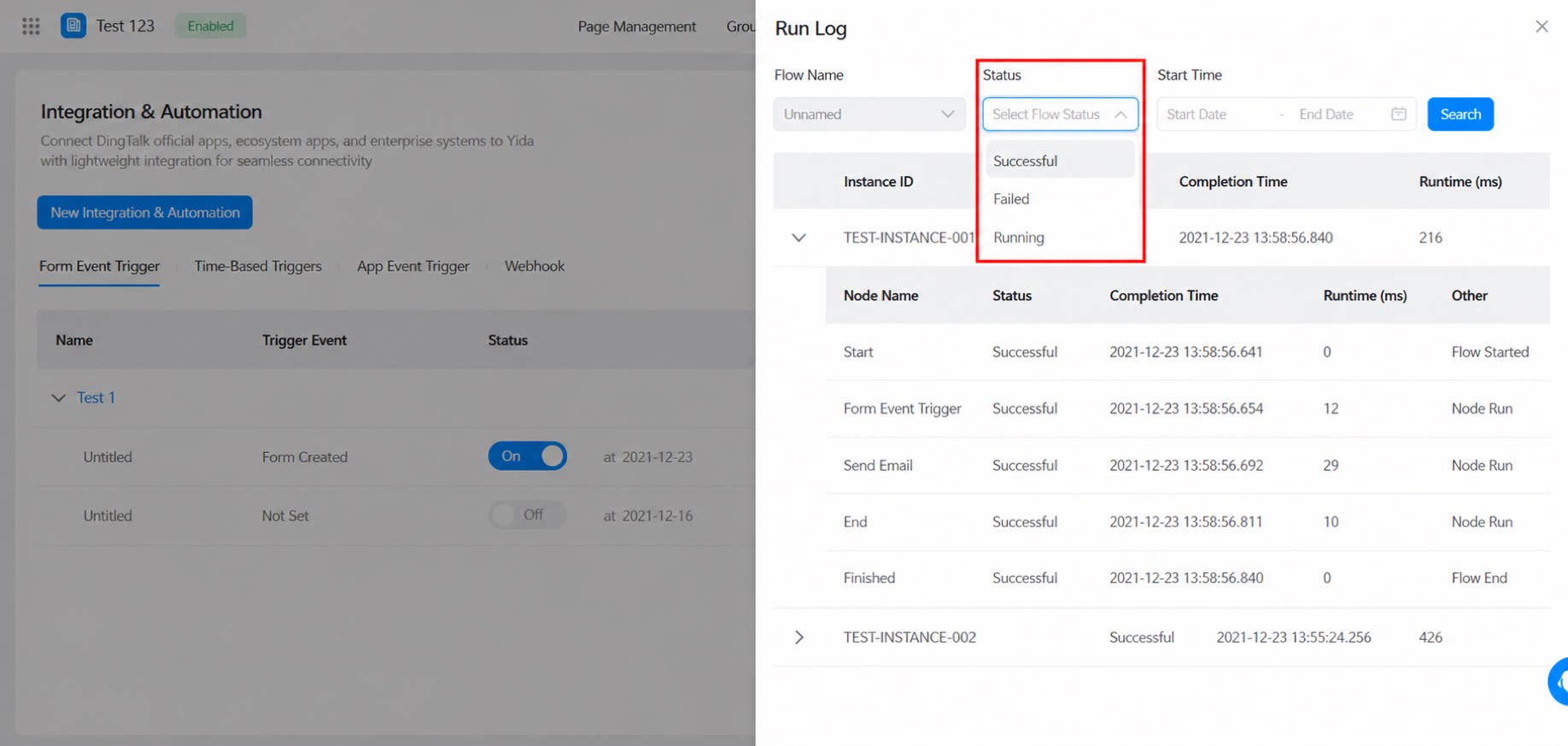
- For OA approvals initiated through integration & automation, an [App event trigger] configured to fire after the OA approval completes does not take effect. In contrast, a manually submitted OA approval can trigger the automation flow.
- When data is created through integration & automation or business rules, a [Time-Based Triggers] configured on the target form does not take effect.
- When an approval is initiated through integration & automation, a workflow trigger configured on the corresponding workflow form for the [Create] event does not take effect.
- When data is created or updated through business association rules, a [form event trigger] configured on the target form does not take effect.
- When integration & automation modifies data across apps, the automation flow configured on the target form does not take effect.